
It’s not the founder 3 as i have only the founder 1
I still can’t play, still the same problem where I have to restart my pc so I can play 15 min before restarting again because of the game crashing
this game crashing could be different problem…
might have to reinstall if that’s the case
i hope somebody with same problem can solve it for you
I’ve tried everything recommended here. None of them work, I am still unable to launche my game client. This is so frustrating. It’s been hours since maintenance and they still haven’t addressed this issue.
have you tried uninstalling the founderpacks
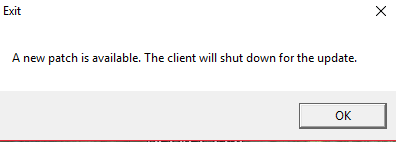
after choosing the server
thanks
I’m currently reinstalling the game, waiting 7 hours
IMC sorry but what did you doooo!! omg cant get in since yesterday… what a crap i was so happy with the game now this crap happens… so pist off
Yes I have unclicked the founders packs. I reinstalled the tos game, ran tos client as admin, verified integrity of local game cache, etc. None of them worked.
Guys it sounds stupid but try restarting your computer. Worked for me after I spent 4 hours trying all these fixes.
Can confirm, spent the past 3 hours doing all sorts of various voodoo posted on this forum to no avail. Just rebooted Win10 and BOOM! first load it updates and launches… 
what i did is that i unchecked the DLC in the steam… its now patching. woah. it took us several hours before finding a solution.
thanks jack! it works.
[SOLUTION]
- Right click on Tree Of Savior in your Seam Librar and open “Properties”
- Go to the DLC label, and uncheck the “Founder’s Server: Exlusive Access 1”, close the properties options, and it will automatically patch and you will we able yo log in normanlly.
All the solutions doesn’t works for me! =(
Can someone help me?
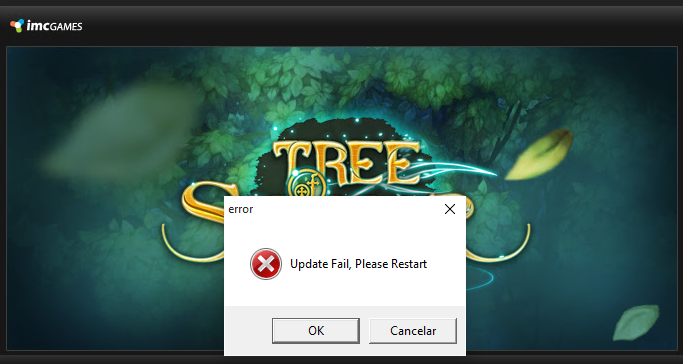
I got this message all time that i try to start tos.exe:
it works man! IT WOOORKS!!!
You are awesome!!
Having the same problem “Update Fail, Please Restart”
Is there any way to fix that?

I try all the solutions and it didn’t work! =(.
Solution
The solution for me was to renew my ip (restarting my modem)