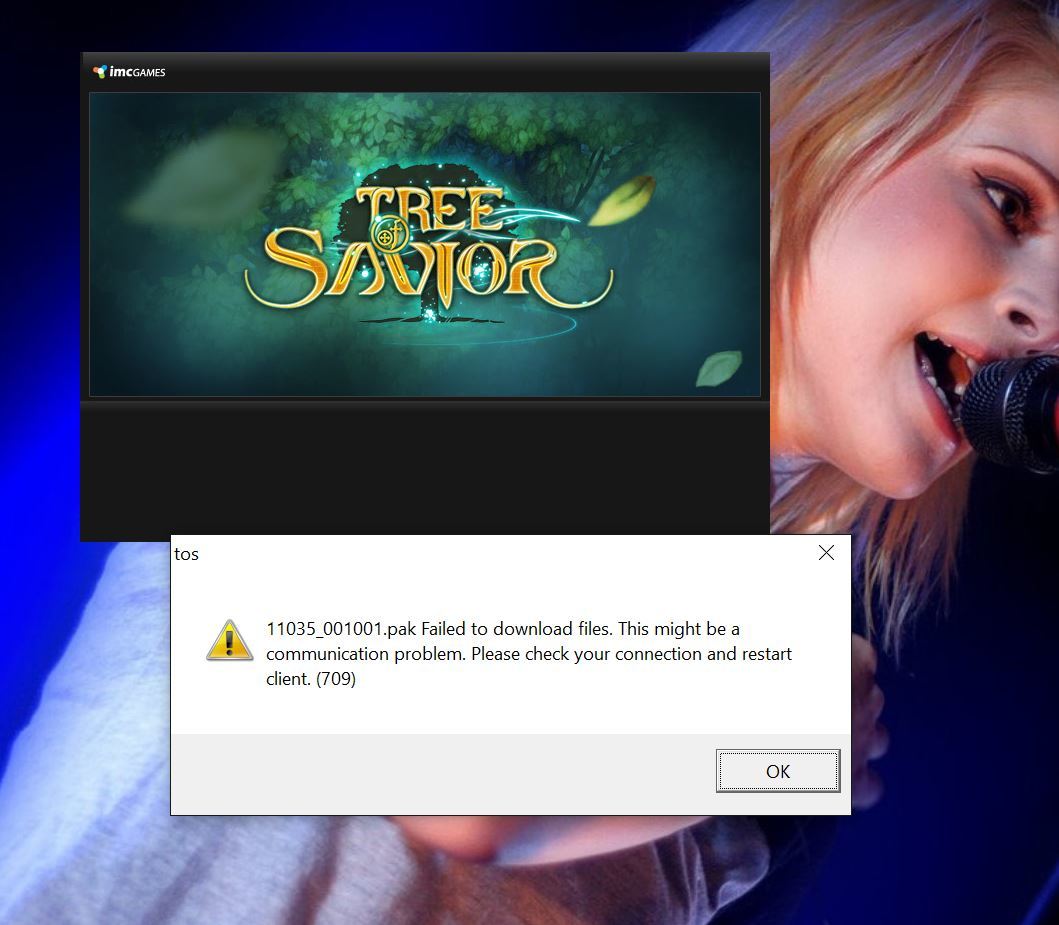
Same issue, but a different pak file. I’ll post the details of a message I’ve posted on the steam community. I’ll also update here if I find an answer.
I hope you guys will do the same.
I’ve downloaded the game three times already, restarted the computer, closed my firewall and antivirus, added both executables to my firewall exceptions, removed the revision.txt files, even removed 11075_001001.ipf and let Steam revalidate the game files. I run the file game as the adminisitrator. I run a Windows 10, my internet speed is fast enough.
However, the patcher will reach around 17% (If I don’t remove the revision.txt files, or don’t validate the game files, it won’t even pass the 0%), and give me the following message;
“11075_001001.pak Failed to download files. This might be a communication problem. Please check your connection and restart client. (709)”
Anyone with a similar problem? How did you solve it?
Note - I did not buy the access package yet, wanted to make sure no problems arise with the game. So far, me being cautious was the right thing it seems.
Oh yes, would be great if you could bump the steam topic (by saying “I have the same problem” or so, as directly bumping is not allowed) so we can get more attention.
http://steamcommunity.com/app/372000/discussions/0/365163686039370296/