

If you are getting this error message after you try to log-in your character or if your TOS launcher auto-closes while it’s still on the white loading page, that means some of your game files got corruted. This usually happens when your TOS unexpectedly shuts down.
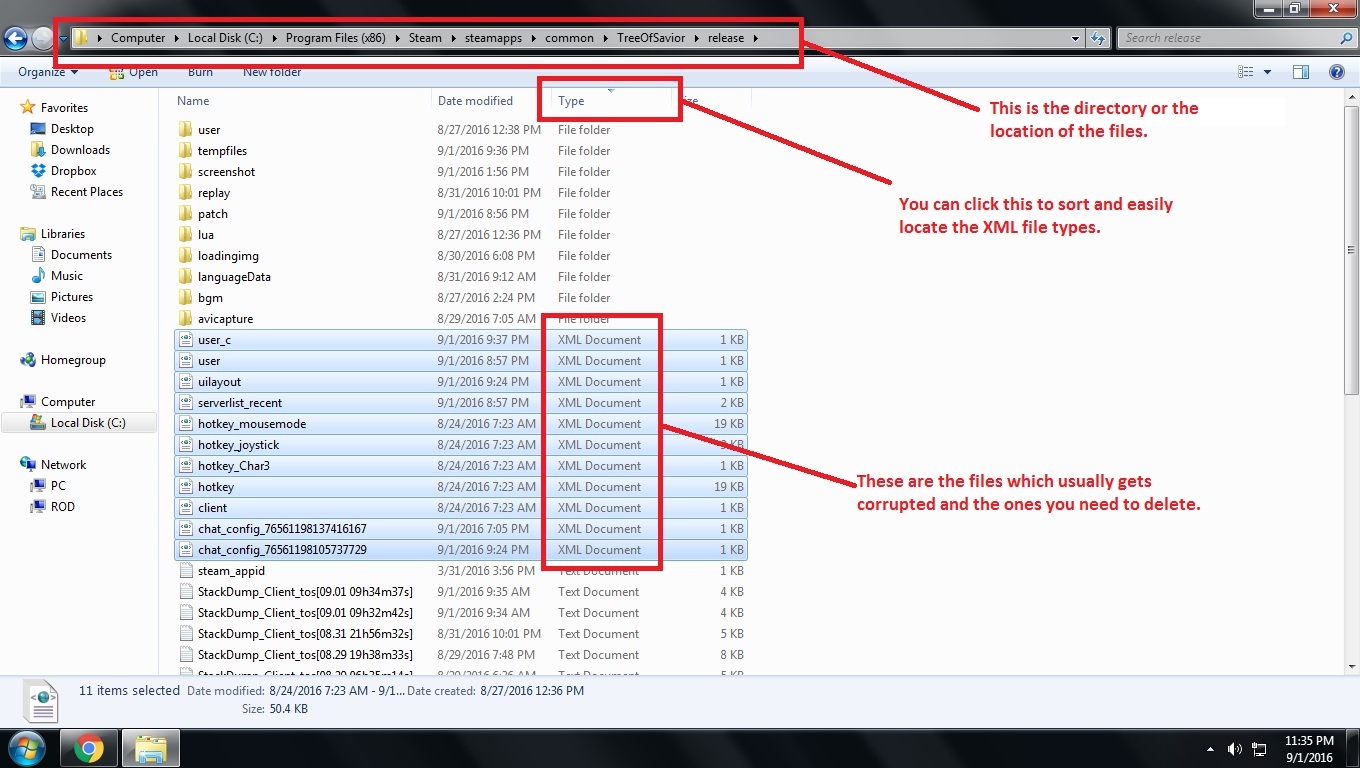
To fix this, go to your TOS directory and open Release folder. Delete all the XML file types (some say it’s just the user.xml file but better delete them all). Then Verify Game Cache Integrity. (Here is a guide how to verify cache: https://support.steampowered.com/kb_article.php?ref=2037-QEUH-3335)
It’s best to have a backup copy of a “working” TOS folder so that in case problems like this happen, you can just copy and replace files from the backup. What I do is instead of verifying game cache which takes a few minutes, I just delete the corrupted XML files and copy the working ones from the backup which just takes a few seconds.