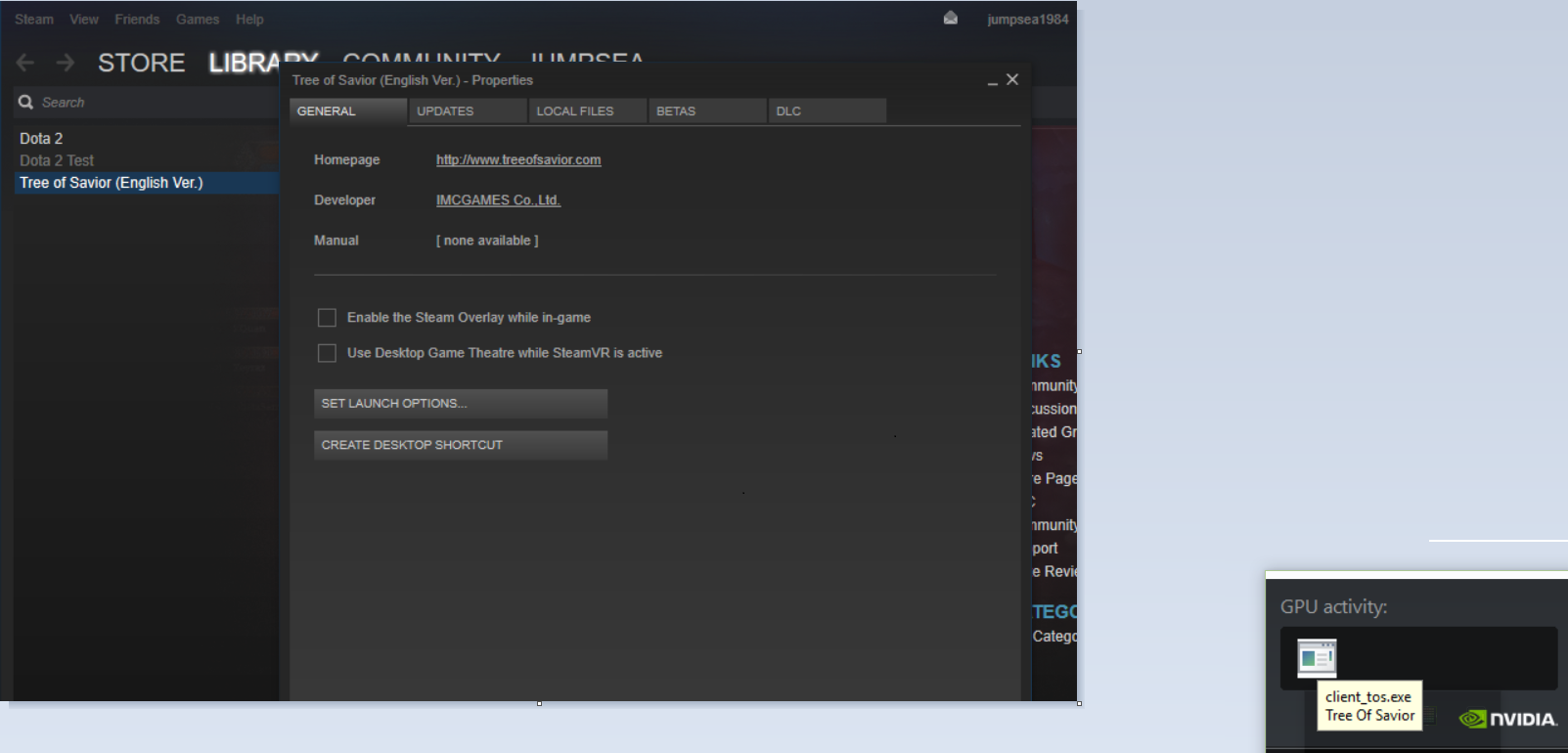
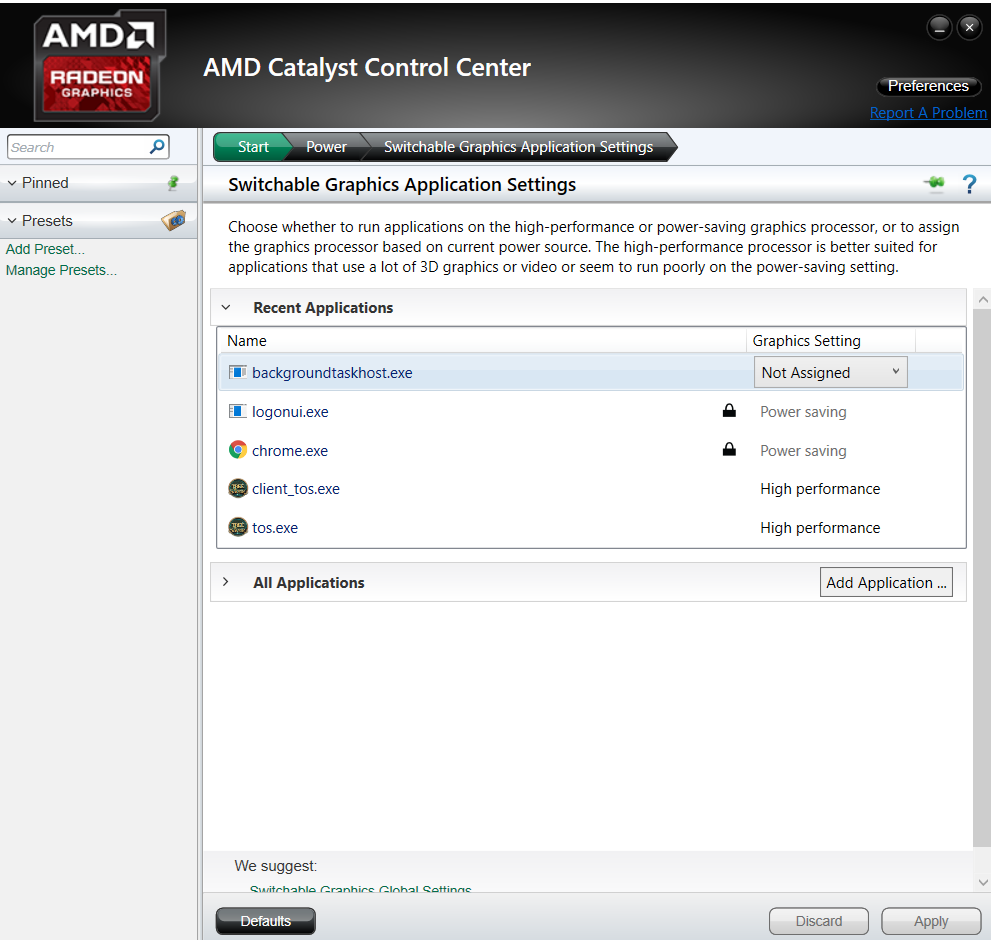
Anyone with AMD card?
I don’t see any option for making the game use the GPU in the control center… Aww.
My specs:
AMD Vishera FX 8350 CPU
Gigabyte R9 280X Windforce OC ver.
2x4GB Corsair Vengeance Memory.
Windows 7 Ultimate 64-bit

Anyone with AMD card?
I don’t see any option for making the game use the GPU in the control center… Aww.
My specs:
AMD Vishera FX 8350 CPU
Gigabyte R9 280X Windforce OC ver.
2x4GB Corsair Vengeance Memory.
Windows 7 Ultimate 64-bit
can try select “Performance” for all your 3D settings (power and texture)
now you in town or battle filed how many fps ?
i still suspect your 3D card didn’t work property , just make sure ur gpu are running , and try disabled steam overlay can help you increase fps little bit.
if 1 & 3 didn’t work , maybe can try downgrade display card driver to old version , recommend 358.91 version. it help me increase fps from 20 to 40 fps last time.
official dl link : http://www.geforce.com/drivers
Hi Paulius.fu,
you can see the option in Powerr -> Switchable Graphice Settings , set it to “High Performance” , it help my another 1 laptop fps from 60 to 80fps and stable 25-35fps in town
I think the latest radeon software no longer looks like that and I can’t seem to find any option related to power settings.
Btw, I have decent fps tho like 110-180 in dungeons. What I can’t handle is the freezing and sometimes my fps drops to 0 for 3-4 seconds and it happened ocassionally.
yes, in crimson remained only overcklock settings.
I’ve tried setting everything to performance, also tried the integrated intel HD graphics gpu (10-20 fps haha), no success. Steam overlay is off, cause it pissed me off that it came on every time i pressed shift.
My driver wasnt updated to latest yet, i did it yesterday to see if there’s any change. Ill try what you suggested once i get back from work.
Hi guys, anyone have an idea to optimize an notebook with those specs:
Intel i5-3230M 2.6GHz
Inel HD Graphics 4000
6GB RAM
i’ve been playing with 10-20FPS average when solo mobbing and 10 or less at cities/party, i can deal with this, but is kinda sad to play in that way 
Did you check the client for errors? The bots nowadays are damaging our clients.
you notebook didn’t have GPU ? than you need a strong cpu to cover it… seem your cpu serial no have ‘k’ so i not recommend overclock more than 2.6Ghz really can burn your notebook…
you can optimize by this way,hope can better abit :
Display Card settings
set to “Performance”
optimze user.xml
open user.xml by notepad , file default path :
C:\Program Files (x86)\Steam\steamapps\common\TreeOfSavior\release\user.xml
P.S. please backup user.xml before apply any changed
UseWater=“0”
UseFastLoading=“1”
UseEnvEffect=“0”
UseEnvSound=“0”
CaptureFormat=“0”
ChatEditVisible=“0”
UseEffectHigh=“0”
DevGamma=“10”
ResizeLevelOfTextures=“0”
DrawActorPersent=“5”
DrawMonsterPersent=“15”
UseGlow=“0”
UseFXAA=“0”
UseWarfog=“0”
UseDepth=“0”
UseBloom=“0”
UseSoftParticle=“0”
UseHighTexture=“0”
UseLowOption=“1”
AutoAdjustLowLevel=“0”
VSync=“0”
@jumpsea84 : Ok, so basically I didn’t revert my driver as of now, but kinda managed to get 40-120 FPS (which is nice compared to 10-50). I always had firefox/series/whatnot going on my second screen, and it turns out ToS really hated that. So I tried going without it, and surprise, even in hugely crowded areas the lowest I got was 30-35, which is still not what my comp should be capable of, but better than it used to be.
The throttle program you suggested kind of boosts it (5fps top) if i push my processors to 2k, but I’d rather not use it anymore as yesterday my mouse started acting weirdly, going slow with a “click” sound at every pixel. Not sure if it was because of that, or something else, but I’d rather not risk it. My CPU temps, however, didnt go above 55C.
Anyhow, thanks for the help!
this works way better for me than overclocking or launching the game with -dx11
you are welcome , and congratz you solved the low fps 
If I’m understanding this correctly (maybe not) this is just setting a minimum load on the CPU so it cannot drop below using that much?
That would suggest this is actually extremely easy for IMC to fix the game and make it never use less than 50% of a CPU core to stop the performance drops?!
The developers of this game should be the ones providing the fix for this issue. It’s great to see people providing solution to help others but this one is risky for some.
If only 1 CPU out of 4/6/8 is working then there’s a risk of damage in the near future. Correct me if I’m wrong.
Well, my multiplier only goes to x11 so your guide aint doing anything for me ¯\(°_°)/¯
Well, its a 2,8 ghz dual core sooo…
LMAO hahahhahahahaha