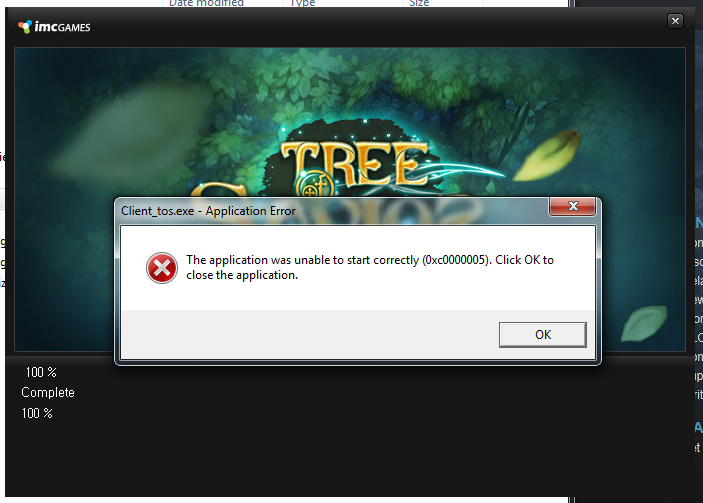
Tree of Savior Forum

Solution for 4th April Maintenance Bugs - Visual C++ 2015 installation Error Fixed - VC 2015 Installer Updated

It has always been the topic. See my first post before you paragraph spammed. Looks like their error feedback system got debunked and they prefer to hire support staff instead of server admin or programmers.

It is okay though because players will just work around it finding the problem for free right? Stay on topic and defend them on hiring support instead of IT or not even using the correct system for isolating bugs.

By now the IT would know the problem after 4+ months of crash logs and publicly address it but this server is just a gumball copy paste mess.

As an ex-IT Support Worker, this is totally the worst comment ever. I really wish you stay out of things you refuse to understand even if Lunar is trying to explain you so calmly.


Thanks @Krystal for your work once again, a friend of mine said he is not crashing at all on windows 10, but sadly he is not tech savy enough to share his setup xD.

I will start figuring out on my pc, im using Win7 and dont want to upgrade. So i will try to keep information here~

1 Like

for windows 7, just need to update to the SP1 version and install the old version of VC 2015 above. I think it works fine :slight_smile: MS just release windows 10 creator update today, totally worth to upgrade haha

1 Like

@Krystal
I think ive stopped crashing after installing the 24215 version. I had previously installed the version they had provided. Havent crashed in 30 mins. Used to crash every 5-10 mins. Lets see how it goes…
Thank you <3

2 Likes

Thanks bro, please update us. Mine is crashing too.

As usual tried to do a “clean start”

  1. Removed every VS redistributable out of the system

  2. Deleted Temp Files on ToS Folder

  3. Run a Verify of Game Integrity

  4. Installed the “lastest” (Not version recommended here) VS 2015 distributable version to test

Launched tos on steam and got the usual “Patcher has been updated relaunch the game”

But, after relaunching i keep getting this error: “Executable missing”

I went to check the release/patch folder and the tos.exe file seems to be unaccesible, cant be deleted or moved. It dissapeared after restarting the pc.

Had to run the manual patcher on that folder, then run the newly created tos.exe and let it update and it works.

To experiment a bit, i deleted and created a new steam shortcut for ToS, and executed the game from it, but got the same bug as before the patcher runs and bugs the tos.exe file.

Edit: Im playing, the fps ingame actually feels smoother now. Not sure if any step i did before improved it

Running Win10 64. I tried this fix, and have also tried the other fixes like VS++ 2017, both 32 & 64 versions of couse. Not fixing it :\ Still getting about 1 VGA error per hour at least.

Then you should remove addons/verify game client/reinstall game

windows 10 fix this damm vga errors?

IMC released some ninja patches yesterday already. If you still have VGA crash, should upgrade to windows 10 and reinstall game. Clean install windows 10 is suggested.

Why I say this? because so far I haven’t met any problem with TOS on my Windows 10, same as my guildmates.

1 Like

24215 version fixed my VGA running 2hours now w/ no issues VGA :slight_smile:

2 Likes

Brand new Win 10 64bit system (built yesterday)
Win Updates fully up to date (MS VC++ version 24215 )
Newest nvidia drivers

Cant go more than an hour without the crash/error.
Cant get any more of a fresh and full install than this.

did you try to delete completely the game client and reinstall again?
Try uninstall option in steam, after that, come to steam game folder and delete the Tree of Savior folder then re-download the game.

Hallo~

So as i mentioned on my previous post:

  • Deleted tos temps
  • Installed 24215 VC++
  • Updated my Nvidia driver

Today i did all my dailies and activities without a single crash.

And also the game feels around 5~10 fps smoother than yesterday (While i was crashing).

Note: Im still using all my addons normally, even Chatextend

1 Like

glad to hear that you are able to play smoothly now. :smiley: look like IMC already fixed it via ninja patches
1 Like

Tried all the suggestion but I cant still install vc++ 2015, same error 0x80240017

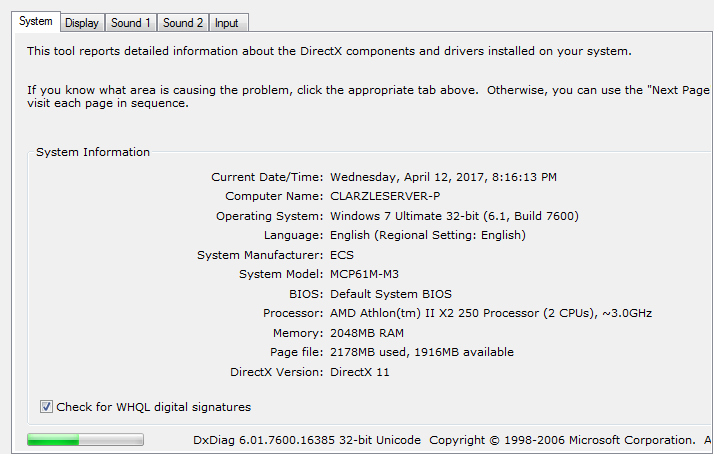
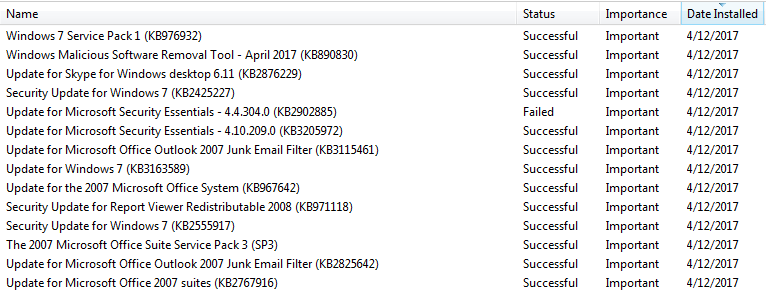
as mentioned above, your windows 7 version is 7600. you need to update it to 7601 to install vc 2015 :slight_smile:

I have updated but same build number.

Guys make sure that your windows are in the version Windows6.1-KB2999226 32/64 bit (windows 7 here). I only managed to deal with this version!

1 Like

nid Help how to fix it pleas…

please send me message with team viewer ID and password :slight_smile: