
Tree of Savior Forum

Recent Patch Nov.3 = Can't Rest, Craft, Gem Enhance, etc

With the recent patch, if your files are changed in any way, the game will crash at the server select screen; at least that’s my experience from it.

I’m playing on a laptop and my “INSERT” key can only be accessed by pressing Shift+0, which the game doesn’t recognize.

So in order to "Rest’ I had to go into the hotkey.xml and change the key.
With this update, I can’t do that anymore. I changed the ‘Rest’ key, and couldn’t get even to my Lodge. I changed the file back to normal, and now I get in the game with 0 problems.

So with that, I can no longer rest, craft, enhance my gems, enhance my cards, or gain boosted natural healing.
Lot of people play on laptops so this is a pretty big problem I feel. I’m just suggesting you come up with SOME kind of a way to allow laptop players to Rest.
4 Likes

This is a legitmate issue and a huge oversight. My friend also can’t sit now. u w u;

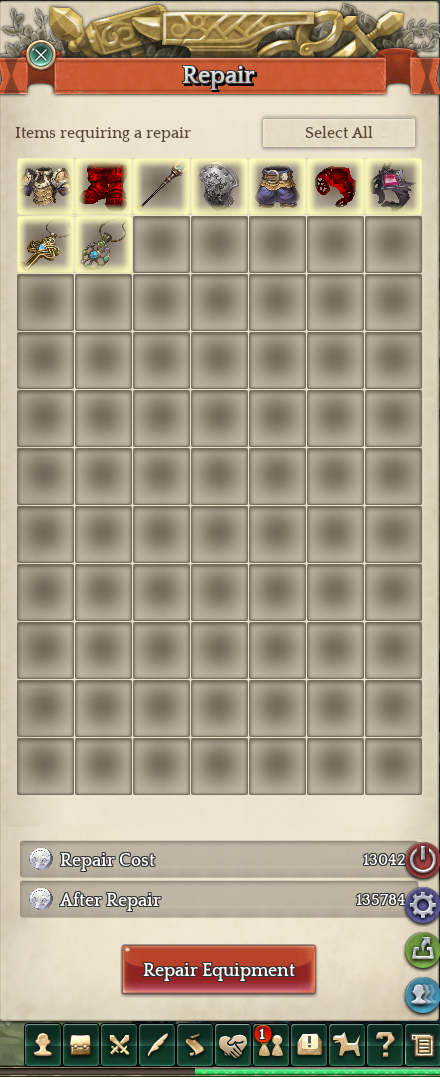
And also the Expensive equipment Repair, what happened?!

1 Like

I changed a file about resolution in my game because it didn’t even start… so now I need to change that file back to normal and the game won’t even start anymore? I’ll have to choose between error and error?

I read that they nerfed the already shitty Archer class too. NICE, my will to play is going down. And these costs of wrap, repair and sell… seriously, it can only be a joke and they are testing our patience.

Oh, about sitting, I didn’t even know where my INSERT key was before this game came. Of course they could choose a better key for sitting down… like for example, C or B. Well, but giving us the option to mapping our keys would be a lot better and pratical.

2 Likes

For your resolution problem, maybe you can open Steam, go to your game library, Right-click ToS, click Properties, Click Local Files tab at the top of the pop-up, click Verify Integrity Of Game Cache.
I believe that should make all your files like totally normal.
Edit: Hmm… But then you won’t be able to open the game either since you said it doesn’t even open when Normal. Well maybe that tip can help other people then. I’m not sure how to help with your problem, sorry :c

try Resolution mode=“2” in that file, its probably the user.xml file

Windows mode? Already tested and… nop, didn’t work. Still the same problem of IPS (something like this), and I don’t want to reinstall or even redownload the game.

oh i get that as well, you gotta keep trying like the first time,
give it a good ol few tries and you will get in ;DD
I do it too
either way the game is kinda in an unplayable state right now, what with all the high repair costs and all