
Tree of Savior Forum

Guide for Mouse Controls / Bugs; A Warning for (Ranged) ICBT Players

This is pretty much a bug report thread, but I’m waiting until the release of the ICBT and the addition of the beta bug report section of the forum before I create another thread - however, this will be a brief listing of issues players who have no experience with the new control scheme should keep in mind. Such awareness should include:

  • Attacking is done with the same key as moving, so sometimes when you attack, you walk towards the monster
    • It’s important to use the WASD keys to keep yourself backing away
    • An easy fix for this would be to make the attack command the Right-Mouse-Button
  • Similar to attacking, navigating the menus is also done with left-click, causing your character to sometimes move during a quest option selection, breaking the dialogue and causing you to click through stuff again
  • There are a few interactive quest objects that don’t have a click-to-interact option. To progress through the quest, you must change your control scheme to something else, then revert back
    • The first one you’ll encounter is on the second floor of the Crystal Mine

So, keep these things in mind everyone, as they are quite annoying, and you’ll have to just get used to it for the duration of this beta.

Edit:

In one of the last Tenet Garden quests, you have to do a certain amount of damage to a boss, then interact with it. The option is unavailable in the mouse control scheme, so you must change your settings, then quickly change back to continue the fight.
10 Likes

Where do you get this from? Attack is done with Z. In the normal mode wasd are used for quick slots and to move in mouse mode.

From playing - you use a left click to attack with mouse controls, as well as to click to move (you can hold the mouse button down to have your character follow your path). This is a guide that addressese all the issues players will have to deal with while IMC gets the kinks worked out of their new control mode.

1 Like

Is it possible to just remap every command? Lol. That should be a thing.

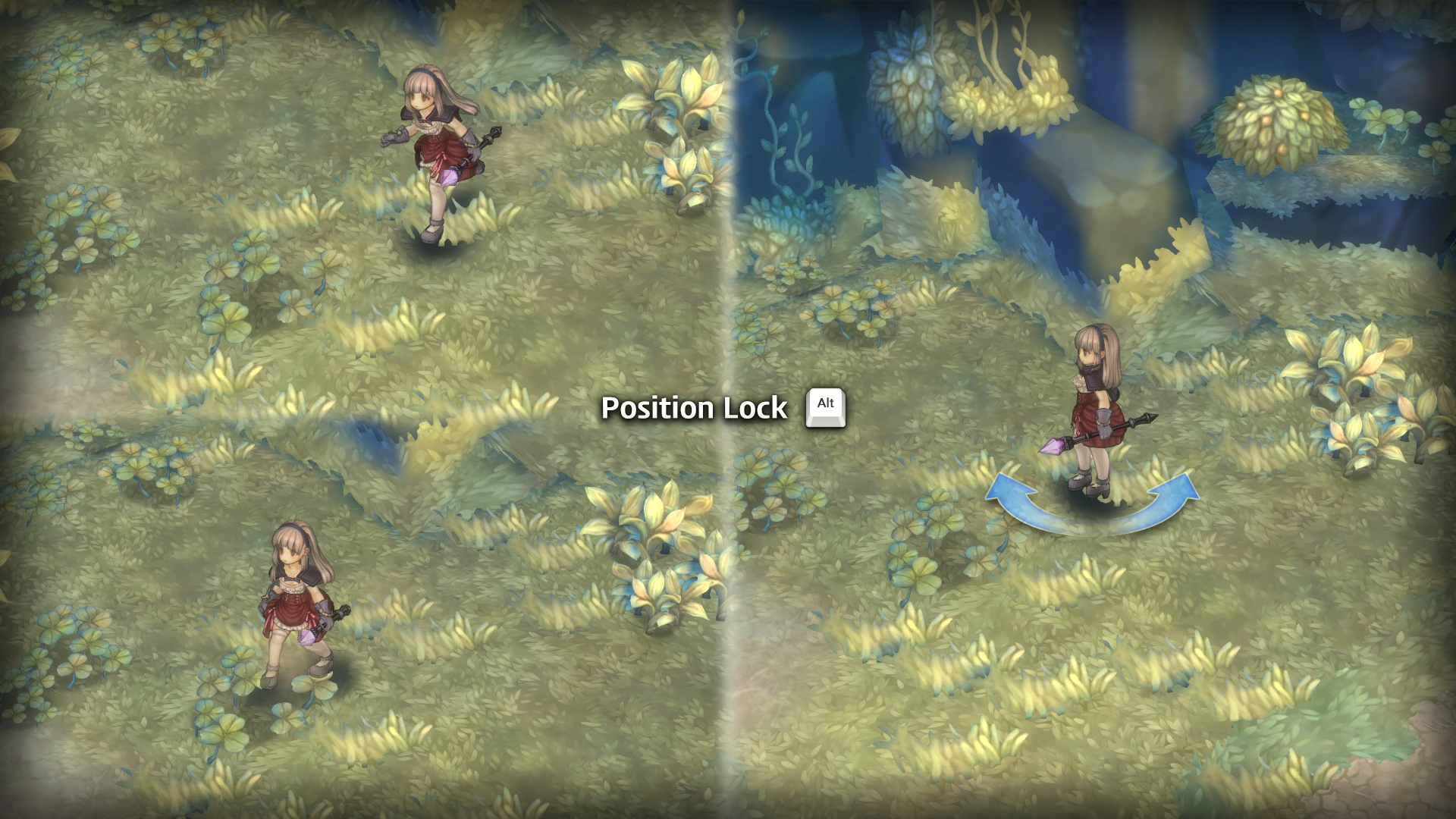
Don’t you have the Alt key for staying in place?

Sadly you can’t remap controls, at least not in game. There may be a config somewhere, or they may add it in the future.

Edit:

You can remap skills with the hotkey.xml file in the release folder.

To remap you can only edit the hotkey.xml in C:\Program Files (x86)\Steam\SteamApps\common\TreeOfSavior\release.

use alt key noobsticle XD

I preffer spacebar, since its the biggest key you wont miss it lol, but im curious how a controller will work (if its implemented) anxious to try my 360 controller.

I guess I could just make a profile specifically for ToS and reverse remap my keyboard and mouse.

Oh wow! That seems like a pretty major and annoying bug. I sincerely hope that they change this. The different control scheme is necessary for ranged classes to survive. If it doesn’t work fluidly, it will ruin the feel of the game. Some might not believe it, but movement and combat fluidity is what makes or breaks a good game.

1 Like

If i have to use keyb/mouse i will setup like PoE since im used to it anyway.

In other words you were referring to the mouse button instead of the keyboard.

Yes, I thought I made that clear. I’m not sure what else I could have been referring to.

Also, I understand the alt button can be used to stay in place, but honestly that shouldn’t be the “fix” to the problem.

It also happens when you scroll / drag through the world map. After you go up about 1/4 of the map screen, your character moves far enough to break the interaction.

Another, minor, bug occurs after you teleport - after the animation finishes and the game registers you as moving to the other map, your character will move towards the position of your mouse. It has no real effect on gameplay (you’re not at risk of being attacked at this point of the teleportation process), but it looks really bad.

You’re right. The alt-key is definitely not a fix to the problem because ranged characters need to stay moving. Unless it’s a boss, they really can’t stay still. And even then, only when the boss isn’t doing AoE.

It wasn’t clear to me because attacking and moving with the left mouse button is default in the majority of RPGs so I didn’t recognize this as a problem ( I have a problem with the availability of mouse control in general though).
Being able to move while using the UI is also a usual thing, by the way.
Well, my question is resolved, I can’t comment on these issues, yet.

Ohh, it doesn’t seem like I’m being clear enough. For you, and everyone else, the issue here is not that mouse control is a thing and that it can make you move around, attack, interact, etc etc., it’s that most interactive actions involving the mouse also cause you to move as well as the intended action. However, because of this, many mishaps happen because of your character moving.

For example, when starting a quest, you might click the right side of the box, of which should advance you to hear the dialogue pertaining to the quest. However, if you click the right side, your character also moves over to the right, and if you were already to the right of npc, you might move outside of their dialogue range, causing you to come back and click to accept the quest once again.

For the record (yes I keep a record), I understood you from the beginning.

If you mean that ranged characters also move towards a monster while attacking if you click on them then it’s just a bug with the mouse control.
If this only happens on UI elements, it’s just a bug with the overlays. In both cases there is no need to separate the attack onto the right mouse button.

do you guys think i m gonna have a problem playing with notebook and touchpad?