
Tree of Savior Forum

Do i need to delete the old icbt2 file? and redownload the whole thing again

hello.
i was one of the icbt2 tester and i have the old icbt2 client in my steam folder,
the thing is when the TOS start to appear again in my steam library, a total of 6.6gb update was available, and i immedietly update as i was planning to buy the founder pack anyway

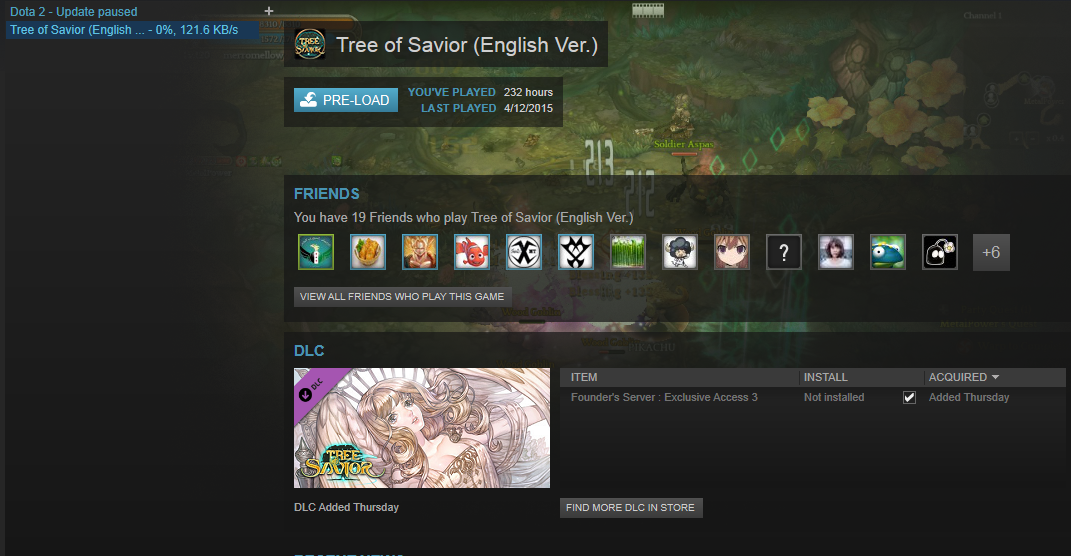
but after i click the DLC option> another 7.1gb update appear (which i think is the whole client size??)

so in total there are around 13gb update. and this is really data consuming

do i need to delete the old client and redownload again?

here is the image when i didnt untick the DLC (its say that pre-load is complete)

after i click the DLC pack, another 7.1gb update appear (which is i think the whole client). why do i need to redownload everything,>.<
cant steam just update the existing file and add just a little bit of data
This post was flagged by the community and is temporarily hidden.

but… its a 7.1gb update. :frowning: is there any manual patch or something ?
I think it’s not an update, because I had CBT client, then I downloaded 6.6 Gb updates, today I bought access and steam now wants to download 7.1 Gb (=game size), something is broken

yeah the same thing happen to me, the DLC probably is the whole client T.T

why dont they just update the exisiting file…

gonna bump, so that someone can provide some kind of alternatives instead of downloading the whole client back

ah happen to me just now. god why @Staff_Julie please say something

edit: btw i delete old (icbt) client and download new and just finish yesterday 7.2gb. so today i bought the early access/dlc/founder and the game redownload ALL again

This post was flagged by the community and is temporarily hidden.

1 Like

You should be banned from the help section.

This post was flagged by the community and is temporarily hidden.

You

.20somethingcharacters

This post was flagged by the community and is temporarily hidden.

If it was me… I would because I don’t have data caps. A fresh install isn’t going to hurt anything.

If not? Steam has a nice feature that checks file integrity. I’m not sure if it works for ToS though since the game seems to still have it’s own patcher.

On a side note I’m listed as 7.87gb in the folder and I had an iCBT client. DLC is checked. I just updated it once when it showed up on steam the first time. And the patch folder is 277mb.

ok idk what that PriceMark talking about cab and sh*t.

what i want to know is why does the game redownload again after buy dlc?
steam tos client download at depotcache and my pre-dlc 7.23gb data still there but steam redownload 7.2gb again (with my pre-dlc data still there without rewrite etc etc)

can I force steam to use old pre-dlc? or any work around @Staff_Julie and which staff should i summon

i already finished downloading the dlc, but its still show “Not installed”

right now the pre-load is ready and no available download or update.

same thing happen to you?

This post was flagged by the community and is temporarily hidden.

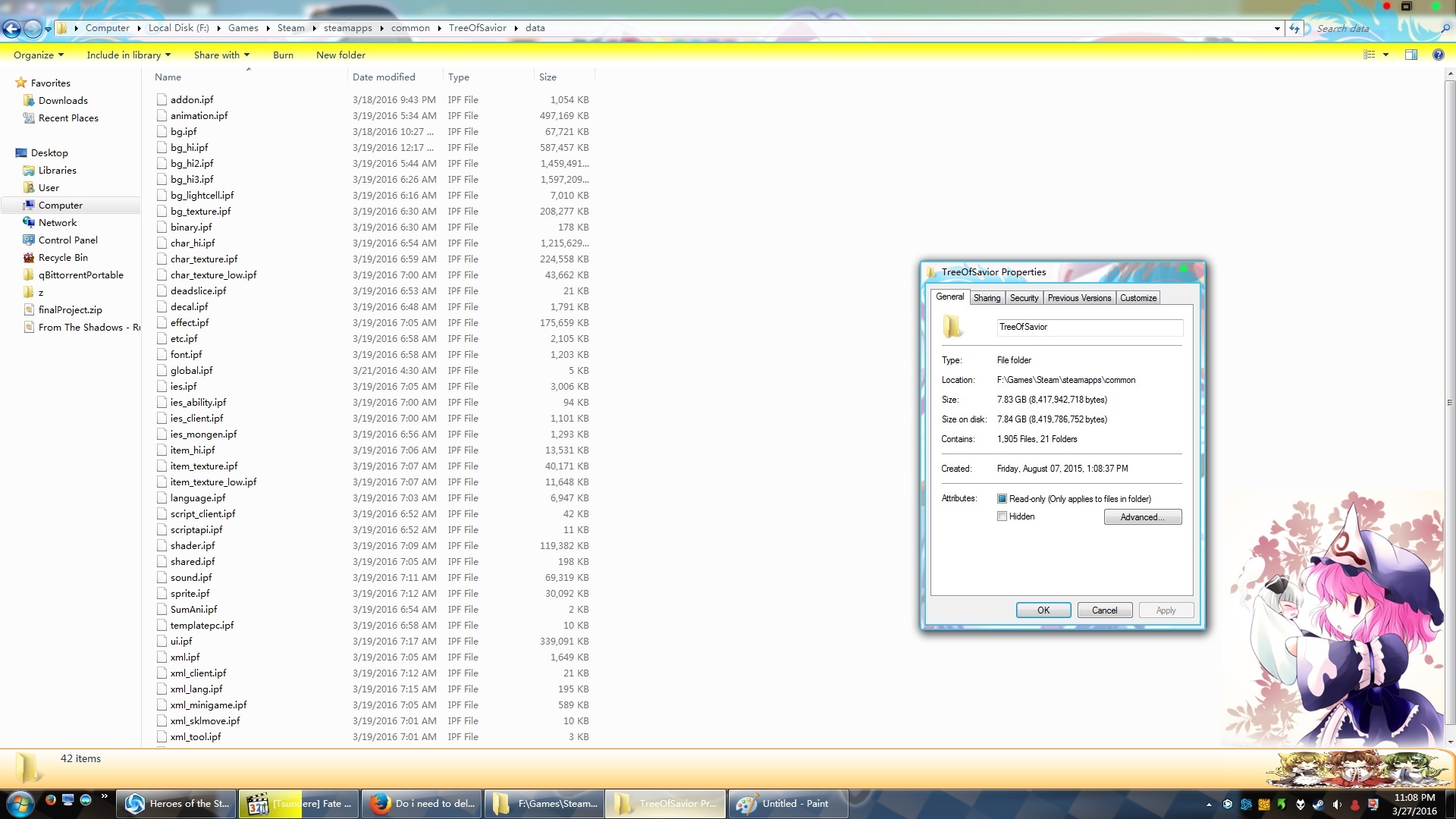
I’m sitting at pre-load complete and I have DLC installed. And glancing through the files most of them were updated 3/19. Still only sitting at that 7 something gb.

Edit: here is a picture.

watching fate series arent you :3

btw mine is around 7.5gb lol

probably gonna wait till release tomorrow and the option for file integrity verification is available. hopefully steam can just overwrite the existing data with the new one

Why the heck would you put the whole client in a DLC.

I was running the old iTOS CBT2 client and when I started the game and entered the server selection screen, there was no music and I found it suspicious, so I compared my ToS folder size to my friend’s and his folder size was 7+ gb, while mine was nearly 9 gb (No recordings, no screenshots, no tempfiles).

Anyway, I decided to just do a clean install, since the download is pretty fast for me.

After deleting everything ToS related, downloading the game again, installing and updating, this is how my ToS folder looks like.

Hope that helps, if you’re wondering about your ToS folder size.