
Greetings Saviors!
We have made an announcement regarding ‘DirectInput Support has been Discontinued’.
You can check the details at our official website from the following link.
Link : https://treeofsavior.com/news/?n=1476
Thank you as always for your continued support, enthusiasm and love for Tree of Savior.
Sincerely,
IMC Staff
Wait. You just STOPPED supporting half the working controllers and just announced it AFTER you made the change??? Why wasn’t this in the patch notes, for heavens sake!?
Someone know any workarounds? Win10 bugged my Xbox controller, and now, without warming, IMC killed the PS one…
1 Like
Interesting how they mention that Playstation controllers won’t work anymore, yet mine still works lol
What kind of annoucement is this, R10 and BAM, thats my only joy of playing this game is with controller
Mine stopped… are yours an original PS controller?
im using logitech controller. it supposed to work for all computer software and tehre goes
Yes, its the default PS4 controller that came with the console(I’m using usb cable, if that matters).
i’m not quite sure yet, as i’'m at work and only will be able to test it when i get home by night, but the x360ce should continue to work.
if it does than no harm done really, it is actually better to use this imput method, at least in my gamepad, without x30ce the main hand and secondary hand buttons where inverted, and so were jump and interact.
Also, i never had problems when in druid form when i played on my original xbox controller, unfortunately i never tryed druid again after learning of x30ce, but it should work fine with the game keybinding and not cancel my shapeshift every time i use the skill assigned at l1+r1 slot.
At each maintenance IMC gives us ONE more reason to keep playing and SEVERAL reasons to quit.
FML.
Anyone tried using xbox 360 CE with their DS controllers?
Is there any option or program for those who use generic controls? Having to relearn to play using the keyboard and mouse is totally out of the question, and having to buy an xbox control, or whatever, just to play Tos is also not an option. 
x360ce, try googling it , it is quite simple to set it up. not sure if it still works, i’m at work atm.
i tested, it doesnt work for generic controlers.
Trick your computer into treating your dualshock controller like an xbox controller using DS4Windows?
just got mine to work
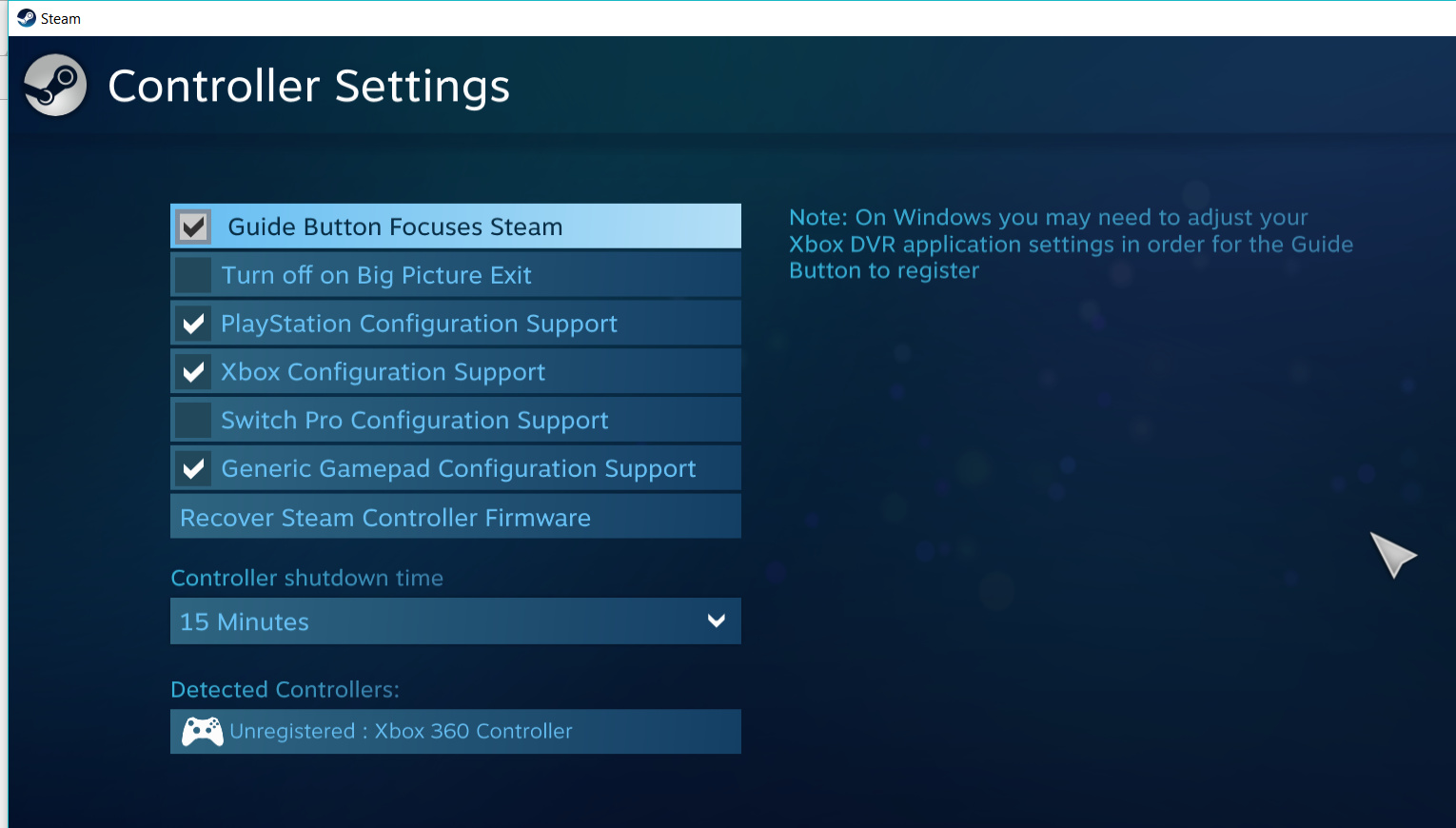
go to steam setting > controller > controller setting
then tick the box PlayStation, Xbox, and generic gamepad configuration support.
hope this work for you too! :V
1 Like
That’s what I did too. I didn’t even know Steam had this feature. Living and learning… and thanks to the persons who taught me that! 
yeah this is completely dumb, undo this change. i do not understand at all, why you would do this and your reasoning is false. dinput(playstation style) controllers are what majority of people own and it doesnt cause compatibility issues, in fact 3/4 games i play support both x and d input and 1 of them only uses d input… smh