Tree of Savior Forum

Can't start the game

Date and Time : 2:20 PM UTC , 8/6/2015

Bug Description : I press start and nothing happen, then i lauched my cilent from the command, it said that i missing D3DX9_43.dll file. I download it and add to my tos folder, click on the cilent and this error :
the application was unable to start correctly 0xc00007b
System

  • CPU : Intel core i3
  • RAM : 4GB
  • Graphics Card : AMD Redeon HD6370M 2gb
  • Storage : 500gb
  • OS : Windows 7 ultimate 64 bit
1 Like

bạn không chơi được share cho mình chơi với được không

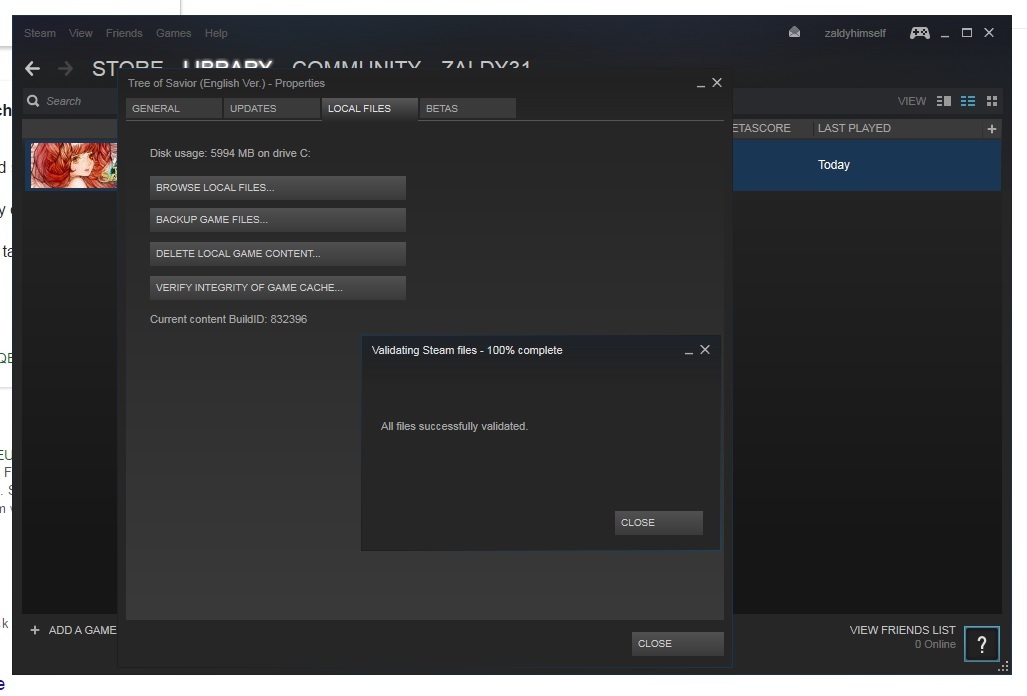
try going to steam> right click the game> Properties> Local Files and verify integrity of Game cache to check wether your really missing something or its a bug~

i did but it was not working :frowning:

i tried~ guess only hope is IMC Games~

I have the sane problem.

  • CPU : FX-8150
  • RAM : 16GB
  • Graphics Card :AMD ATI ASUS 280X Driver 15.20
  • Storage : 256 SSD
  • OS : Windows 10 Professional 64bit

I think it could be because it didn’t installed the dependencies.

People, since I had the same problem and no one posted a solution, I made some research and got it to work.
That error occurs because you don’t have/was not properly installed the Direct X.

What solved for me is installing it, simple as that. Install the directx from the link below and have fun, hope i could solve this issue:

http://www.microsoft.com/en-us/download/confirmation.aspx?id=8109

4 Likes

Thank you. That rly helped/

I just reinstalled my OS and had the same issue! Took a while to find out that I just needed to install directx. It even comes with ToS (in Steam\steamapps\common\TreeOfSavior\release\patch\DirectX10) so why is it not installed directly as a lot (most?) games on steam do? Seems like an oversight though and should/would probably be solved later on :wink:

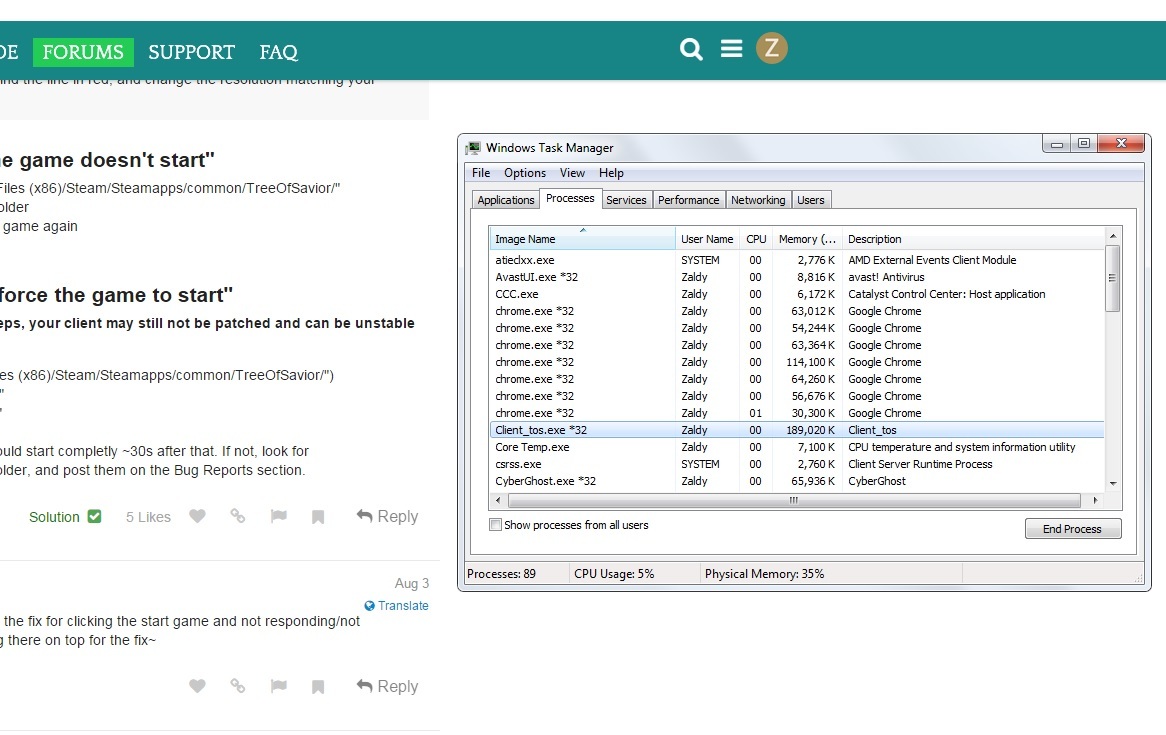
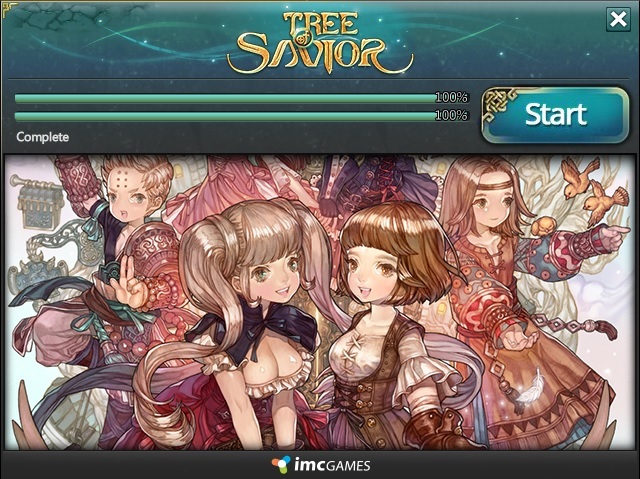
Hi guys,i really need some help, im almost at my wits end here, i dont even know if this the correct thread to post but it seems this is somehow similar to mine. i completed the patch, got no errors and clicked start, then the small window disappear but the game wont load, so i checked my task manager and saw that the application client_tos was running! i did try to troubleshoot and verify the game and it went fine with no errors.i iust cant figure out why the game wont simply load thanks in advance.


I’ve been having issues too. I have everything installed correctly but when I hit start on the launcher the screen stays white then it just closes after a little while. When I look at the process in task manager it immediately says it isn’t responding.

When I launch from Steam, the Client Patches.
After Pressing Start the game closes after a few seconds
OS: Win 7 64x
GPU: GTX 670m
RAM: 8GB
CPU: Intel Core I5 2.50GHz

Tried:
-Reinstalling the game
-Using Dll File Fixer
-Verifying Integrity of Game Cache
-Installing Dx10
-Compatibility to Win 7 and running as admin of Tos and Client_Tos.exe
-replacing msvcr100 and msvcp100 dlls

Help please… :frowning:

1 Like

Yeah I’m having the same issue, I tried absolutely every solution to every bug problem and reinstalled the game, redownloading patches, running as admin, reinstalling directX, pretty much everything you can think of and no luck. There aren’t many people with the same issue either so I hope it doesn’t get overlooked.

im a also having the same problem

Maybe you download the incorrect file, you need see if the file missing that you’re downloading is for 32bit or 64bit.

When an .dll file is missing you need Download this file and put in your system folder, the folder location is “C:\WINDOWS” where you have OS installed, try to download the adequate file for your OS in your case 64bit

If you don’t know where put the file, just put the file in the folder game

Try to download in this page.

http://www.dll-files.com/dllindex/dll-files.shtml?d3dx9_43

I hope this can help you, if not… sorry. :confused:

Not sure if this will help, but try this thread, the solution we got at the end, see if that works, if not then wait for IMC to take notice
this is not for the missing dx9 files, this might work for when the client is still running in the task manager, but the game doesnt show

Hi Guys! i dunno if this is gonna fix your problems on not being able to connect or cant get pass through that dreaded “star” screen.
its not actually a fix but all i did was, upgrade! yes UPGRADE my current windows 7 system to windows 10 and re install steam and ToS. thats it!
Just let the installation proceed as normal and DO NOT change the default path provided or it might make problems for you later on. (it did happened to me). after that normally patch the game and play :smiley:

PS: if the client didn’t patch, just go to your ToS folder, delete everything in the patch folder, then repatch. hope this will help guys :smiley:

IGN: Lezard Valeth
The Pyrojunkie -

Same issue for me: crash after patch loader screen. Tried everything described in this thread. More details here: Crash after latest patch, client isn't starting at all!

Sorry for being necro. I had an impression it is fresh topic until looked at dates ._.