
Hi I’m starting to learn how to use SAI from photoshop. Can somebody share me their brush settings for lineart please. I already googled a lot still I can’t seem to find the right one. Thanks. I wanna make ToS fanarts too.
I use the default brush tool (usually at 2px or 4px) for lineart (because I’m lazy and it usually works well enough). Other brushes I have for lines (but not necessarily lineart – usually more doodles or sketches) are more solid-looking.

(Usually using a 0.7px brush when doing lineart will give you really nice thin lines. Stabilizer settings also help for smoothness!)
You can always play around with the settings too (find out what blending/dilution/persistence/etc. you like the most). It sort of depends how you want your lines to look. `w`;)
6 Likes
Thank you so much! saves
I don’t really have a permanent setting for my brush. I usually just play around and stick to what feels comfortable~
tho I’ll try to post my current settings once i get home~
1 Like
Thank you, looking forward to that 
Right. thanks for reminding me.
This is my default and it’s what I use 90% of the time, the rest is ugh… WINGING IT 8DDDD
I mostly play with the density, max density pressure, and minimum size~

I don’t know if it’s any help, but I hope you find certain settings that suit your style~ <3
Have a nice day~
1 Like
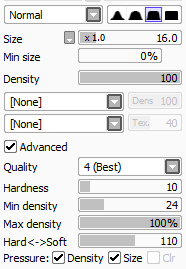
These are my settings… though I don’t use SAI much nowadays.
2 Likes
Heya!~ @shippu  here are two of my favorite brush settings I frequently use:
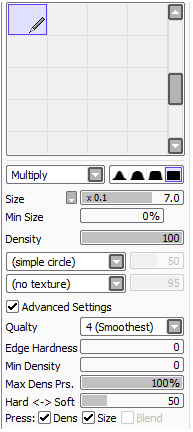
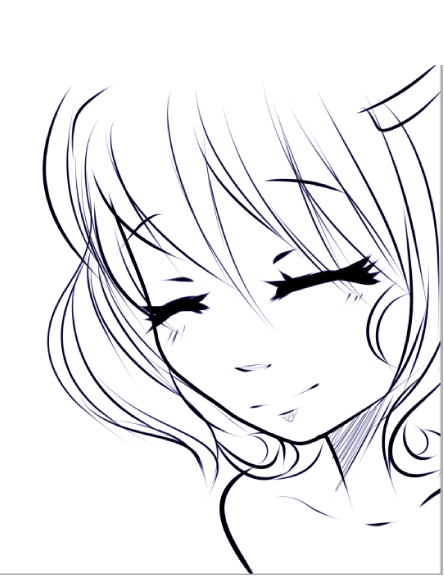
Its edges are quite heavy and fine and can simply adjust to the pressure strokes you put on your tab. I usually use this one for line arts XD
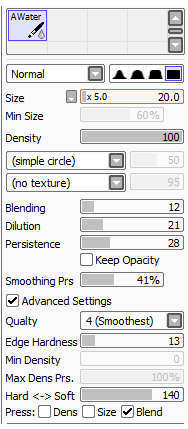
I use this one usually when adding details especially on clothes and other fabric-like drawings haha XD I still have some difficulty using it till now… ahaha XD but here are some of my sample XD
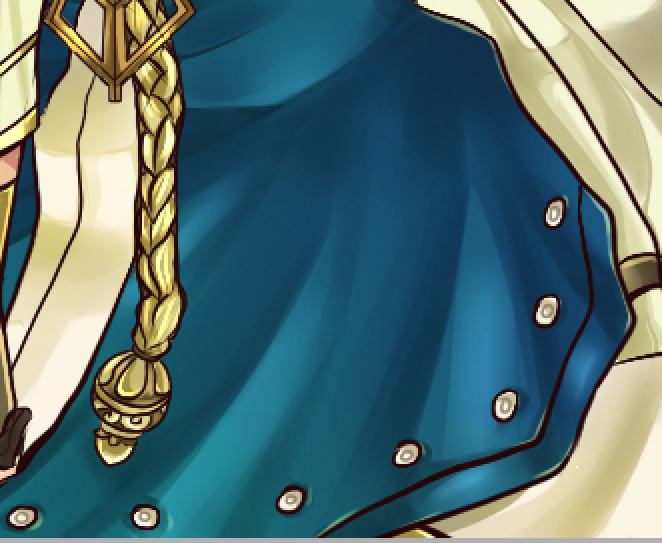
Hope this helps!
Love,
-Therra 
1 Like
Thank you so much for your help guys, I really appreciate it 
I use these :>

@MudkiepzDesu Thank you
I’m finally starting to get use to SAI however, I find it hard to customize brushes for coloring. Photoshop is more convenient, you can just easily download brushes for coloring. but I will not give up on learning SAI
You can also download SAI brushes but I agree it isn’t the “2 clicks” that photoshop uses. I on the other hand am trying to get better coloring with photoshop as an experiment, I find SAI more difficult to use regarding gradients and filling large areas