Please fill in as much as you can :
Date and Time(Please, specify the timezone) : 08:05 AM.ETD
Server Name: Telsiai
Team Name: BUSOH_SENSEN
Screenshots / Video :
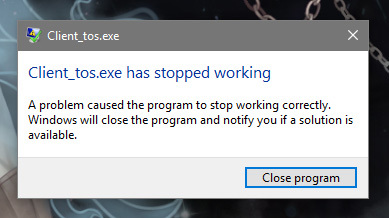
Game Control Mode (Keyboard/Joypad/Mouse) :
System
- CPU : Q9550
- OS : Windows 10 Pro

Please fill in as much as you can :
Date and Time(Please, specify the timezone) : 08:05 AM.ETD
Server Name: Telsiai
Team Name: BUSOH_SENSEN
Screenshots / Video :
Game Control Mode (Keyboard/Joypad/Mouse) :
System
agree dont work, repair files dont help
I have the same issue, as I reported in another thread, once the map loading is done the client simply shuts down with the same error… repair did nothing and Visual Studio is already installed, so I have no idea what to do…
Yeah that’s same issue with me
One of my guldies just solved this issue removing the addon “chat extender”, I really have no idea how or why this should conflict with the update but it worked for me… try to do the same, good luck!
i reinstall the game its still not working , wth …
Okay, we are looking this right now. Please tell us if there is anyone else more facing about this issue. Also, please send us ticket with your computer system speculation. this could be also great info for us. the more information we have, the more chance we could pinpoint the issue.
Okay, but don’t hesitate to contact with us if the problem shows up 
got this problem too… after trying verifying integrity of the said game, tried to run it once more… keep on saying “Arranging Files 100%” then it automatically Disconnects and will close the patcher 
Okay, please check if there is any addons just in case… Also after checking the issue and please send the Ticket with the Computer speculation. I know its boring but please state the problem as detail as possible. so we might catch something from the infos.
Yuri I think is something related player or any new costume not sure because most of time VGA error was in city
heya :3 thanks for the fast response… I did checked it now… and I dont have such addons on the game folder… alright… will do :3 I hope that this problem will be solved soon… thanks!! :3
Thank you Loloz we will keep narrow it down.
The crash & problems are mostly caused by the universal CRT (KB2999226) messing up with windows update and visual c redistribuitables.
I’m having the same issue on another computer and I’m currently waiting it to finish updating before posting a working solution.
Hello everyone,
Please remove all addon and try to login again. Some addons caused crashed.
Update: pls remove chat extend. it is the problem.
