Tree of Savior Forum

153516_001001 failed to download files. (838)

I have tried most of all simple fixes everyone had experienced before. these are what I did:

  1. verify
  2. copy latest ipf file and paste it into “treeofsavior\release\patch\release.revision.txt”
  3. run the game in administrator. the game will fail and will put error with numbers.
  4. copy the first 6 digit number again and paste it into “treeofsavior\release\patch\release.revision.txt”

please, help me fix this problem. those methods won’t just work with me. I really want to play this game.

Good morning!

Can you send a screenshot of the file?

If you put the number 153516 there it will skip this download. If it still fails to get it, you did it wrong, unless IMC changed the patch engine which they most likely didn’t.

Also, did you make sure your connection is working (as in, downloaded other files before this one)? When did this start happening?

What 6 digit number did you paste on your release.revision.txt ? 197555 ?

1 Like

disable ur antivirus because in my case with bitdefender I was unable to download the game and sometimes it crashed my pc when it update the antivirus

I wouldn’t really recommend disabling anti-virus. Too much of a security issue for most people. :x

That might work but there’s better solutions such as adding the program or the download URLs to be ignored by the anti-virus and such.

I am so sorry for troubling you, because I deleted all my files of TOS. But I will download it again and see if said methods will still work. I may really did some mistakes in patching. I will try to do what you said, and will notify you if it worked. Thanks for the help!!!

1 Like

hi! I have now download the game again. I haven’t done something yet. can you please instruct me what to do with the game? thanks! :slight_smile:

After downloading you can simply run it from steam and see if it works. If it doesn’t install VC++ 2015 redist packages and try again.

If it still doesn’t run please post the error here \o

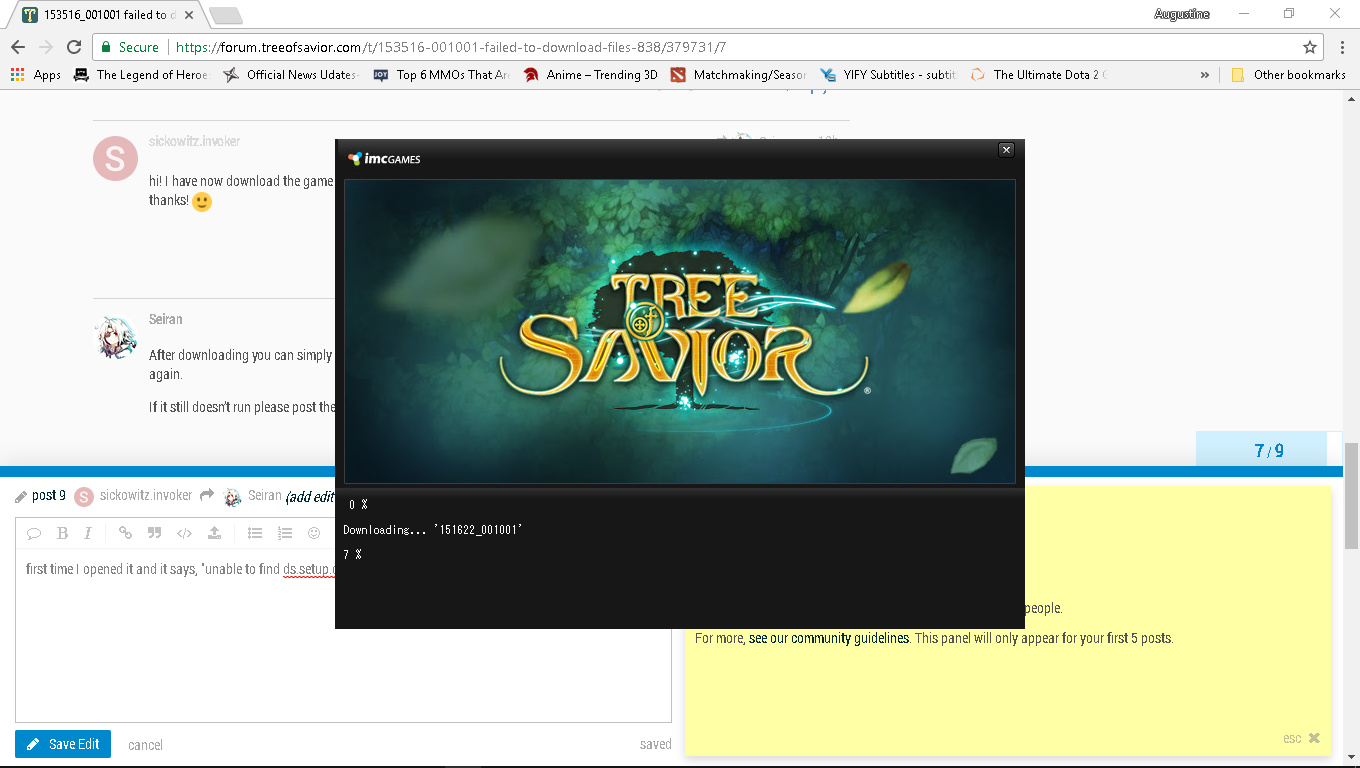
first time I opened it and it says, "unable to find ds.setup.dll and started downloading, “151622_001001”

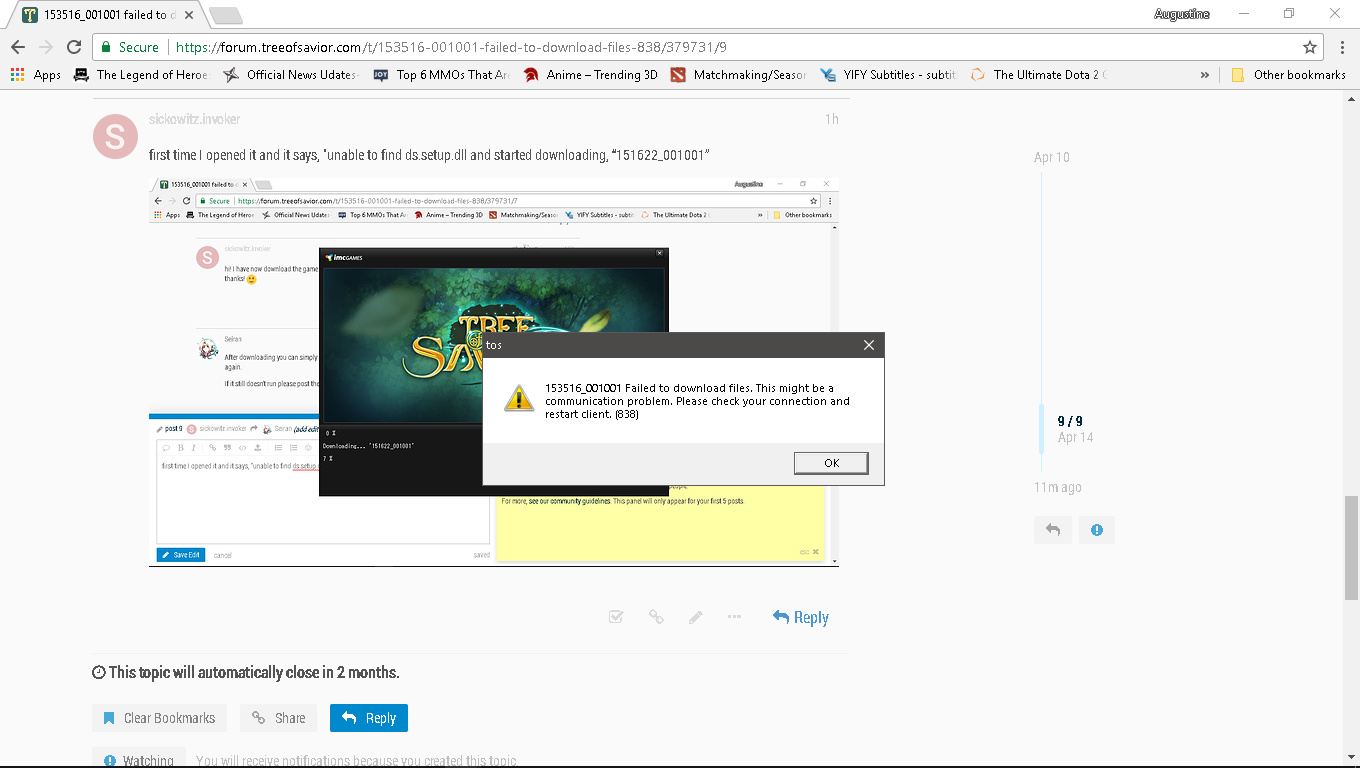
the download above failed, and i got this message

If it still fails can you check this?

  1. Whats the number on "treeofsavior\release\patch\release.revision.txt”?
  2. What happens if you put the number 153516 there?
  3. What happens if you put the number 153615 there?


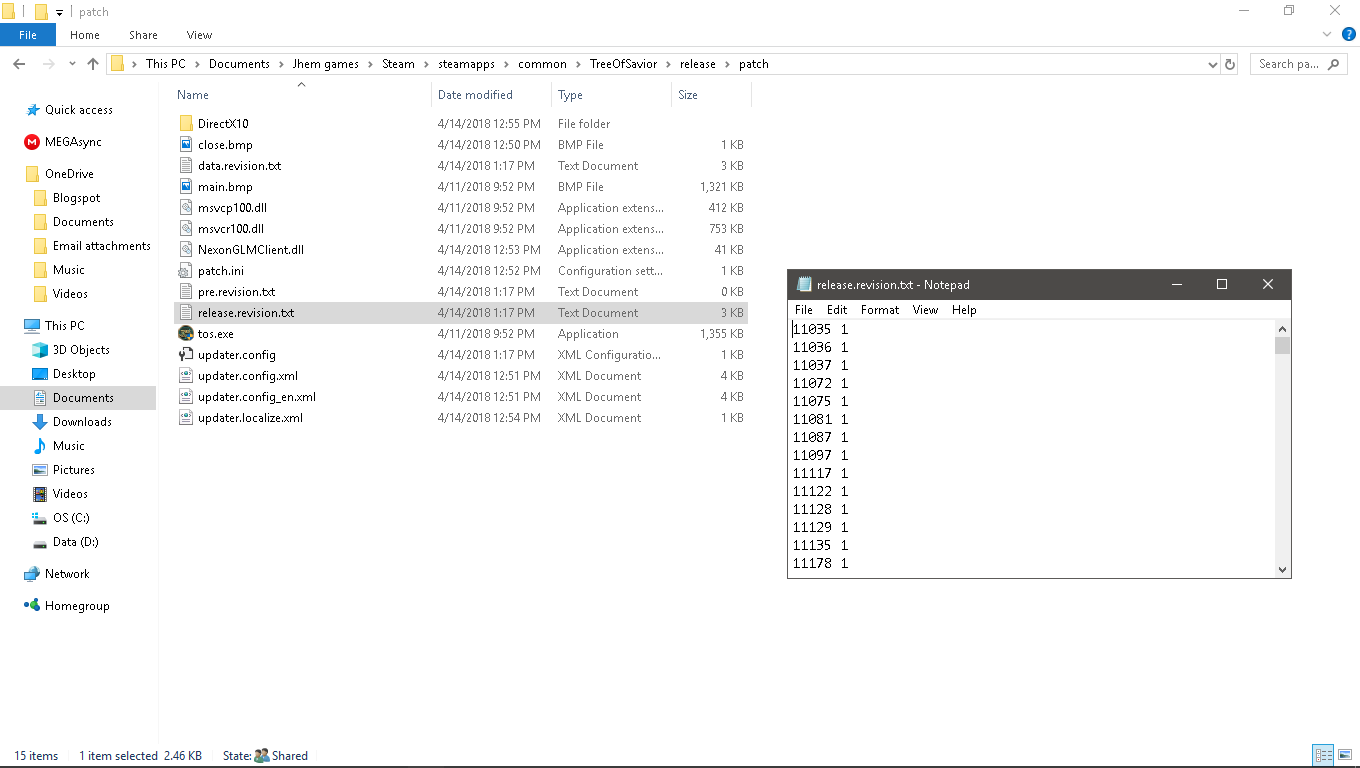
this is what in the release.revision.txt

Check this path check the release.revision.txt inside the release directory please, not the patch one, my bad.

there is no release.revision.txt in the release folder. :frowning:

this is what I did:

  1. verified the game. 14 files reacquired.
  2. opened the patch folder, copied the latest patch number.
  3. pasted the latest patch number in the release.revision.txt
  4. opened the game, and failed the download with new number message, “153516_001001”.
  5. copied the new message number “153516” to release.revision.txt

but it still not working. I always get the same error message.

It’s not the one in the patch folder that you should change. Changing that one will most likely break your patcher again :x

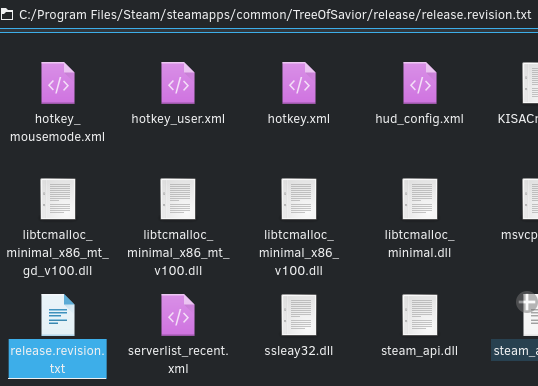
This is the release.revision.txt path:
C:/Program Files/Steam/steamapps/common/TreeOfSavior/release/release.revision.txt

If you change it elsewhere you may break the progress of the patcher.

Also, changing it elsewhere won’t make the patcher skip that file. Please verify the path again, the file should really be there.

image

oh no! what to do? My release.revision.txt is only in patch folder when I downloaded it. :frowning: should i reinstall it again?

Shouldn’t. Try this first:
Create the release.revision.txt there manually and type the number.

If this doesn’t work you can try either reinstalling or you could also try PM’ing a discord tag so so we can talk faster and try to fix it.

I’ll also make another install of the game to test the behavior of the files in /patch directly if needed.

Also, as a “last resort” type of things, did you try temporarily disabling anti-virus for trying the install steps? You could disable it and re-enable after finishing, altho not really recommended.

Re-reading the whole post I saw that first you had a problem with 153516_001001 file, then you had a problem with “151622_001001” file on the first time. That means it either skipped or the download worked on other tries.

For having multiple download errors it could also be related to anti-virus, virus, firewall, connection, system state or the patch itself.

Is your Windows 10 updated? Did you install the VC++ 2015 redist.?

Sanity check #1:

  1. Is it possible to download these files via browser?
    A) http://drygkhncipyq8.cloudfront.net/toslive/patch/partial/release/151622_001001.pak
    B) http://drygkhncipyq8.cloudfront.net/toslive/patch/partial/release/153516_001001.pak
    C) http://drygkhncipyq8.cloudfront.net/toslive/patch/partial/release/153615_001001.pak

They’re the direct URLs to the files the patcher downloads, this is just a connection test, delete them after downloading, they’re useless without a procedure to unpack them and that’s why you download them via patcher.

Sanity check #2:
Do you have enough disk space on the hard drive?


Also, I’m installing kToS right now and I can see “release.revision.txt” in /release directory. So, it might be created when the patcher closes without an error. Creating it manually should fix. ( ? )


If nothing works, try this:

:arrow_forward: Failed to download files error

  1. Close all unnecessary programs, then restart the game and patch the client.

  2. If that doesn’t solve the issue, completely remove TOS from your PC and reinstall it.

  • Go to Control Panel > Programs > Programs and Features, and remove Tree of Savior.
  • Remove the Tree of Savior installation folder from the location where it was saved.
  • Reinstall Tree of Savior from Steam: [Tree of Savior (English Ver.)]
  1. If that doesn’t solve the issue, remove the files below and restart the game.
  • Go to your Tree of Savior installation folder.
  • In the release folder, delete the release.revision file.
  • Restart the game.
  1. If the issue persists, there may be a problem with your network. Try disconnecting from your router and using a LAN connection to patch and run the game.

From: https://treeofsavior.com/page/guide/view.php?n=36


If even that doesn’t work pick either or both:

  1. Send ticket and see if they can help you in any way. (Recommended, there might be similar cases on other tickets.)

  2. PM me a discord tag so I can try to help you with more extensive testing and trying to reproduce it on my side. (What I can do is limited and I dunno how patcher works completely.)


As a last last last last resort step:
-> Boot windows in safe mode with networking, finish install process there, reboot, try to launch the game in normal mode.


Only do this if even windows safe mode doesn’t work:
A) Go to the /release/patch directory.
B) Make a “backup” folder.
C) Move the files: “data.revision.txt”; “pre.revision.txt”; “release.revision.txt” to the “backup” folder.
D) Edit the “updater.config” and make sure there’s only this line on it: AlreadyCheck : 1
E) Go to the /release directory, edit (or create) “release.revision.txt” and make sure there’s only this line on it: 153615


Another of possible solutions:
Try unchecking the DLCs on Steam for patching, then checking again after patching, before logging in.

okay! i will try to remove TOS completely in my computer and reinstall it. I will use discord also so we can communicate easily. I haven’t tried most of your steps, but I will try to do so. I haven’t tried disabling anti-virus, and i don’t know if my windows is updated. i don’t know those kind of fields, so PLEASE TAKE CARE OF ME!!! :slight_smile: :slight_smile:

download might finish tomorrow coz i don’t really have a fast internet connection. I will try to notif u tom. THANK YOU VERY MUCH!!!

1 Like

Also, if you find what worked please post here, it might be a good reference for future problems.