
Good day guys,
(If anyone posted it , point the thread and pardon me, the search engine not returned anything for me about this)
Well, my findings point to the “beautiful” code of the inventory system. If the character have many items to display (not necessarily capacity excess), the system cant get this properly (see the rapid freezing when pressing the inventory button). This cause a semi-permanent freeze UI when logged in, change map, enter dungeon in auto match… And isn’t possible interact with NPC’s, see the mini map correctly or log out, until the player change map or force close the game. The worse is if you have many, many, many items (a mule or shop char  ), the UI freezes permanently.
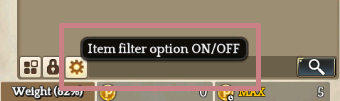
OK, without delay, the workaround is hide some items from inventory. Open the inventory, go to “Item filter option ON/OFF” (the gear next to the lock item icon).
A little window will open and show tabs to equipment, cards, materials and gems. In each tab, uncheck the items you have more and those you don’t use frequently.
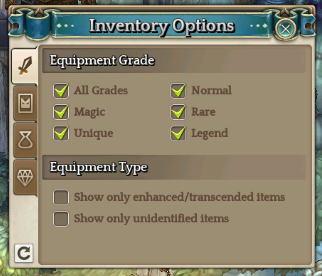
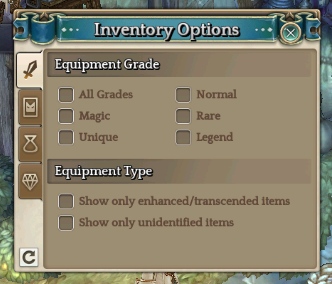
If your UI is freeze, only change map to get the fix. The UI should stop crash after this process and you can taste the game completely… or not, with this crescent exponential bug line after each maintenance  .
.