
Tree of Savior Forum

Windows cannot find Client_tos.exe, make sure you typed the name correctly

Please fill in as much as you can :
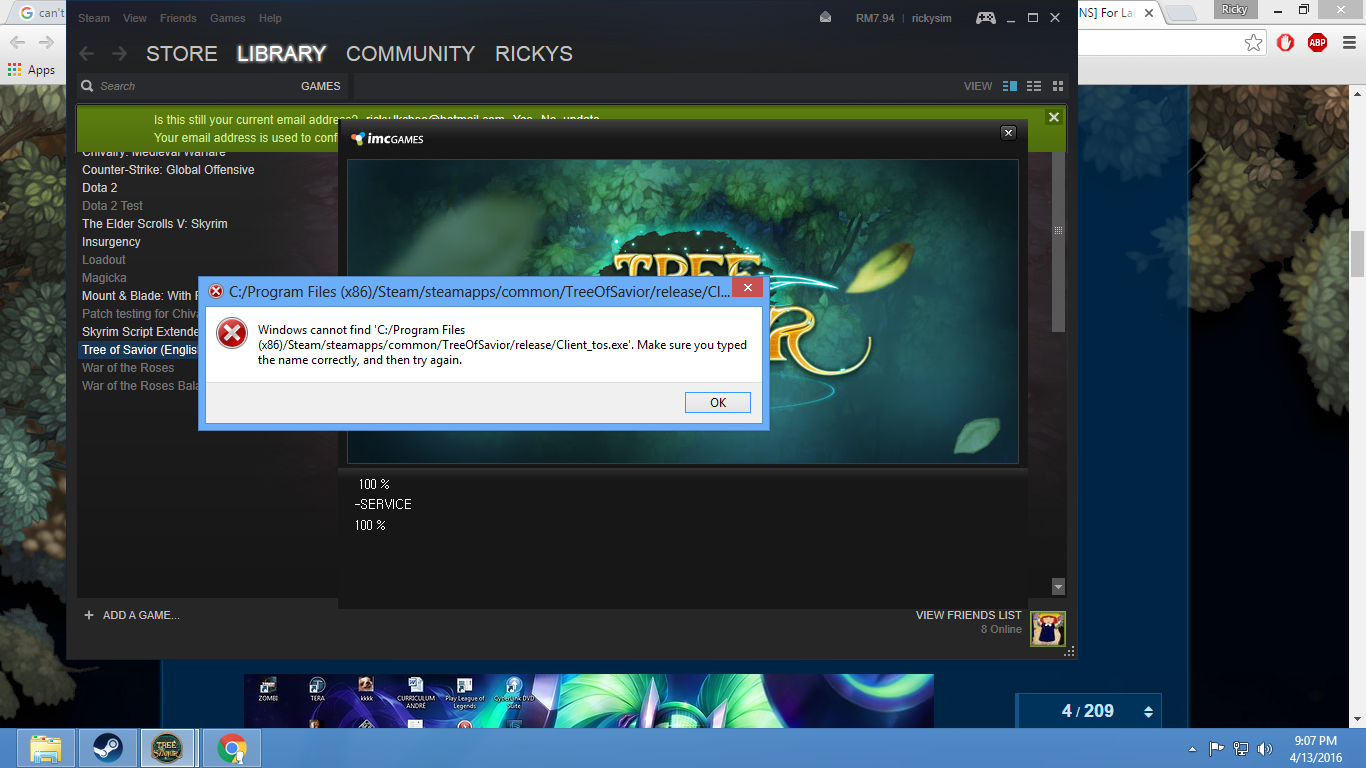
Hi, please help me with this problem i have.
It happened so suddenly, was playing for a week with no problems and this comes up.

It started with Malware issues with my china anti-virus, then i uninstalled the anti-virus but this still comes up.

It also says file damaged, please reinstall. I have reinstalled multiple times already.

Thanks

Date and Time : 13th April 2016

Game Control Mode (Keyboard/Joypad/Mouse) :

Bug Description : Wasnt doing anything, tried to load the game and this happened.
(letting us know what you were doing before, during, and after the bug happened will help us a lot)

Same here… I have this bug since monday update…
Can some1 help?

On your ANTI VIRUS, put client_tos.exe on trusted list, then press restore on your blocked list on anti virus. Fixed mine already

Hi… I have the same exact error message and I’m only using AVG Free Edition antivirus… it’s looking for Client_tos.exe and I can’t find that anywhere. I’m stuck. any help will be very much appreciated. Thanks in advance

Can someone give me the Client_tos.exe file antivirus deleted it automatically … :cry::cry::cry::cry:

Oh wait never mind hehe… Just found a way to download only missing files… :grin:

how did you do it? re-installation did not work for me?

AVG usually moves the corrupted file into quarantine folder. If you are using AVG, open the main window, go upper right on options then quarantine. You usually will see the tos exe there (among others?). Right click it and click: restore.
This might work but the file might get flagged again so before you do that, maybe you should set your options to: not act automatically when some file is detected but to ask always (just look through the advanced options). Among other “advanced options” there must be the section “exceptions”. Add the exe file to the exceptions. Then restart computer, then go steam and verify game cache. The exe will be redownloaded by steam then it will work.
Be sure to restart the computer as AVG blocks the file from access so steam can’t restore it until it has access to the file again.
I hope tos or AVG (and others) will check why this happens and solve the issue. I don’t like to see that I have exceptions in my antivirus. Who knows… maybe it really is infected somehow? :unamused:

1 Like

works that way… thanks for the help