Tree of Savior Forum

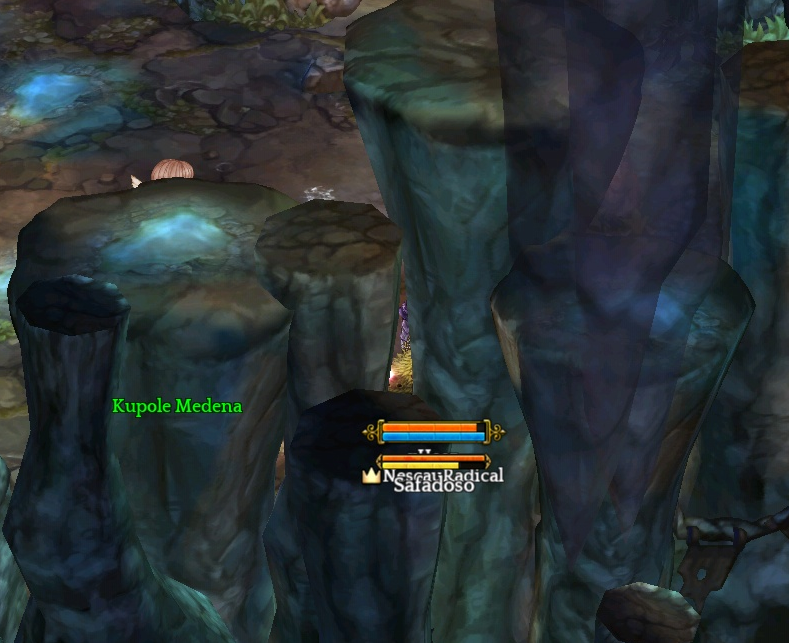
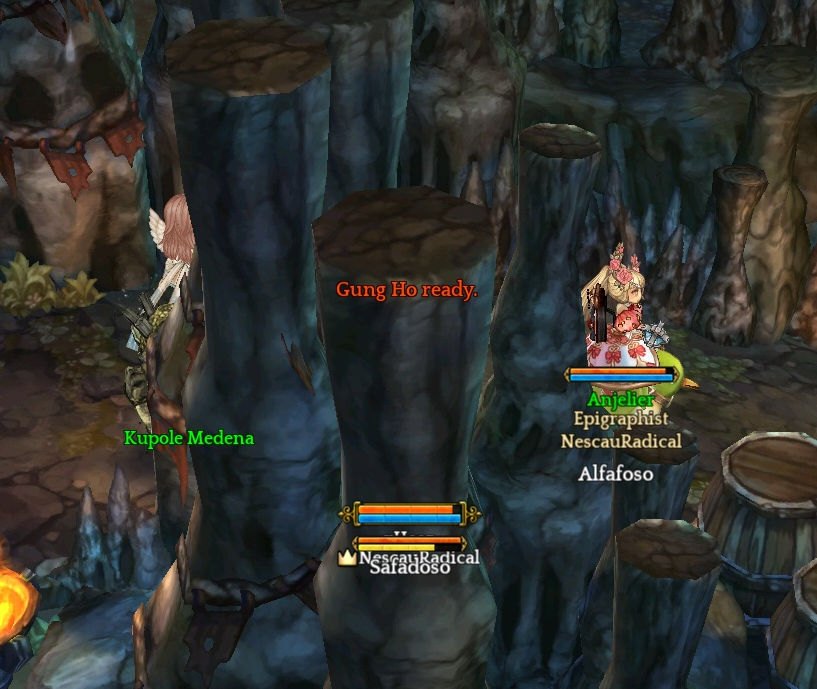
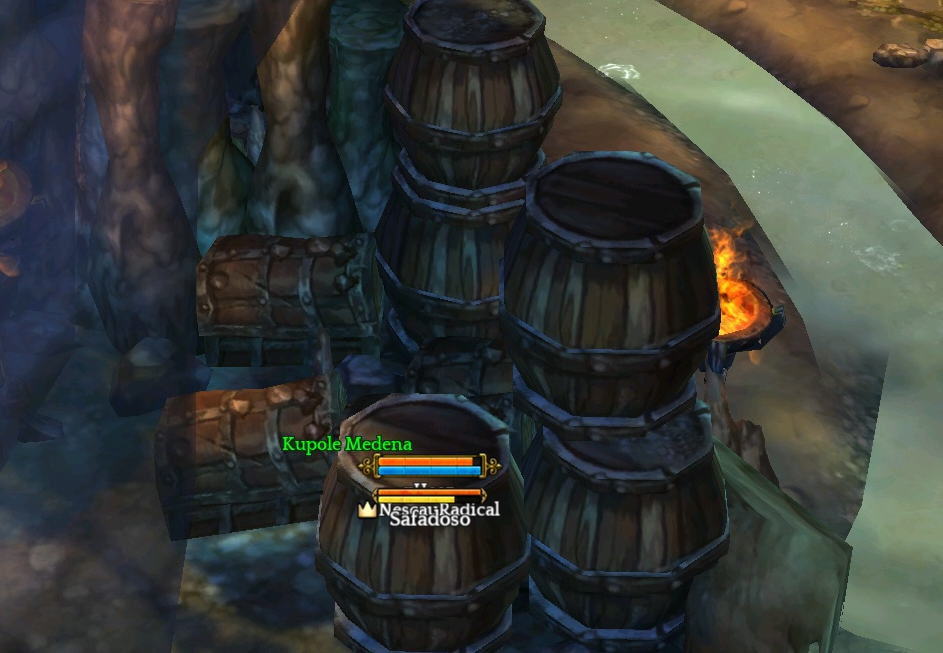
When IMC is going to FINALLY fix the background getting in the way?!

I don’t know if you remember, BUT we used to see through the background when it was in the way of the camera and our character.
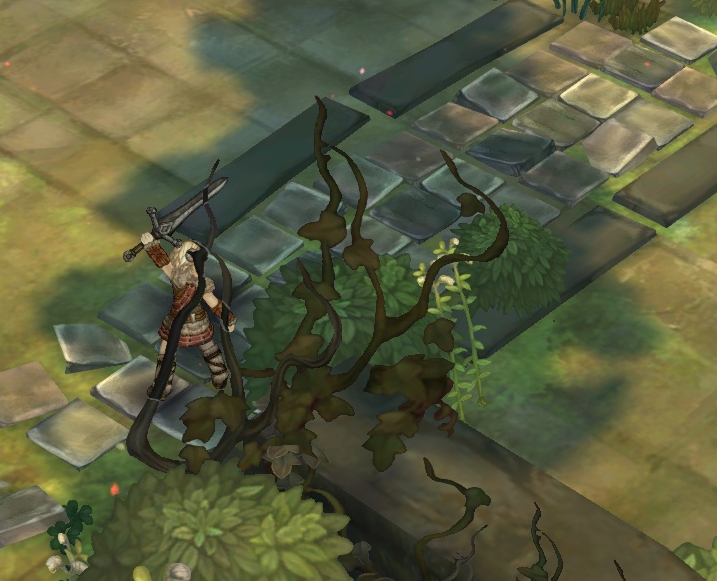
That’s a pic from ICBT (miss these days of actually seeing my character) - This place is near the entrance of the Tenet Church, there’s a wall which vanished when it was in the way

Now that’s all we got:
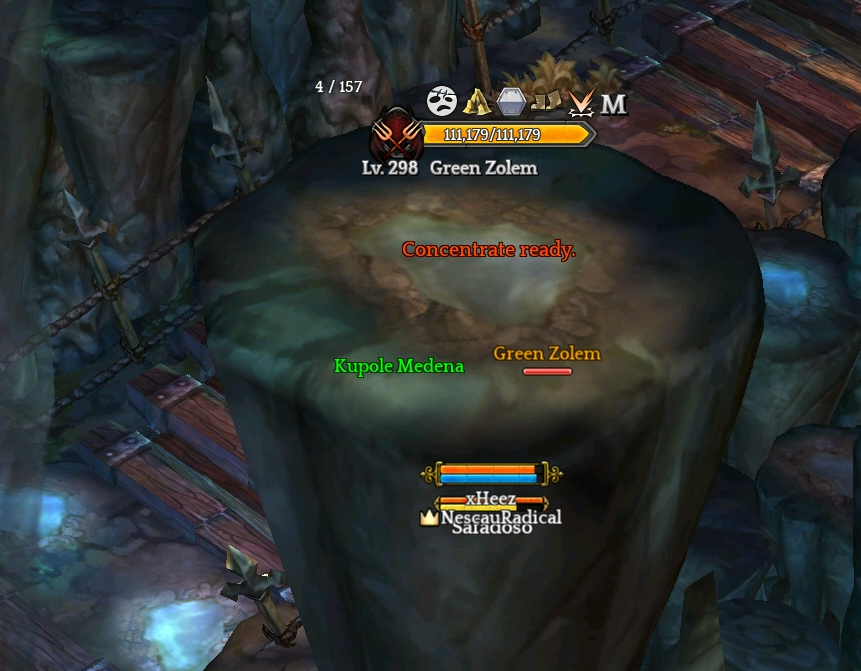
I already saw some kToS videos and their background works fine, it vanish when its in front of the character or you can see the silhouette of the chracter
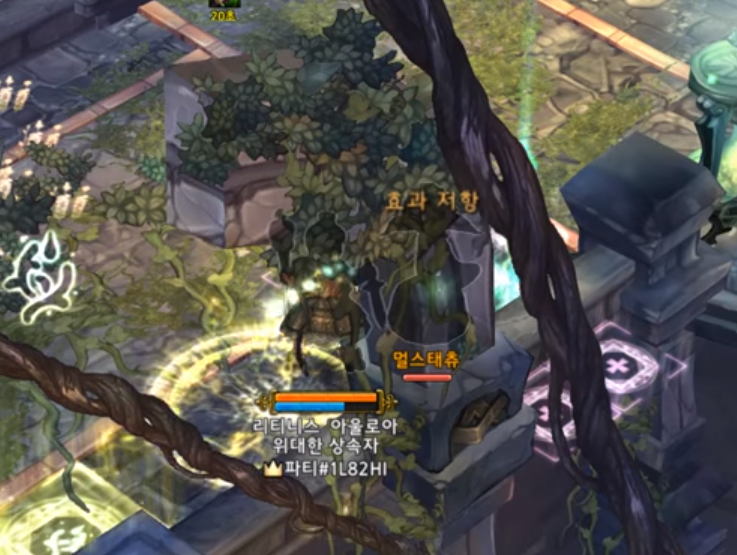
@edit: @LunarRabbit indicated this can be changed in the silhouette graphic feature, but do not work in low mode.

I even asked to a GM some time ago and he said he also had this issue (dont know if he reported the issue to the KR devs). So, two questions: Why this happens only here (iToS)? When it will be fixed?

@STAFF_Ines @STAFF_Yuri @STAFF_Letitia @STAFF_Amy @STAFF_Ethan
14 Likes

Temporary solution:
-> Settings
-> Graphic Quality: Disabled
-> Check: Show character silhouette.

A lot of things are disabled when you play with Low Mode (I dislike the way it forces some settings though.)

2 Likes

I probably do not use that tho, the game is not in a state to play fluidly to grant me these privileges. However, this does not annul this issue of the background never ever disappearing when its in the way of the camera. It’s definitely not working.

PS: Silhouettes should be fixed in all graphic modes (including low)

1 Like

Yes. But that Show character silhouette is what you see in the kTOS video. Not sure about the background though (I need to test).

I also agree, think and want it to work on all modes. Other things too, like other players damage on Low Mode. By default damage display is disabled for players outside the party if you are on low mode x.x

1 Like

The silhouette is not really that much tho, some huge walls like in Elgos Monastery before the fight with Glutton, also at Tenet Chapel too.

Just not being able to see how many monsters are there sometimes can be nasty lol.

4 Likes

I fear that it’s going to be one of those errors that are never fixed because it’s iToS only…

@STAFF_Ines @STAFF_Yuri @STAFF_Letitia @STAFF_Amy @STAFF_Ethan

I know it’s not a GAME BREAKING bug but please bump up the priority on that one.

5 Likes

Edited the main post to add your input, hope you don’t mind

1 Like

Fully agree that this has been an annoying issue since I started playing the game a couple weeks ago. It’s nice to know there are some options to turn it on but… It should work regardless of graphics setting. It seems like a bug.

1 Like

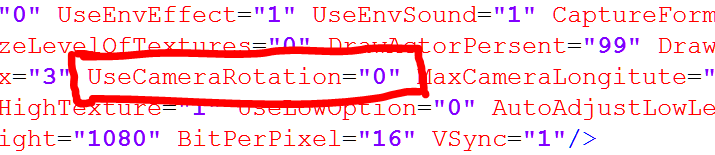
I think they did this because of this…

It seem they might add it in the future, but when only God knows lol.

1 Like

Jeez, i’m not sure how to feel about this. I don’t know if camera rotation will fit this game…

Same here, specially when we are in the middle of a heated fight with low HP, who the heck will remember to rotate camera, and even so, how it will fit in the controller setup? lol.

Extremly annoying indeed !
I’m sure that when i started the game i didnt have this problem.

TOS was full rotation early in development, if they change back to it the game takes another step closer to RO.

True, next will be what? That clunky movement RO have? lol. That is what killed RO for me tbh.

This bug is messing up much of the gameplay, which has not happened in early access.

:frowning: can hardly even play this game if not in low mode. sucks cause the higher res graphics look much nicer.

I was taking a lot of damage, so I decided to pistol shot

2 Likes

In Tenet church are alot of spots where you can’t see at all whats going on. Same with many other places. Just displaying the characters siluette isn’t enough since you can’t see where you can go nor do you see anything else.
They really need to change it back to how it was (objects becoming transparent).

I don’t think they’ll add camera rotation.
Alot of objects in the games world are not 3d but flat images. And even many 3d objects that have a mesh object have only polygons at their front that is facing the current camera and lack anything at their back (geometry and textures). It’d look really awkward if you were able to rotate the camera around these objects. Theyd have to redo alot of objects to make it look acceptable.

You have a solid point here, sir. I hope any Staff can clarify something about this issue :confused:

This topic was automatically closed after 60 days. New replies are no longer allowed.