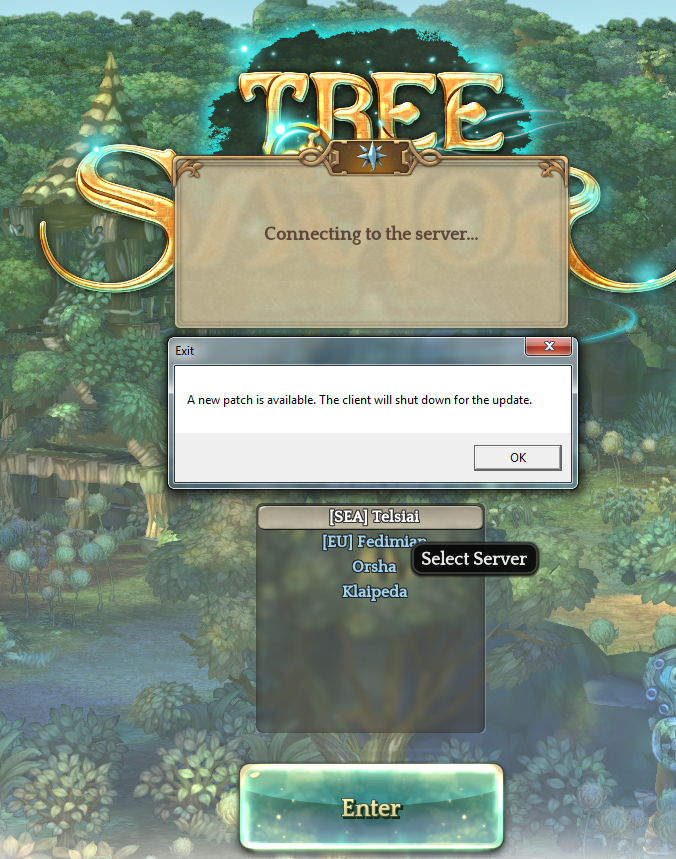
I’ve been waiting for more than an hour for the patch to update but it is still at 0%
any solution to this staff ? ASAP pls
thank you

I’ve been waiting for more than an hour for the patch to update but it is still at 0%
any solution to this staff ? ASAP pls
thank you
My patch isn’t working too… It lets me straight to the login screen then tells me there is a patch available and closes tos… Any way to trigger the patch?
Edit: ok… I managed to trigger the patch by “verifying integrity of files” then it starts patching but an error with korean words pops out and closes my tos…
An error occurred, what kind of Bullcrap is this
This is what I’m getting after several attempts
restart steam
verify the game
restart pc
WONT WORK WTF
After verifying, it says 14 files were not validated… But it’s just not downloading for me…
Have already turned off my firewall… And ran it as admin too…
Edit: now it says 25… >.< No idea what’s going on…
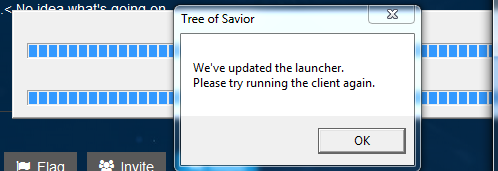
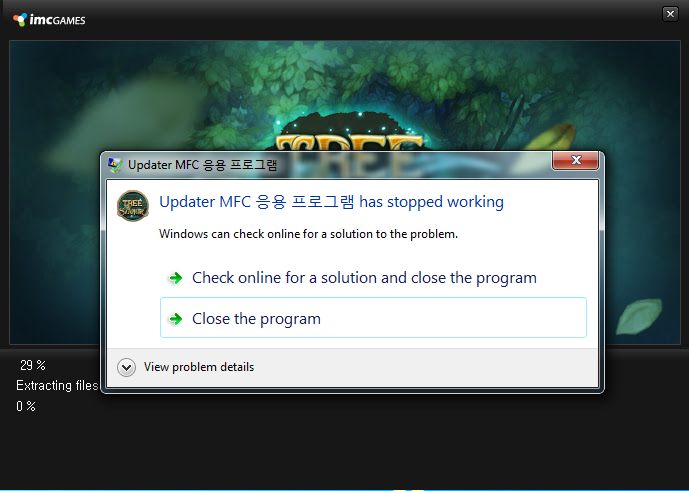
it keeps giving different error everytime patching It
Download error
patch update error
zzzzzzzzzzzzzzzzzzzzzzzzzzzzzzzzzzzzzzzzzzzzzzzzzzzzzzzzzzzzzzzzzzzzzzzzzzzzzzzzzzzzzzzzzzzzzzzzzzzzzzzzzzzzzzzzzzzzzzzzzzzzzzzzzzzzzzzzzzzzzzzzzzzzzzzzzzzzzzzzzzzzzzzzzzzzzzzzzzzzzzzzzzzzzzzzzzzzzzzzzzzzzzzzzzzzzzzzzz
My errors are pretty consistent… It doesn’t patch… But when it does, this korean worded error pops out…
@STAFF_Ines @STAFF_Ethan Any help please?
I did try the fixes on the old post from Ines reply on the other thread… Didn’t work…
this is so shitty…
I guess I’m gonna have to reinstall
I don’t know… Would reinstalling 100% work? I’m running on a data limit here… Sad case…
Let me know if that works!
Does anyone know if there’s a way to force download/update patch?
Same for me
gives the:“We’ve updated the launcher. Please try running client again” error but steam shows no update present and patcher just runs the game.
after validating files on steam tells me 5 files are missing then steam downloads them, then patcher does a patch and again the error pops up
please help
it does not work if u reinstall again also
Having the same problem even after redownload and reinstall?
imc is ignoring us
wtf…
Not sure what time it is for them now… it’s 9pm for me now… it’s off work hours at the moment… But I’m greatly hoping I could play tonight after sulking around the whole day before for maint… lol…
Wonder if there would be any kind souls around who could give us suggestions to try…
I find One crash File on TOS Folder
StackDump_Client_tos[04.27 12h34m18s].txt
TryGetCurrentDirectory : C
Saving CurrentDirectory : C:\Program Files (x86)\Steam\steamapps\common\TreeOfSavior\release
Stack Dump Directory : C
Error Type : C0000005============================================
DATE : 04/27/16
TIME : 12:34:25
BUILD DATE : Apr 26 2016
BUILD TIME : 14:13:21
Process : 2fa0
Thread : 2264
Exception Type : 0xc0000005
eax: 0x111d8f28 ebx: 0x111fdbf8
ecx: 0xa5eb80a7 edx: 0xec808ceb
esi: 0x111d8f20 edi: 0x048b0000
ebp: 0x172afce0 esp: 0x172afbe0
=======================================
Maybe This can Help the Staffs 
Greetings~!
Thank you for sharing the details with us.
I have forward it to our QA team.
We will fix the issue ASAP.
Also, could you tell me whether the problem is persisting even now?
What I know is that the sync process might take some time depending on your region.
If the problem persists, please, send us a support ticket.
Thanks~
Hello @STAFF_John tks for the quicky ansuwer
Yes i continue with the problem
TryGetCurrentDirectory : C
Saving CurrentDirectory : C:\Program Files (x86)\Steam\steamapps\common\TreeOfSavior\release
Stack Dump Directory : C
Error Type : C0000005============================================
DATE : 04/27/16
TIME : 13:34:25
BUILD DATE : Apr 26 2016
BUILD TIME : 14:13:21
Process : 2fa0
Thread : 2264
Exception Type : 0xc0000005
eax: 0x111d8f28 ebx: 0x111fdbf8
ecx: 0xa5eb80a7 edx: 0xec808ceb
esi: 0x111d8f20 edi: 0x048b0000
ebp: 0x172afce0 esp: 0x172afbe0
=================================
Best Regards
Victor Rybakovas
ive managed to download the patch using a free VPN software