
Well, it worked. My only doubt, I already had Visual C++ Redistributable for Visual Studio 2015 (x86/64) installed, a newer version and to run this game had to replace it for an older version. This won’t have a negative impact in other apps/games?
I think no. 
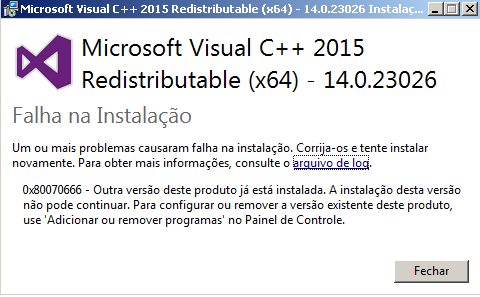
Hi, please uninstall all C++ 2015 on your computer first then reboot your computer. After that try to install the C++ 2015 I posted above. pls remember to install both version x64 and x86
same problem with x86 and x64
Did you uninstall first? If the problem is still there, pls pm me your ID and password of Team viewer so I can help faster.

oh yes, please uninstall them, both x86 and x64, then restart your computer and install the files I posted above, then restart computer again.
If I remove the previous versions, it will not interfere with any other my apps ?
no, it is totally safe for other apps/games.
i remove first and install. Or remove, reboot and install ?
Remove, reboot, install, reboot again. Remember: remove both version and install both version (x86/x64)
1 Like
Ok, im removing now… and restart - brb
Works now, thanks so much Krystal 

1 Like
glad to know that. you can play TOS well now?
1 Like
Now I can open the game screen, before it opened and closed automatically. 
1 Like
On my computer I can install only C ++ x86 the 64 will not
it means you need to update your windows. Please go to Windows update and check for update. It will help. I guess you are using windows 7 or so.
hi i tried it many times it doesnt work to me it says setup error it says
one or more issues caused the setup to fail. please fix the issues and then retry setup
0x80240017 - unspecified error
help please
i can install other version of visual c++ but i still cannot play the game using other visual c++
a. Press Windows key+R.
b. Type msiexec /unregister and press enter, it will not show anything.
c. Again type in the Run box, msiexec /regserver and press enter, it will register but not show anything.
Possible solutions can be found in here