Tree of Savior Forum

QoS for Tree of Savior

Does anybody have a guide or knows how to apply QoS for Tree of Savior?

Reason:
I have no clue on how to do it… And a lot of my family members are using the wifi. I’m afraid that it might add extreme lag due to torrent + youtube combination.

My wifi:
Buffalo WHR-HP-G300N
Firmware: DD-WRT v24SP2-MULTI std

what is QoS :confused:

1 Like

After a trip in internet land I feel that this may help you: clickhur
Its a link to the user manual that should have come with your router (or it may only be online these days lel?) It suggests a few ways to tweek the Quality of Service settings. It seems pretty straightforward.

As a last resort you could always stay away from youtube for a bit D8

Thanks, I’ll try to look into it. But its not me who is using youtube, its them xD. Ping reaches around 500-1000+ when they load vids.

Egads. :open_mouth: Could you possibly torrent it while everyone sleeps?

Oh, I have no problem with downloading. I’m just preparing once founders/open beta begins xD I might lag when playing the game since they might be downloading movies and upload stuff too.

The best way to improve QoS is to use a physical ethernet cable instead of wifi. Wifi always has some packet loss, and the more people using the wifi the more interference, hence packet loss, you will have.

hmm that could be a huge problem for me… I have no say in disabling the wifi… Also I use my laptop to play (No desktop at home).

You don’t have to disable the wifi.

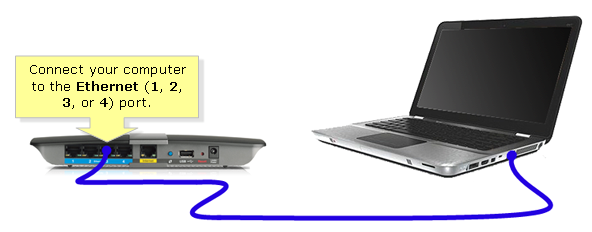
Just get ahold of one of these cables:

And plug it into your laptop and the router at the same time:

You will have more reliable internet, and everyone else will still have their same (unreliable) wifi access.

If you want some reading:
http://www.howtogeek.com/217463/wi-fi-vs.-ethernet-how-much-better-is-a-wired-connection/

I’ll take a note of that and prolly try that on monday. Thanks! btw, will it still really affect my ping a lot if they use torrent/youtube even when I’m with cable while they are using wifi?

NetLimiter 4 is the solution :wink:

Gargoyle firmware is much better at QoS from experience.

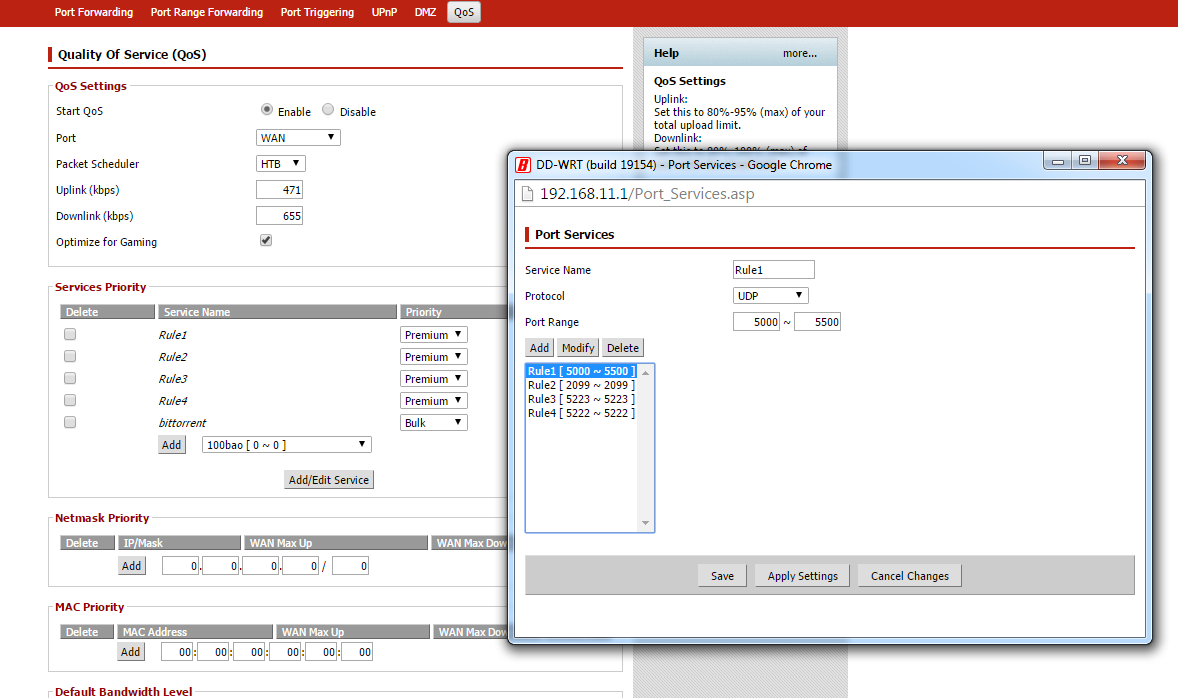
This is how it looks. I’m just not sure what Port Range and Protocol to put.

It might affect your ping, I am not going to guarantee anything.

You can test if it improves your ping yourself though. When they are busy using youtube and downloading torrents, try performing a ‘ping test’ to compare what your ping is with wifi, and what it is with a physical connection. It will work best if you do it at a time when the most people are using the internet.

  1. Open up your windows command prompt (Start Menu-> type ‘cmd’ into the search field)
  2. type ‘ping 8.8.8.8’ (this is one of Google’s IP addresses. I don’t know the IP for the ToS servers, and the ToS website doesn’t respond to ping requests)
  3. Hit enter and see what your ping is
    i.e.

Your actual ping will be less than this, because I doubt IMC’s servers are as fast as Google’s. It should give you a good comparison of whether or not a physical connection can improve your ping though.

Hmm, will do. Thanks for the help again.

If want to edit your QoS settings to improve your speed, you can add new ‘Port Services’ rules for all of the port ranges on this page: https://support.steampowered.com/kb_article.php?ref=8571-GLVN-8711

And then set the ‘Priority’ to the highest level (‘Premium’, maybe?).

Also, if you are feeling extra greedy, you can demote those 4 Premium rules there to a level lower :stuck_out_tongue:, but those 4 rules don’t look like they are for bandwidth heavy applications - so demoting them probably won’t do much.
The 5000-5500 range is… odd :confused:, but probably not a problem, just odd, typically an app won’t use a range of 500 ports lol.

Thanks for the help again, I’ll try to add in some of these ports and I don’t want to be too greedy xD I just want enough for me not to really lag. Oh and those rule 1-4 ports belong to League of Legends, I’m not sure entirely sure or I literally have no clue on what they really do, but I just followed a guide somewhere in the LoL forum saying I should do this and that for lesser ping when playing LoL.

Ah, ya, apparently LoL uses >500 ports :sweat_smile:.
If those are all for LoL then there is no point in demoting them, I assume you are not playing both LoL and ToS at the same time. lol.

If adding those helped your lag in LoL, then adding the steam ports I linked you will help with ToS.

1 Like

Hopefully this will work. I’ll have to wait til founders server is up to be able to try.

Tried the Ethernet Cable, didn’t do much… still had around 1000+ ping. I guess I’d have to rely on QoS and hope it would work.