
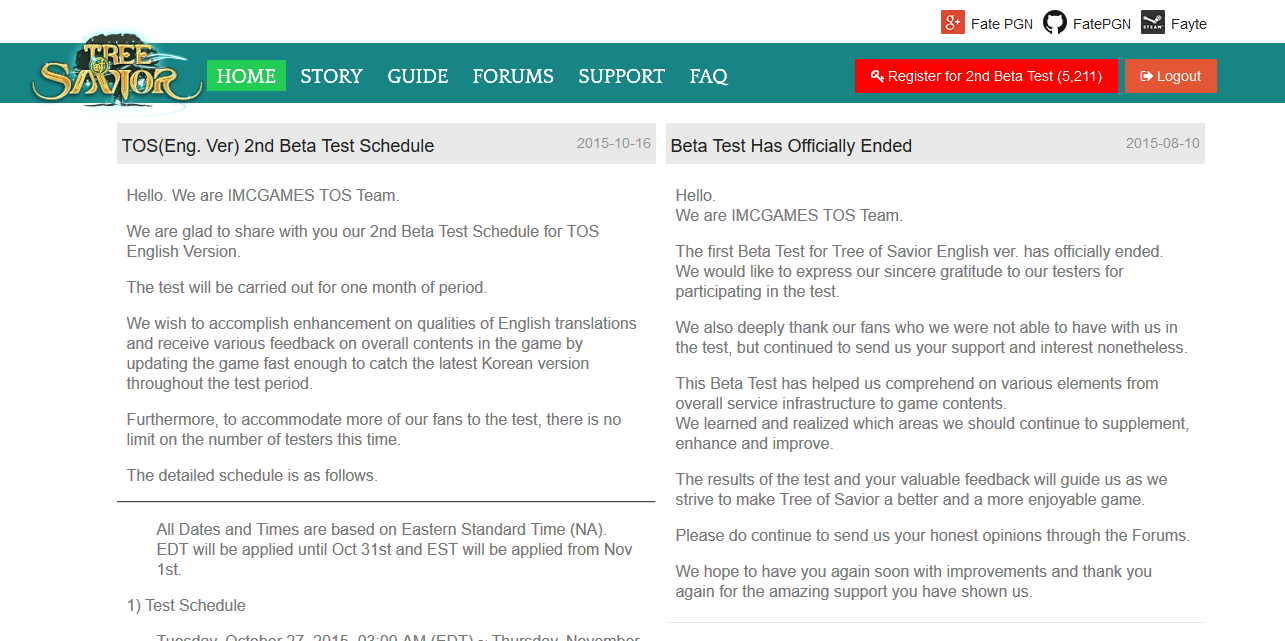
The register button should appear in bright red on the top right of the homepage once you login:
You can visit the homepage here:
A lot of people can not see it, this is because you more than likely need to clear your cache.
First logout, then clear your cache.
Here are some guides for people that don’t know how, most of the time you can just press CTRL + F5:
Firefox: https://kb.iu.edu/d/ahic
Google Chrome: http://www.technipages.com/google-chrome-clear-cache
IE Explorer 8+: http://agsci.psu.edu/it/how-to/clear-internet-explorer-8-ie8-browsing-history-cache
Edge: https://www.wiknix.com/how-to-clear-cache-and-cookies-in-microsoft-edge-browser/
Opera: https://kb.wisc.edu/helpdesk/page.php?id=12381
Then relog and hopefully the button should appear, if your still having issues, try posting here and someone may be able to help.
