Tree of Savior Forum

Orange hair color inconsistencies

first of all, i am not sure if i could place this thread under the graphics bugs topic, so i’m doing it here first to see if some one has experienced this as well, and if indeed necessary, i’ll make another one in the bug report section.

so, the orange hair color from the TP shop is not showing up the same in the noble long hair as in other hair styles.

here are some screenshots, though i believe everyone can see this by trying said hair color and the noble long hair in the TP shop
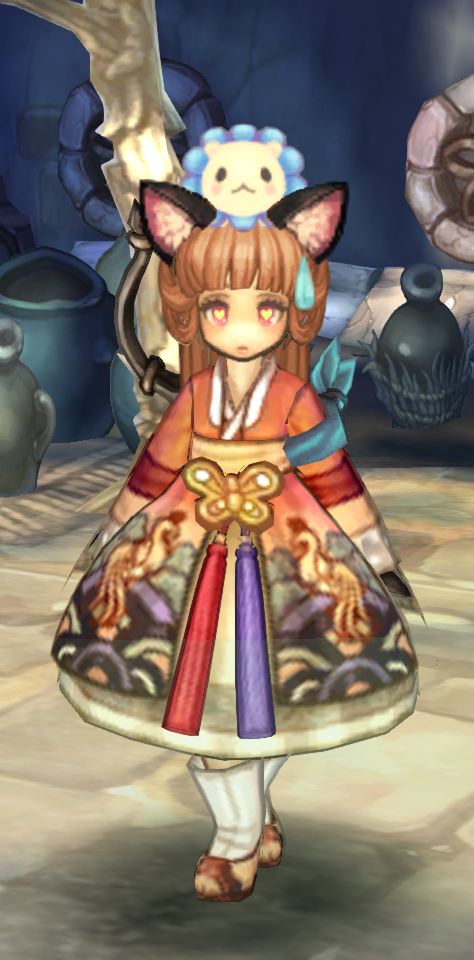
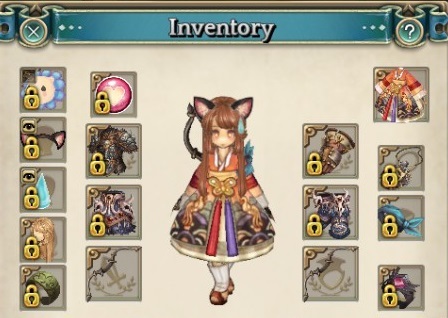
so here you can see the orange hair color in a starter hair, pretty cute, everything looks, well, orange.
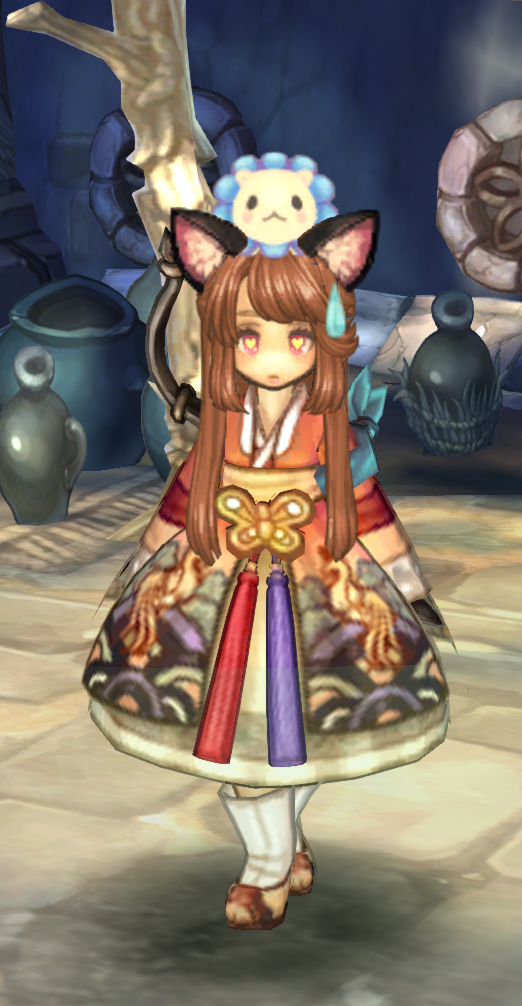
and here is the orange hair color in the noble long hair, its quite a bit darker, looking almost closer to brown.

in my opinion, the difference is more noticeable against the solid background of the inventory
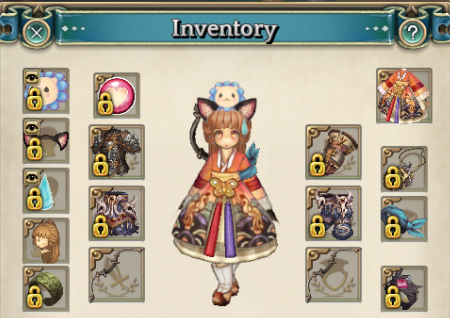
(long ponytail starter hair)
(noble long)

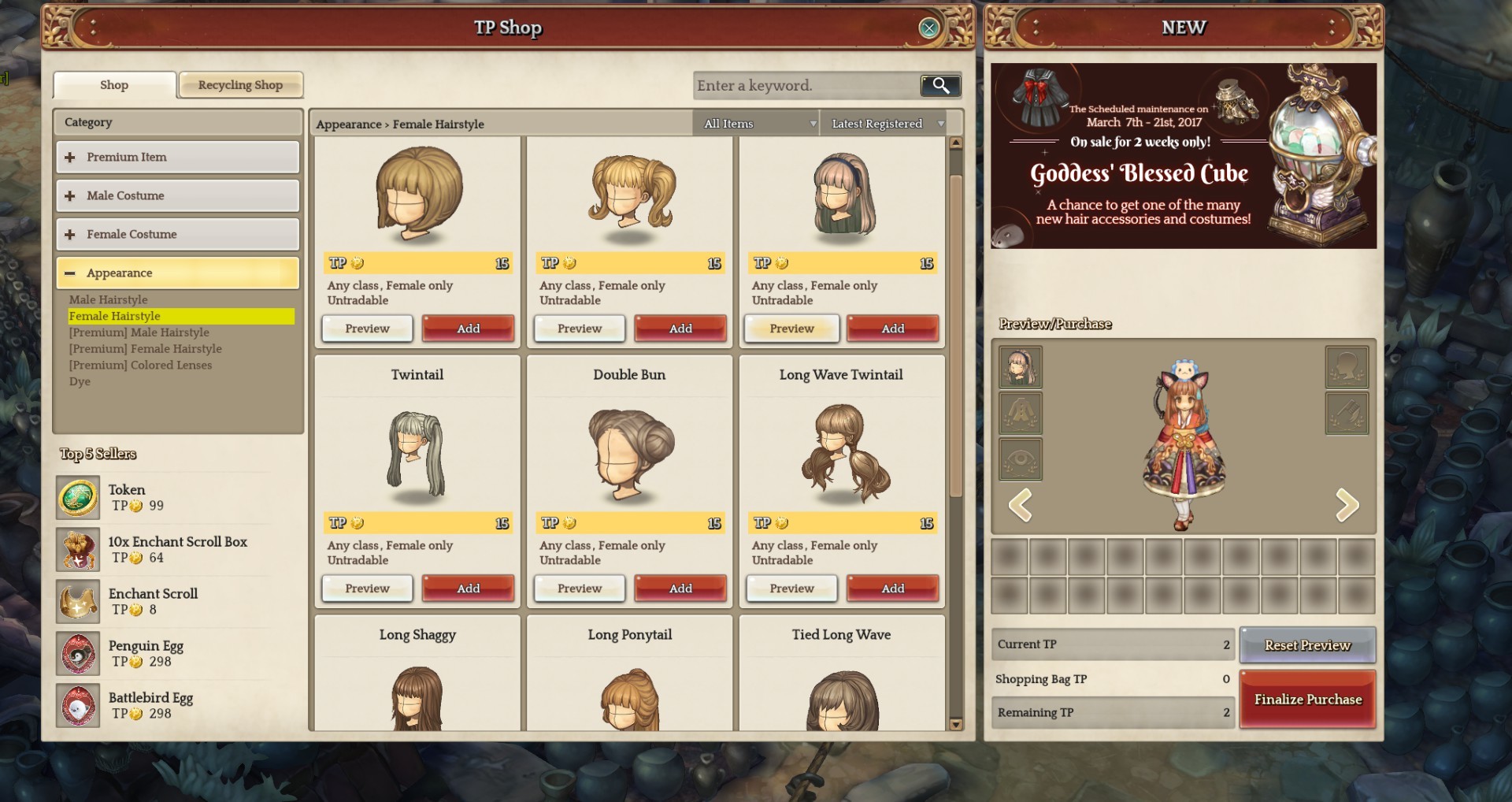
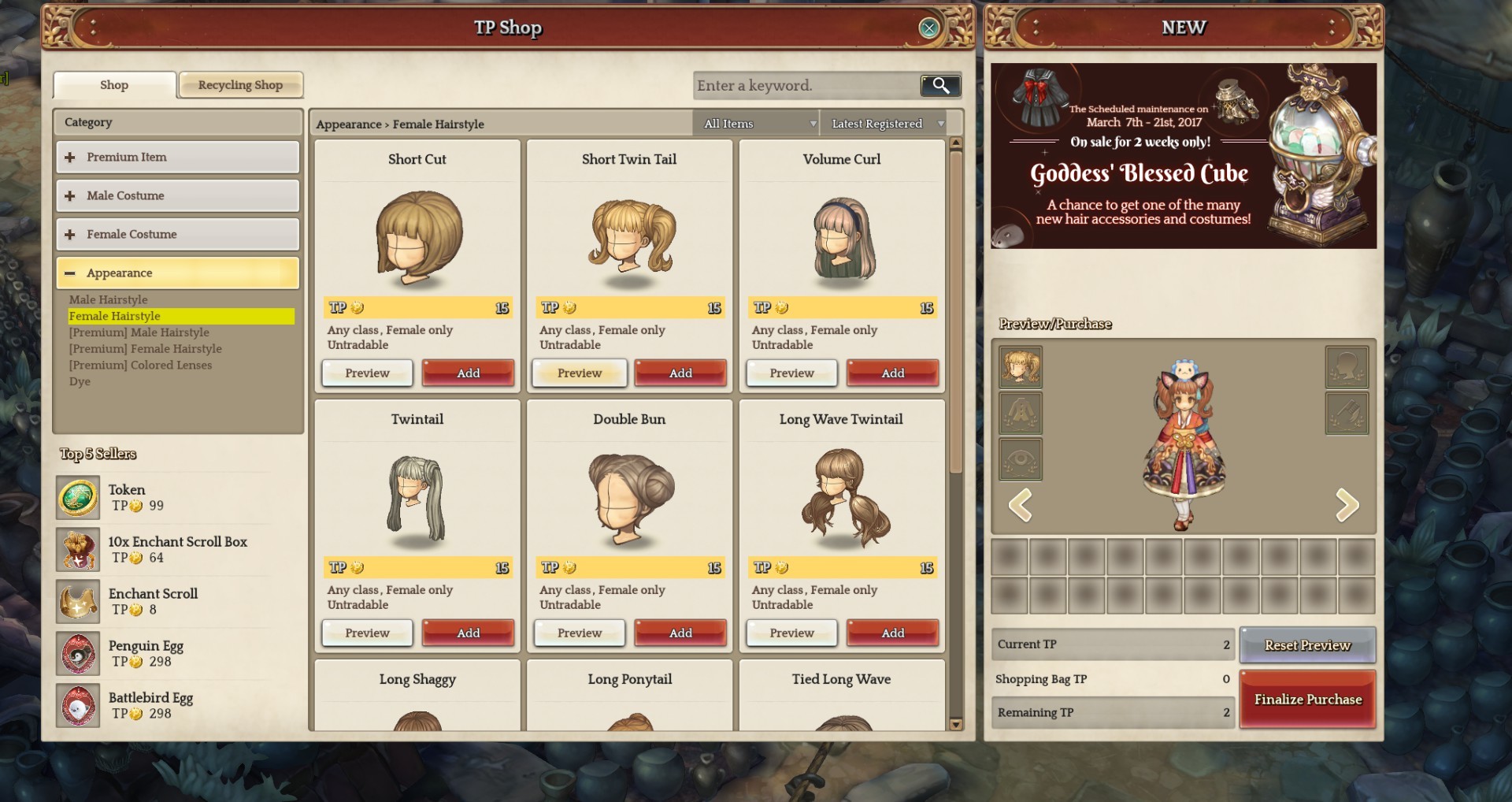
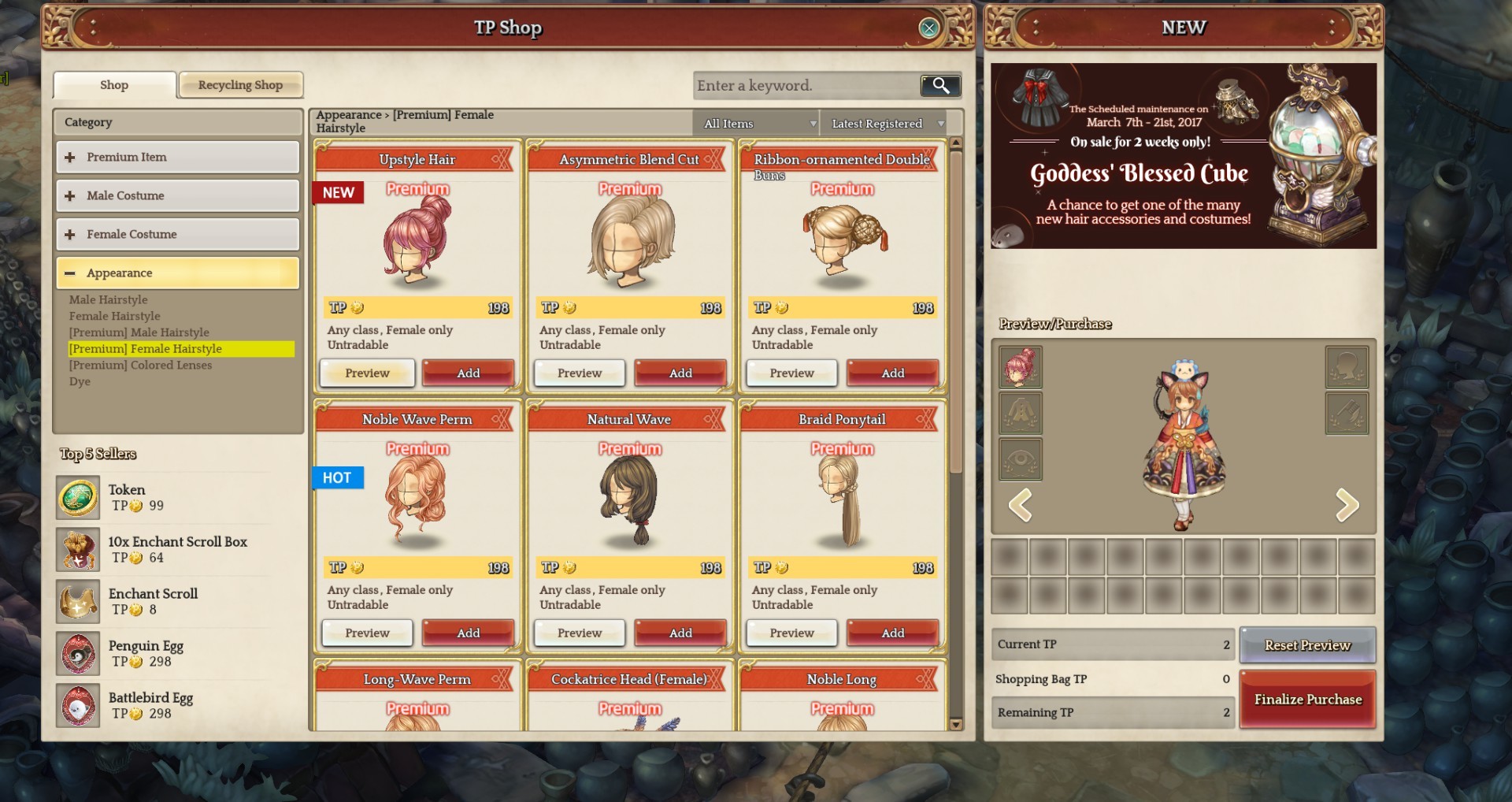
to demonstrate what i said earlier, i went to the TP shop and tried on some hairstyles
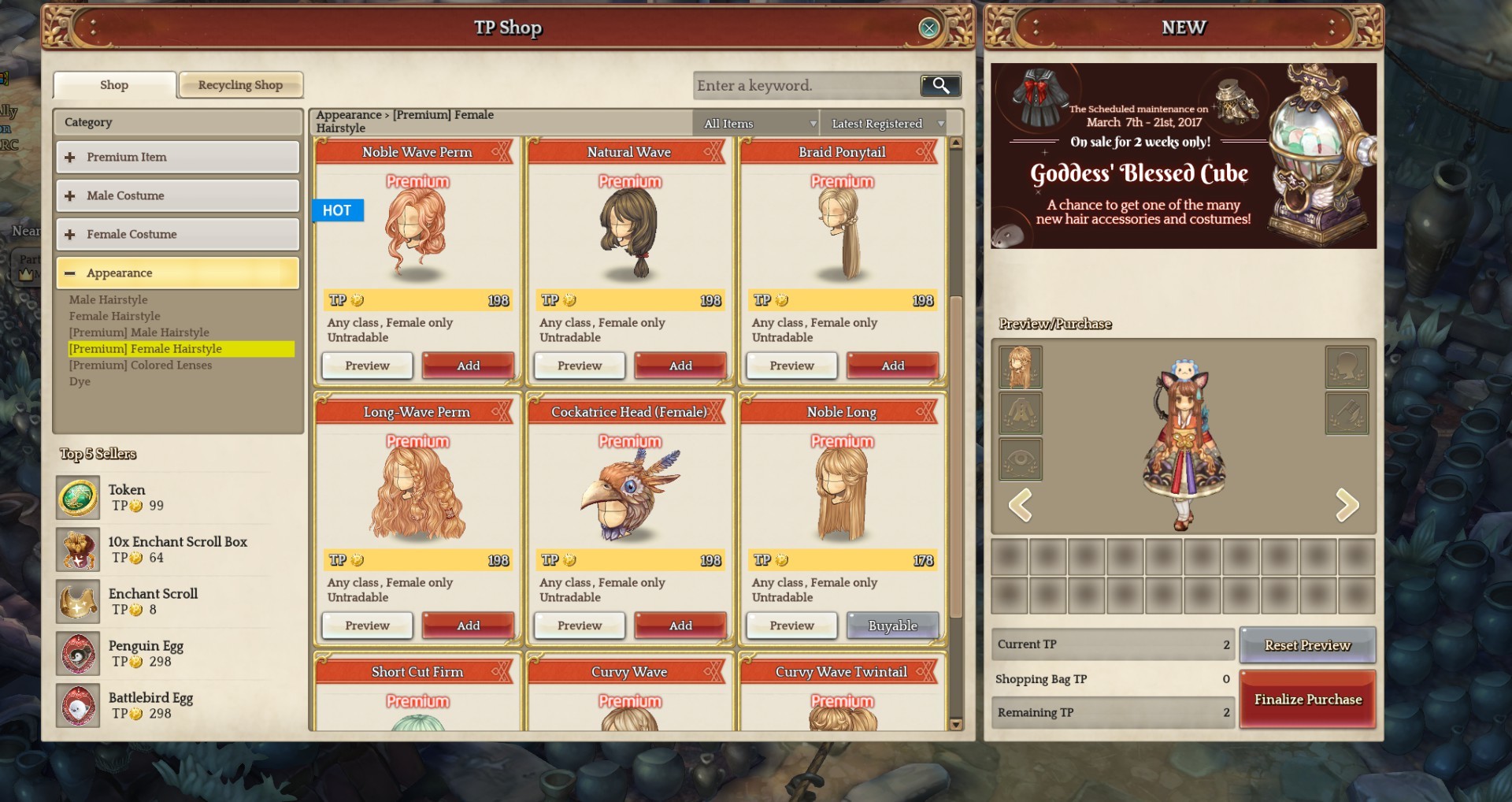
here is noble long again

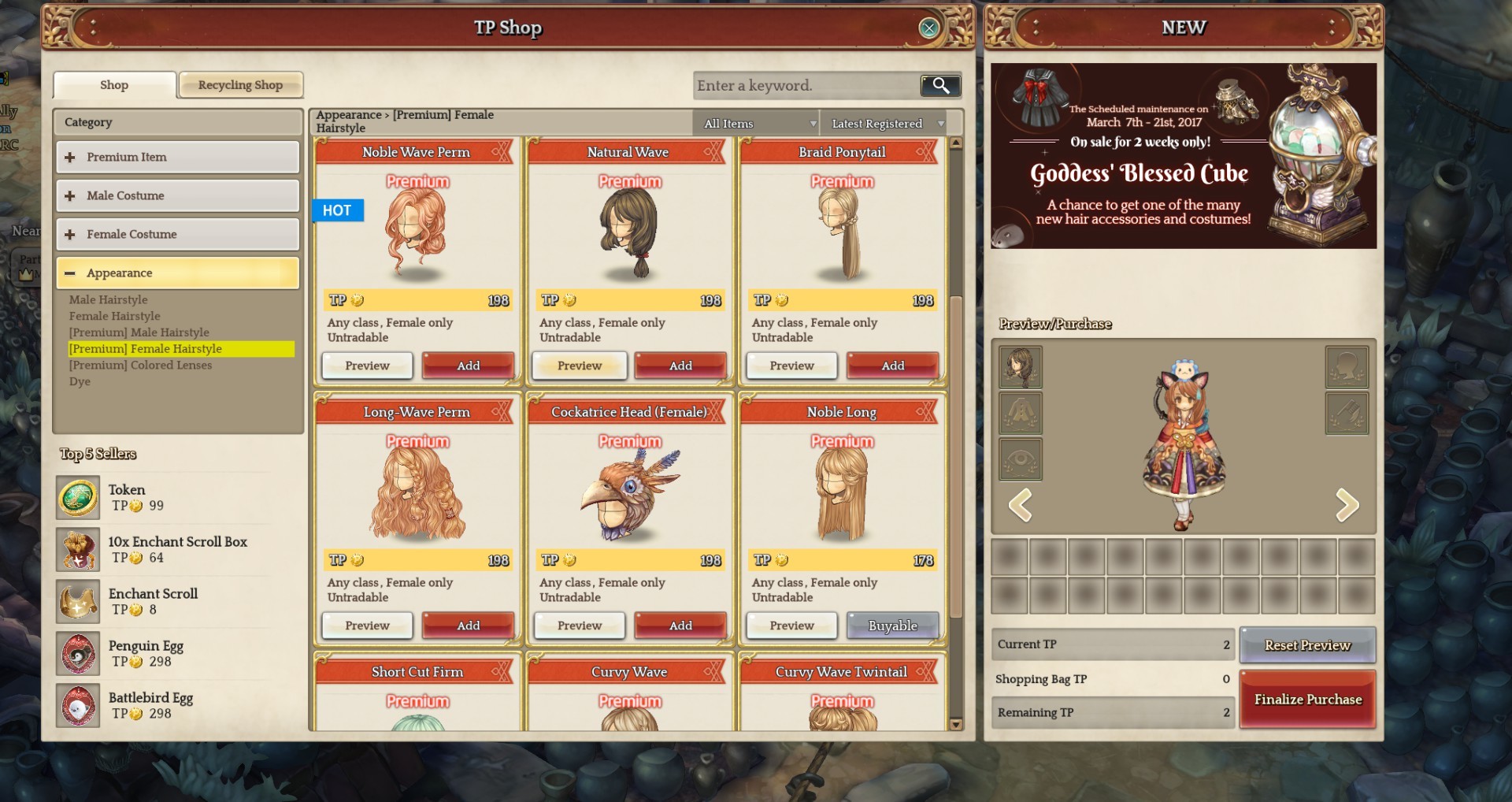
and here are some other hairstyles, in which the color is showing up brighter in all of them.

i’ve been waiting for at least 3 server maintenances to see if this got fixed, but either no one has noticed it or no one cares.
i am aware that this is not a top priority from imc or whoever runs this game to fix, but it would be nice to eventually see it fixed or at least explained.
either way, it might be petty of me, but this has been bothering me for a while now, so i figured i’d share it with you.
6 Likes

I do a lot of painting for people in real life and there’s sometimes inconsistency of color because of lighting. The designer more than likely was going for making some spots of the hair lighter or darker in an attempt give depth through shading. This is my guess or they could have been dumb and just not used the same color code hex pallete.


Example here of lighting change from white to beige. I can physically paint something faster than they can sit at a computer and edit a color to fix this problem. :stuck_out_tongue_winking_eye:

3 Likes

Guess that depends on the tools being used and the knowledge of the user. You can open up the material file of the hair in photoshop and press ctrl+u or ctrl+b for hue and color saturation adjustments, make changes accordingly, and re-export to solve any basic color issues in a matter of seconds.

Changed the light today.

well, i do get your point… i draw and paint a lot (although not digitally) so im aware color may appear more less/contrasted or even different depending on its surroundings.

even though in all areas of the game i’ve been, the color of the hair appears always darker, be it a more illuminated area or not.

if they were indeed trying to give depth through highlights and low lights to this particular hair style, why not do it for the others as well?

im being silly anyway… i guess im just a bit frustrated because this is my favorite hair and i’d prefer the lighter orange to show up… still thought it was interesting to discuss :disappointed_relieved:

oh well :confounded:

sadly, im almost ashamed to admit i do not know how to do that :disappointed_relieved:

If you have photoshop, that’s something you absolutely must become accustomed to using.
All those fancy settings can be found (with the appropriate layer selected) under Image > Adjustments. Also another fancy one, that has a few more options in one place, is Filter > Camera Raw Filter.

oops sorry, i explained myself pretty badly… i dont know how to find the file and do all the shenanigans to put it in the game i suppose.

fortunately, i do know how to use photoshop :sweat_smile:

1 Like

oh, I imagine that’s all in a compressed file anyways so no way to do it without reverse engineering the compression.


I’d guess that it’s within the sprite.ipf file located here “SteamLibrary\steamapps\common\TreeOfSavior\data”.
There’s bound to be a software that can open the data but I’m not about to search for it. And that may or may not be against the EULA or TS.

The haircolours will be overlayed&mixed on your current hairstyle.

Light hair + orange colour -> light orange.
Dark hair + orange -> dark orange.

Applies to All colours.
Is more visible if your base hairstyle is blonde vs dark.

Try sending a ticket?

1 Like

This hair style is blond :confused:

Hairs have different lightings so the contrast may differ from one to another…

I got to say that this dye hair is being sold with the wrong name, the color is more of a burnt orange than the orange we all know.

1 Like

It might be unintended.

The hairdye colour is mixed with the darklights/highlights on the natural haircolour. It will change a bit.

You will notice this colour distortion most if you have the White hairdye (100 crafted items achievement). Blonde + white vs dark +white is very different.

Compare your noble long + orange (brown orange result) to
3rd pic natural wave + orange (also brown orange result) to
your last uploaded pic of Upstyle hair + orange (light orange result).

noble long seems to have a lot of darklight spots.
natural wave less on the front, maybe more darklight spot on the back. If you turn your character the colour might appear darker.
Upstyle natural colour is reddish.

true true, i checked again at the shop.

well, thanks for your help, at least its explained now :relieved:

1 Like

the noble long hairstyle is ugly anyways

Thank you so much for reporting us. Will pass your post to our graphic and QA team to know it :smiley: I promise that if there is any of process on it, will inform you immediately.

2 Likes

uuuhhh thank you :smile:

I like how staff will reply to hair color problem, but not to anything else that’s going down/up in flames in the game.

IMC logic:
Hair color problem? I guess we can fix that.
Game being exploited/hacked? Most of them are features, but we’ll look into it and report it to the dev team.

THIS IS PROOF THAT THE GAME IS ALL ABOUT COSTUMES!

This topic was automatically closed after 60 days. New replies are no longer allowed.