
Tree of Savior Forum

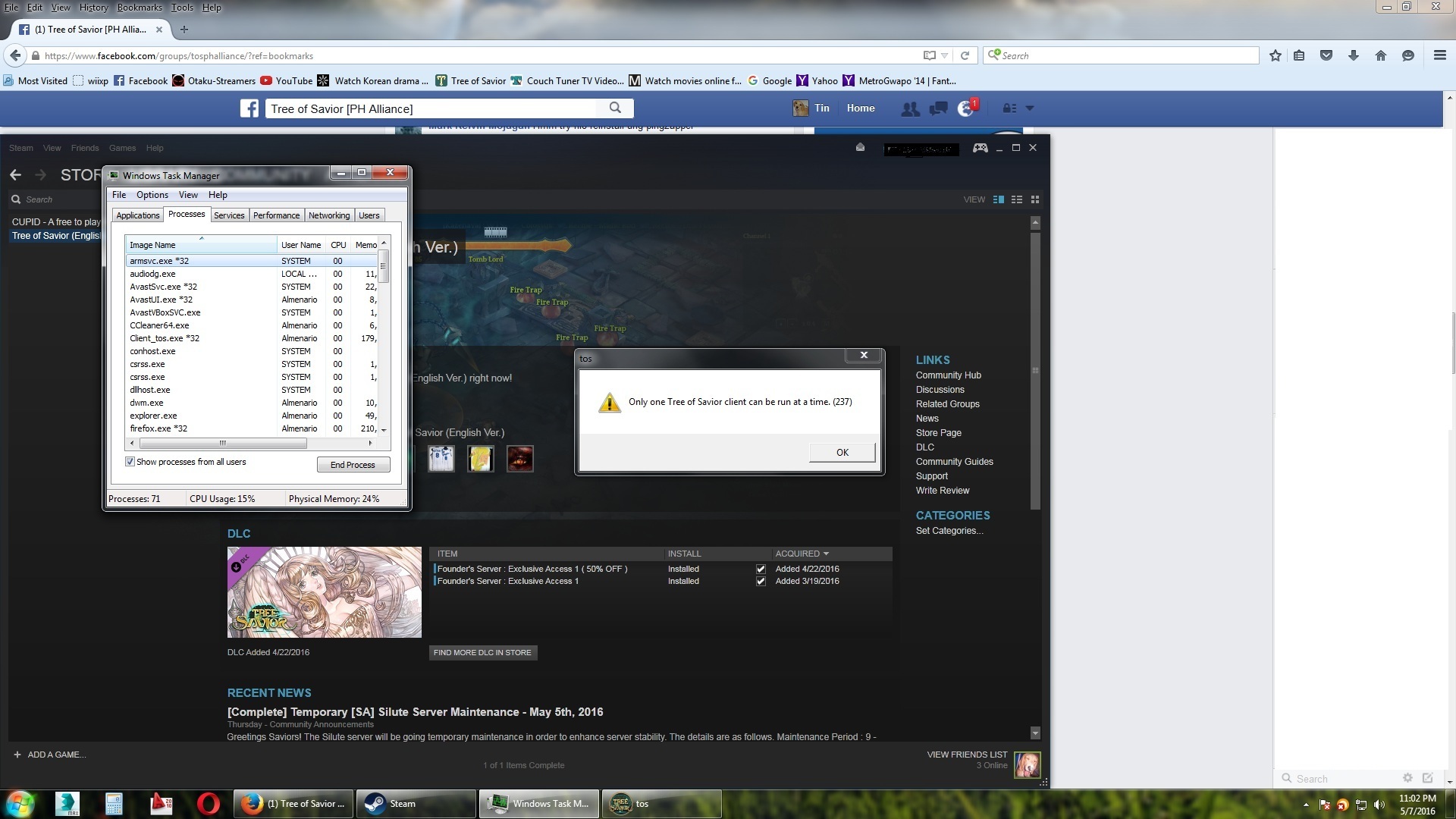
"only one tos client can be run at a time (237)

Please fill in as much as you can :

Date and Time : 5/6/16 1am EDT

Game Control Mode (Keyboard/Joypad/Mouse) : joypad

Bug Description :
just opened my pc & steam yesterday and when i clicked on the play button it says that i can only run one tos client at a time, but i just opened my pc >.< and i dont see the tos window

-i ran the verify integrity of game cache and it updated it, still same error.
-uninstall/reinstalled game, same problem.

i hope someone can help me, just wanna play again T_T
This post was flagged by the community and is temporarily hidden.

already did that a couple of times

You need to check the processes tab, not the applications list. I used to have to do this for firefox all the time.

Also, you shouldn’t be opening two of them anyway, this would be silly if you could. I can see you have one of them already open in the application list, I can also see it in the background of your screenshot with the word “Fire Trap.”

that other tos box is the error message box not another application >.<
and that fire trap picture in the background was my screenshot during cbt

Can’t seem to find a way to reproduce your problem. If reinstalling and also restarting doesn’t fix it then it’s not exactly the game’s fault most likely. Since there isn’t enough people with the same problem. Something else is causing the problem.

Could probably try running the game in both compatibility and administrator mode if you haven’t yet.

I’ve had a problem (Not similar to yours.) with another game and I found that leaving the Steam beta participation if you’re using it, fixed it.

Steam could be causing this issue and not the game client, so you could try to repair your Steam client. Steam causing a problem is just a guess. So not recommended reinstalling Steam if it COULD (But not) be the problem. Since you’d be wasting time reinstalling it and finding out it does nothing.


If anything, give a screenshot of your processes in the windows task manager while the error is up. Might be able to get more information that way.

will do, still downloading tho… 3hrs left

EDIT:
ok done reinstalling tos and its still the same!!!

right click Client_tos.exe in processes tab of task manager > End process tree

then try to run it again.

Is it doing this while trying to do an update patch?

i already did that a couple of times…
-will end client_tos.exe process
-click on play
-launcher pops up then disappears
-but client_tos.exe is still there

but when i verified the game cache it says there are like 50+ failed to validate and then tos will update automatically and then wait 4hrs+ to update whatever but that didnt solve the problem

nope after d update

202020202

do you happen to have steam installed in C:\program files\ or C:\Program Files (x86)\ ? Because if you do that might mean that you dont have enough permissions to modify files.

You can try to:

  1. Close steam (completely) and game (process)
  2. run Steam as administrator
  3. Check game file cache integrity again
  4. upon completion navigate to game’s …\Release\Patch\ folder and run Tos.exe as administrator directly from there (steam must be running).

Ok so i just uninstalled avast, which my husband installed a few days ago n that was when i exprnced this problm, and it worked!
Stupid avast hates tos >.<

Antivirus, antimalware usually hates everything. (Including steam sometimes) You could also just put in an exception cetting and just mark ToS’ folder as clean manually.