Tree of Savior Forum

NPCs [Wing of Vibora] Rena and [Oracle Master] Apolonjia Barbora can't be interacted with

Date and Time : 6/8/15 9AM GMT+8

Game Control Mode (Keyboard/Joypad/Mouse) : Any

Where it happened (which map, which quest, which npc, etc) : Map: Klaipeda town
NPCs: [Wing of Vibora] Rena, [Oracle Master] Apolonjia Barbora

Bug Description: Attempting to interact with either of the above NPCs results in nothing happening.

Steps to reproduce the issue :

  1. Find [Wing of Vibora] Rena or [Oracle Master] Apolonjia Barbora in Klaipeda.
  2. Use the spacebar or left click to interact with them, as you would with any other NPC.
  3. Observe that nothing happens.

System

  • CPU : i7 3770 @ 3.40GHz
  • RAM : 8GB
  • Graphics Card : Nvidia GTX 660 Ti
  • Mainboard : Gigabyte GA-Z77X-UD3H
  • Storage : Samsung EVO 840 SSD
  • OS : Windows 7 Ultimate
  • Internet Connection : ADSL2 6Mb/s down, 0.6Mb/s up
  • Country, Region : Australia
3 Likes

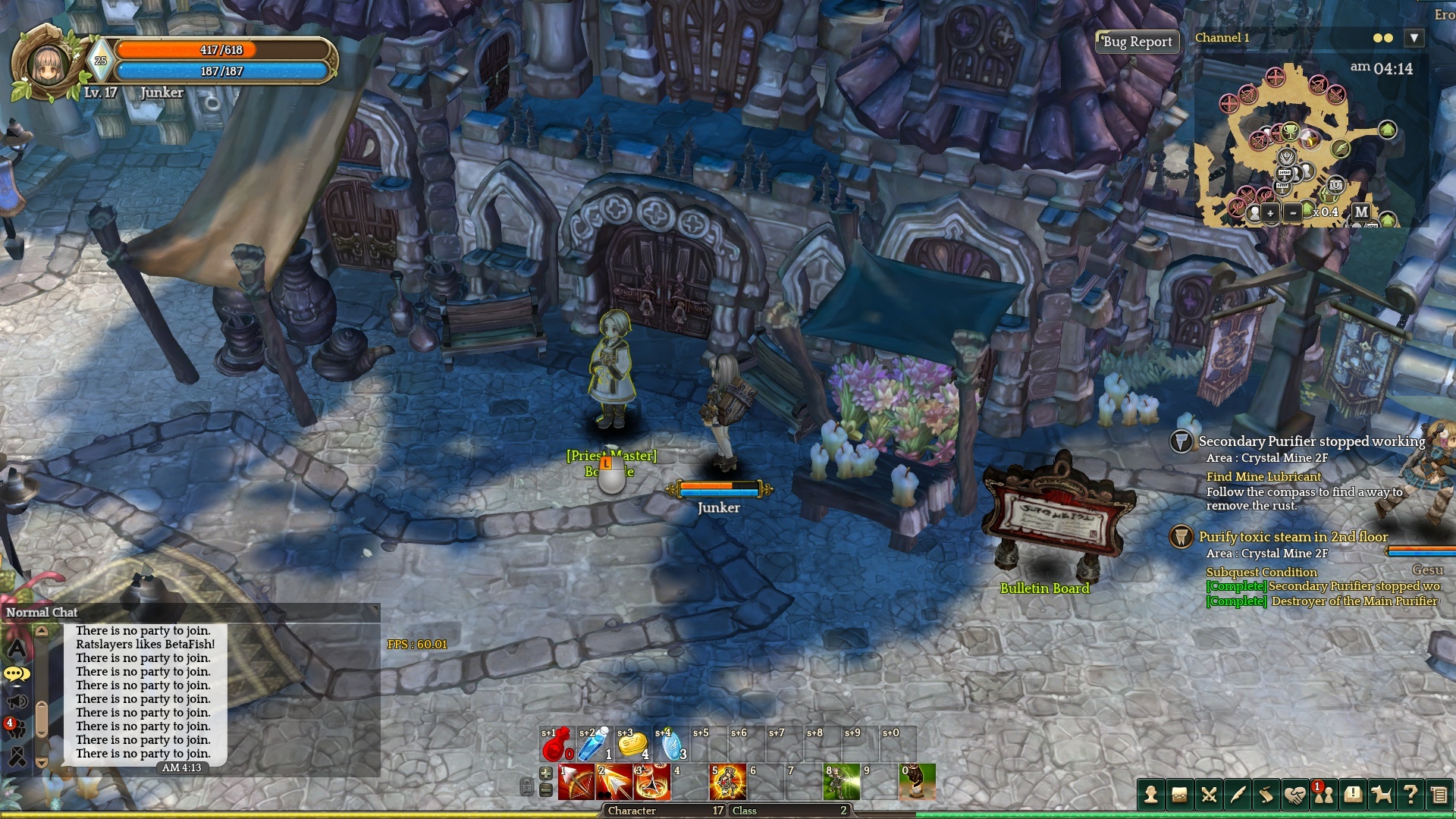
Well, I was thinking of what to take a screenshot of, then I noticed this. While other NPCs in the area have this left click icon (or a spacebar in keyboard mode) under them…

The NPC Rena does not:

This was also the case for Apolonjia Barbora when I made the report, but after launching the game again to take these screenshots, she now has the icon and is working normally in both keyboard and mouse mode.
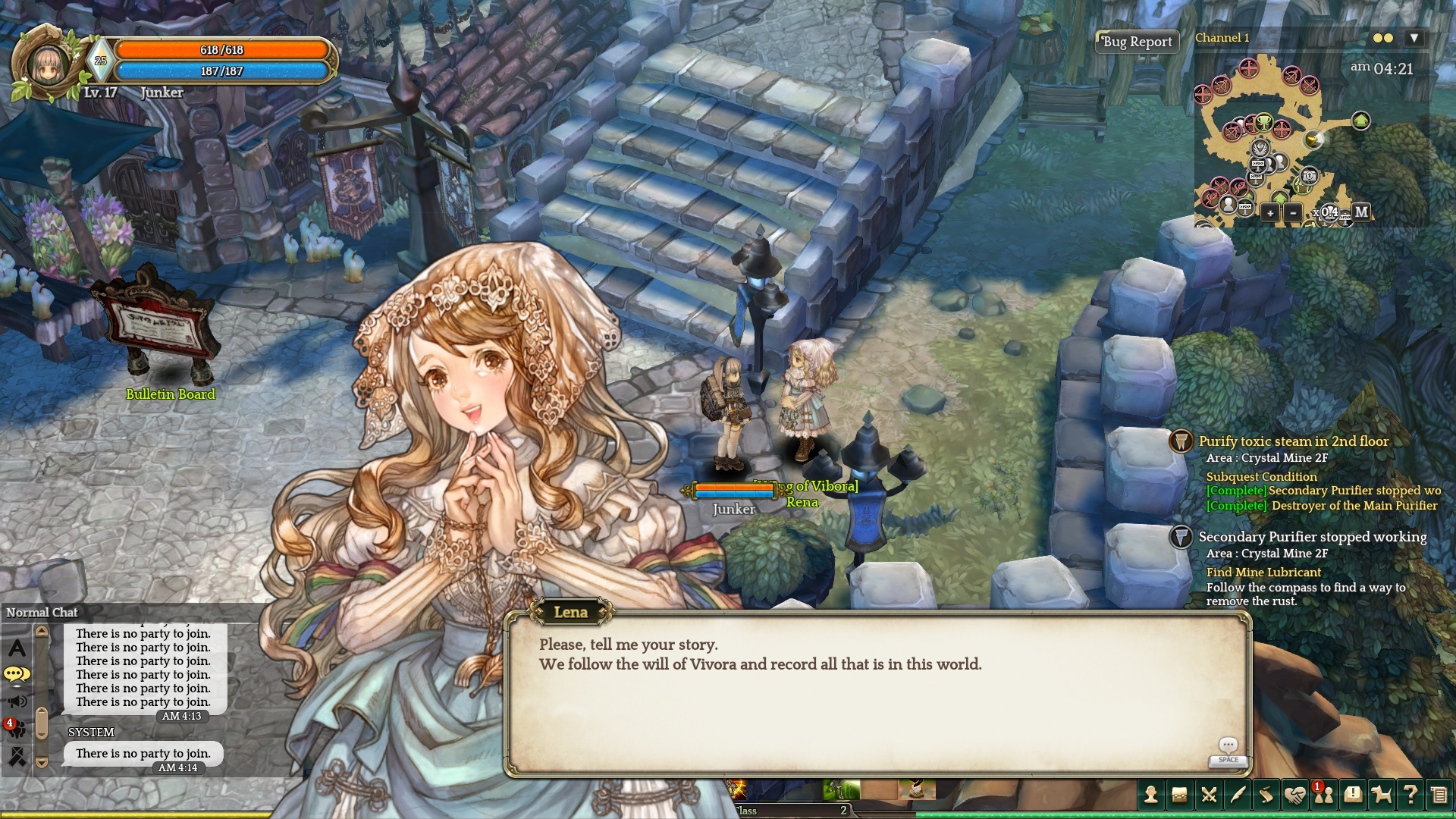
This got a bit stranger though: I switched to keyboard mode and tried to talk to Rena again in that control scheme, and while there’s no spacebar icon for Rena (like every other NPC has), I could actually talk to her, but only in keyboard mode: Clicking her in mouse mode still doesn’t do anything.

So, yeah. Sort of resolved, sort of still bugged. I guess I’ll also just mention that the name below her sprite says Rena while the name in her dialogue says Lena.

I can confirm I am having this same problem. There is no ā€˜talk’ icon in any mode, but in Keyboard Mode you can still talk to her. In Mouse Mode you can not.

i can’t get the box of growth lvl 2 in any mode(keyboard and mouse) and i only talk with she in keyboard mode.(i’m an archer, and i’m using mouse mode for default)

There’s a fix for this that can be done manually by modifying your hotkeys.

<HotKey ID="Select" Name="ģ„ ķƒ/ģŠ¤ķ‚µ" DownScp="None" UpScp="None" Key="Q" UseShift="NO" UseAlt="NO" UseCtrl="NO" OnEdit="NO"/>

This controls the talking to npc’s you can modify it to the key you want and make sure you add it into the hotkey xml’s to apply that. It is a little frustrating since you can’t map hot keys without manually editing files but atleast you can get it working.

Last time I checked, the Oracle Master were still too shy to talk to my character.

Same issue is happening to me. Cant talk to [Wing of Vibora] Rena while using mouse mode, but it works on keyboard mode.

I was wondering about this too. Got the same problem with the mouse, no problem with the keyboard setting. So this was a problem 3 months ago and is still a problem now. I hope they’ll find a fix to this issue.

i have to say this bug for the mouse user happen to other quest too.
yesterday i got a quest that have to kill some turtle and put the arrow into its flame after they die.
i try it many time and nothing happen until my friend (keyboard user) can use spacebar to craft it.