Really IMC?
What are you thinking? Will this be the final strike on my love for ToS?

Really IMC?
What are you thinking? Will this be the final strike on my love for ToS?
Steam has a xinput wrapper for playstation and generic controllers and you require Steam to play Tree of Savior (Eng.) so no, you can play with your controller if you could before.
Ok. Can you explain me how to do this? I cant play with My controle anymore. ToS cant recognize him. And i dont know how to make this happen.
just got mine to work
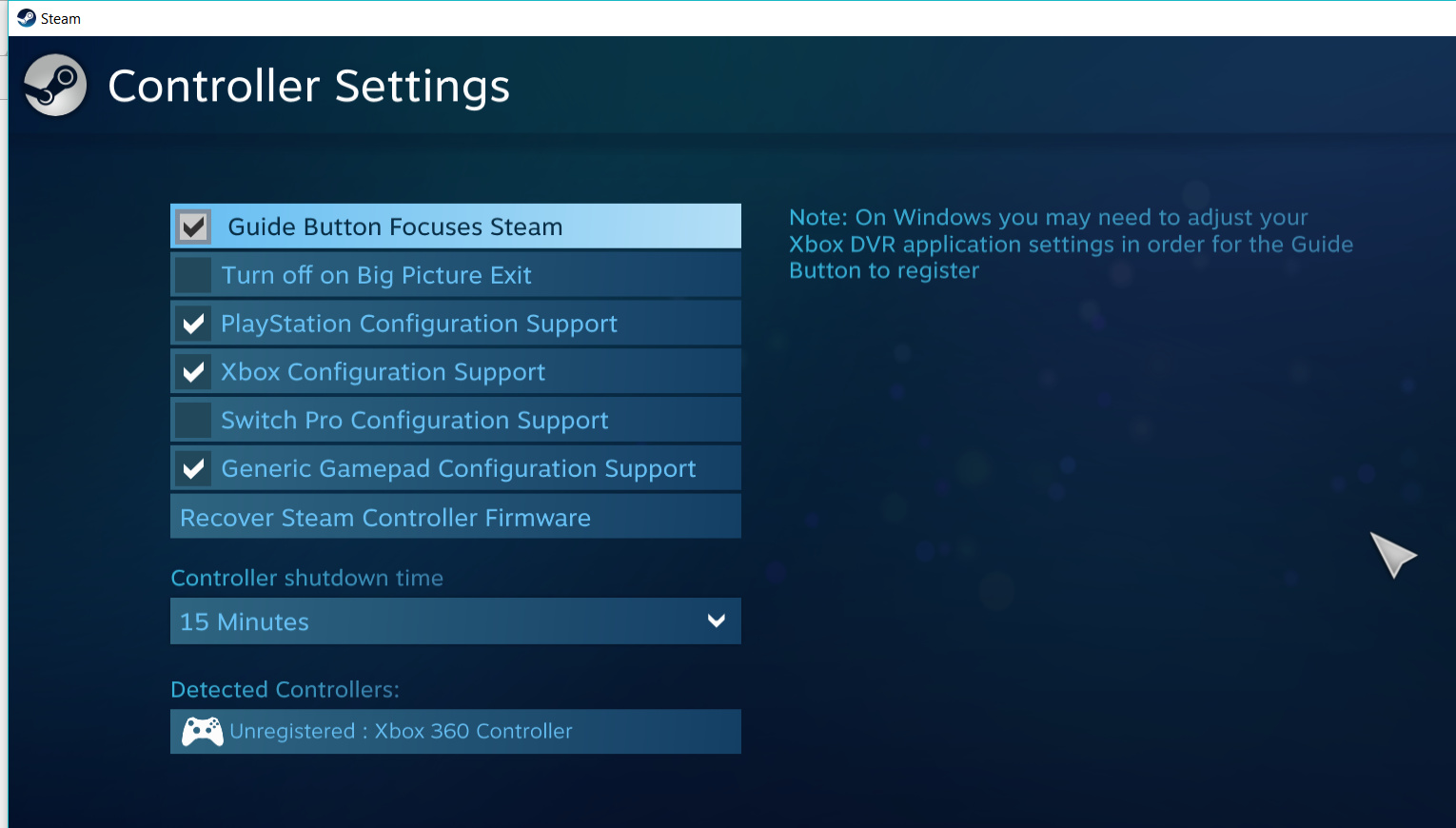
go to steam setting > controller > controller setting
then tick the box PlayStation, Xbox, and generic gamepad configuration support.
hope this work for you too! :V
Steam setup is abysmal. There is no way to tell which button does what in ToS.
Well there is actually one way. When u see highlighted button in config you need to remember what it does and then press other button what you want to use for this action.
No, steam setup is actually incredibly useful, they allow you to use a controller on games that don’t have full controller support. Its not valves fault that IMC decided to stop supporting what you use, this way is a thousand times easier than having to set it up yourself.
Maybe it is useful, but steam doesn’t want to save settings or show settings tab for second time when I want to access them. Right here, right now. All my settings gone when I tried to restart.
Hello, there. Just thought I might add that if you’re having problems with Steam’s controller setup, you can try ds3fix or other third party xinput wrappers to get your controller to work again. I’ve used one for playing Dark Souls on PC waaay back using my dualshock3 and it worked out great for me.
PS4 controller user here. While yes, I can use it and it does work, why did you remove the ability to use Steam controller profiles?
I am not able to edit or use any profiles outside of the only one found in the game.
This topic was automatically closed after 60 days. New replies are no longer allowed.