
Game Control Mode (Keyboard/Joypad/Mouse) : Mouse
Bug Description :
HP/MP bars and the name doesn’t seem to appear when hovering over other players, making it impossible to see who you’re walking past unless they speak.
Steps to reproduce the issue :
- Switch to mouse controls
- Hover over another player
Screenshots / Video :
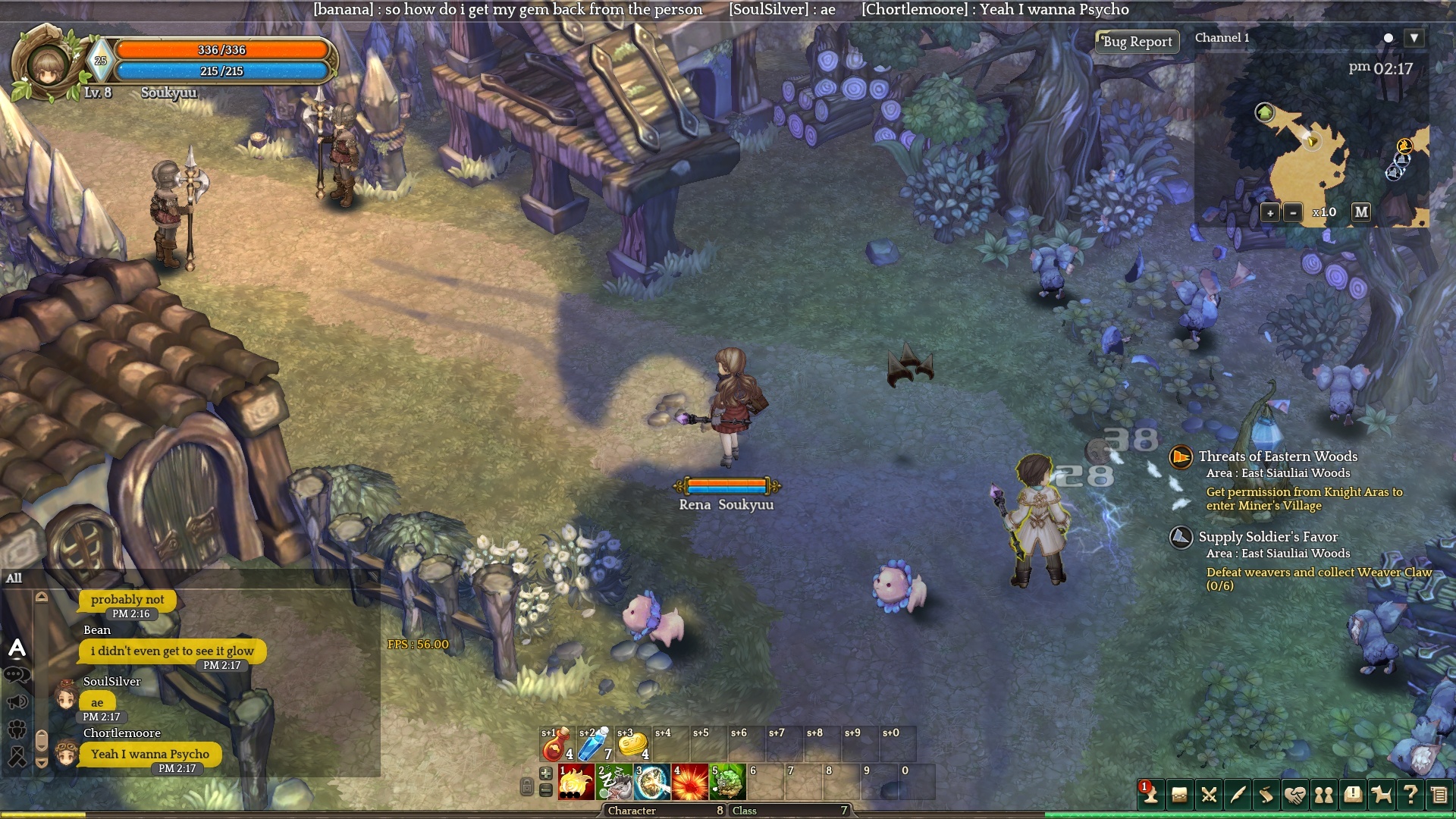
Note how my cursor is over the player (see yellow aura), but nothing is displayed?
System
- CPU : AMD Phenom II X4 975@3.5GHz
- RAM : 12GB DDR3
- Graphics Card : nVidia 260GTX, latest driver
- Mainboard : Gigabyte 990FXA-UD3
- Storage : Crucial m4 128GB SSD
- OS : Windows 10 Pro