
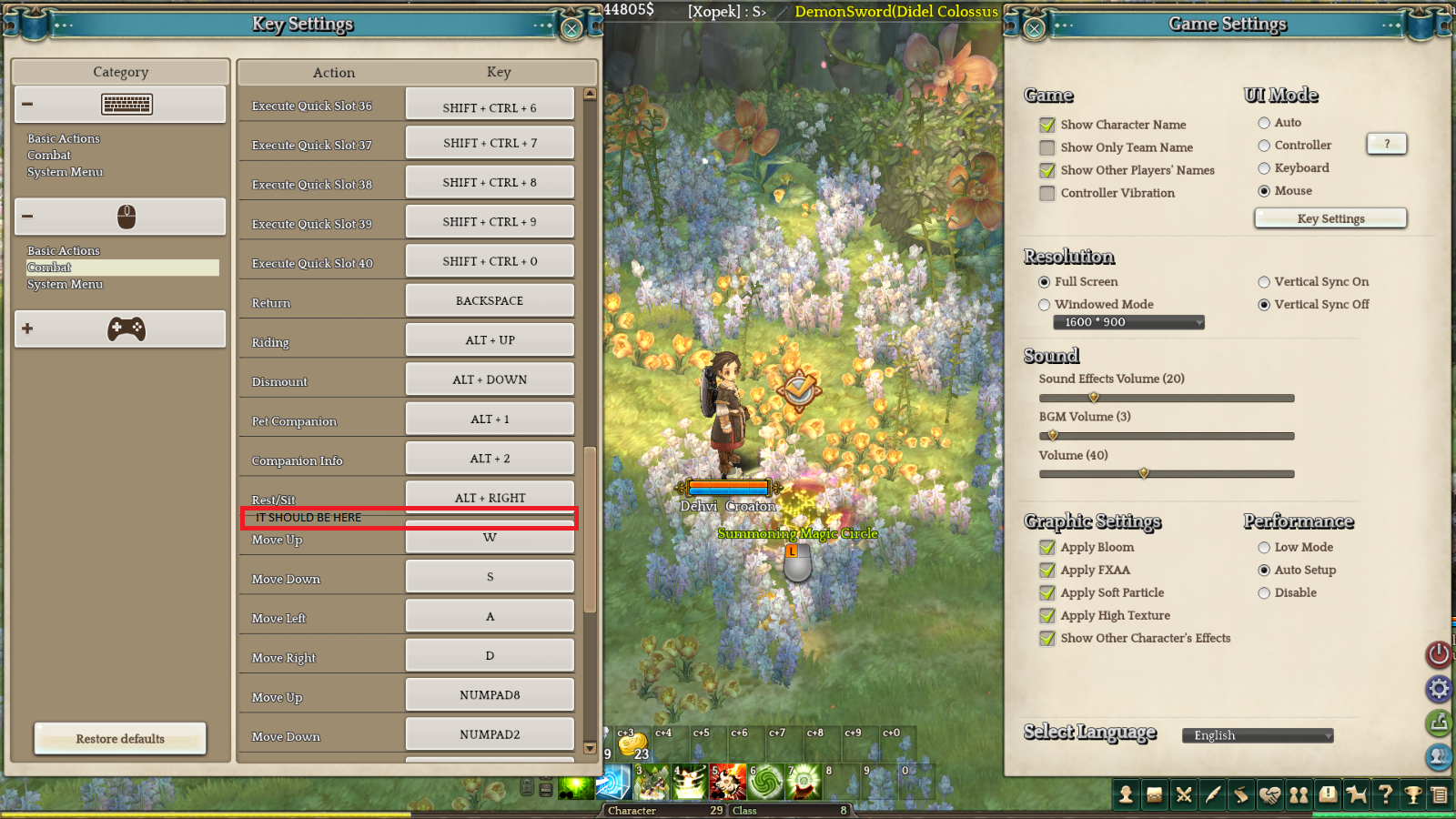
There is no Select/Skip button in mouse mode. In keyboard mode its under spacebar. Now most interactions can be achieved by left-clicking, but many, like portals shown on screenshot below, Mine quests or certain boss mechanics cannot. Please fix because we need to switch control modes, often during combat…
1 Like
Turns out these portals are bugged to the point where you cannot interact with them in any way. But Mine and boss mechanics are still valid
Absolutely agree. I went into steamapps/common/treeofsavior/hotkey.xml, found the line for Select and copied it into /hotkey_mousemode.xml. This actually then adds the option to bind the key in the settings. I bound it to E, works great for me, but it should be in the menu for everyone else already so you don’t have to edit the xml files.
1 Like
Same, i like using the mouse i was trying to collect sap from a boss and was confused as hell, party member told me to use keyboard mode.
Yup, sap is what disturbed me as well.
This topic was automatically closed 3 days after the last reply. New replies are no longer allowed.