Tree of Savior Forum

MIssing files d3dx9_43.dll & XINPUT1_3.dll - game crash upon clicking 'start'

Please fill in as much as you can :

Date and Time : 08/08 - 10.45AM GMT+12

Game Control Mode (Keyboard/Joypad/Mouse) : unsure - didn’t get into game

Bug Description :
(letting us know what you were doing before, during, and after the bug happened will help us a lot)

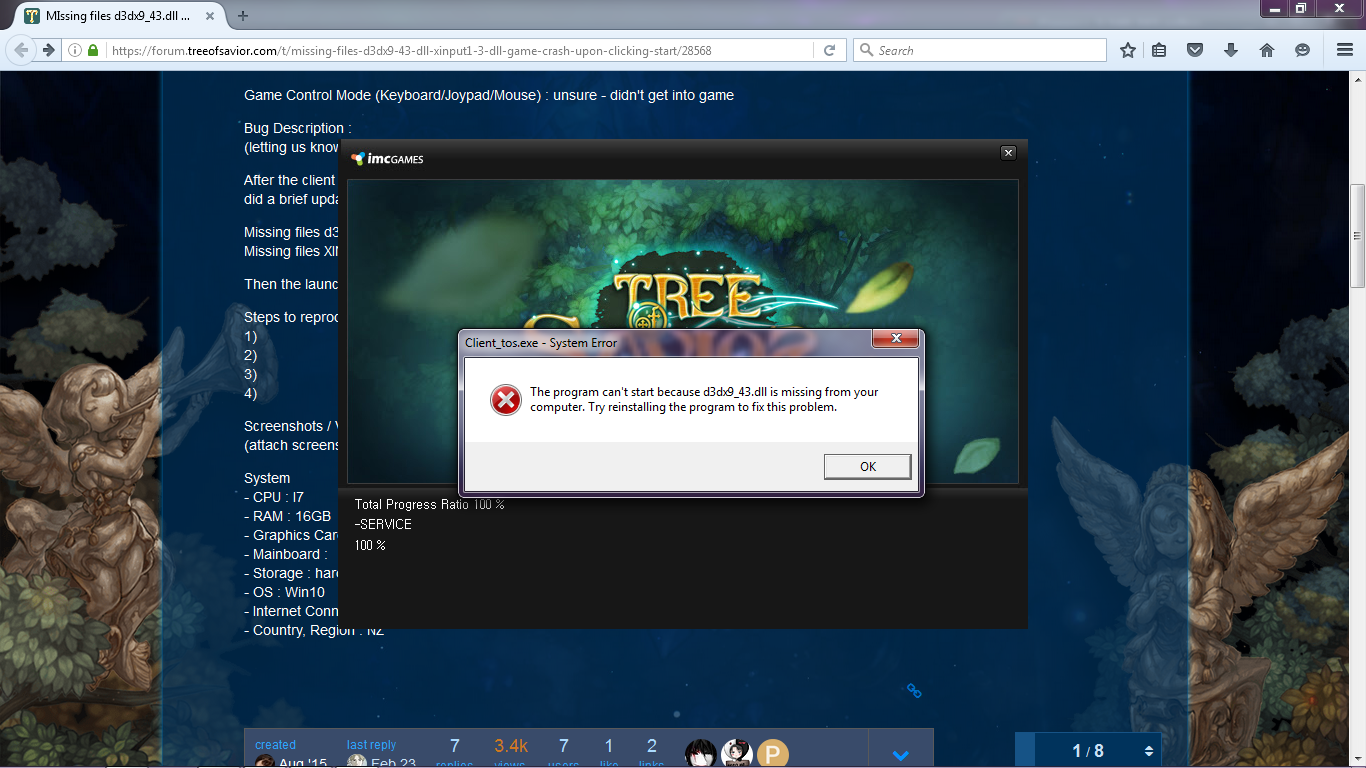
After the client had installed on my games drive (NOT C:) and clicking ‘play’ in steam. The launcher came up, did a brief update and then the ‘start’ option became available. clicking this gave me two errors:

Missing files d3dx9_43.dll
Missing files XINPUT1_3.dll

Then the launcher crashed.

Steps to reproduce the issue :
1)
2)
3)
4)

Screenshots / Video :
(attach screenshots or videos regarding the bug)

System

  • CPU : I7
  • RAM : 16GB
  • Graphics Card : Radeon
  • Mainboard :
  • Storage : hard drive 1TB
  • OS : Win10
  • Internet Connection : VDSL
  • Country, Region : NZ

Make sure you have the latest version of DirectX. Fixed this problem for me.

1 Like

FOR PPL IN THE FUTURE… HAHAH

Look for the name of the missing file in the windows search bar in desktop. Must type exact name of file.

Once found, open file location.

Copy that file.

Now, open Program Files (x86)?? folder >> Steam >> steamapps >> common >> Tree of savior >> release folder

Paste that file you copied aaaaaaaaaaand… boom! yey

1 Like

Here you go:

https://www.microsoft.com/en-us/download/details.aspx?id=35&44F86079-8679-400C-BFF2-9CA5F2BCBDFC=1

This should solve the issue.

i keep receiving the error as well, I have directX installed (directX 12 on OS Windows 10), any insight as to what i can do?

Did you visit the link I posted?
Go there, install and reboot your computer.

The fastest way to solve this problem it’s download one .dll library file from http://fix4dll.com/xinput1_3_dll just download and add it into the right directory follows the instructions.
Good luck, I’m sure you’ll fix it fast without any additional software.

OMG a rare necro! :heart_eyes_cat:

Скачайте файл http://d3dx9-dll.com/d3dx9_43.dll.html и залейте его в папку с директ, а после из папки в папку с игрой.