
Date and Time: Any time.
Game Control Mode (Keyboard/Joypad/Mouse): Any control mode.
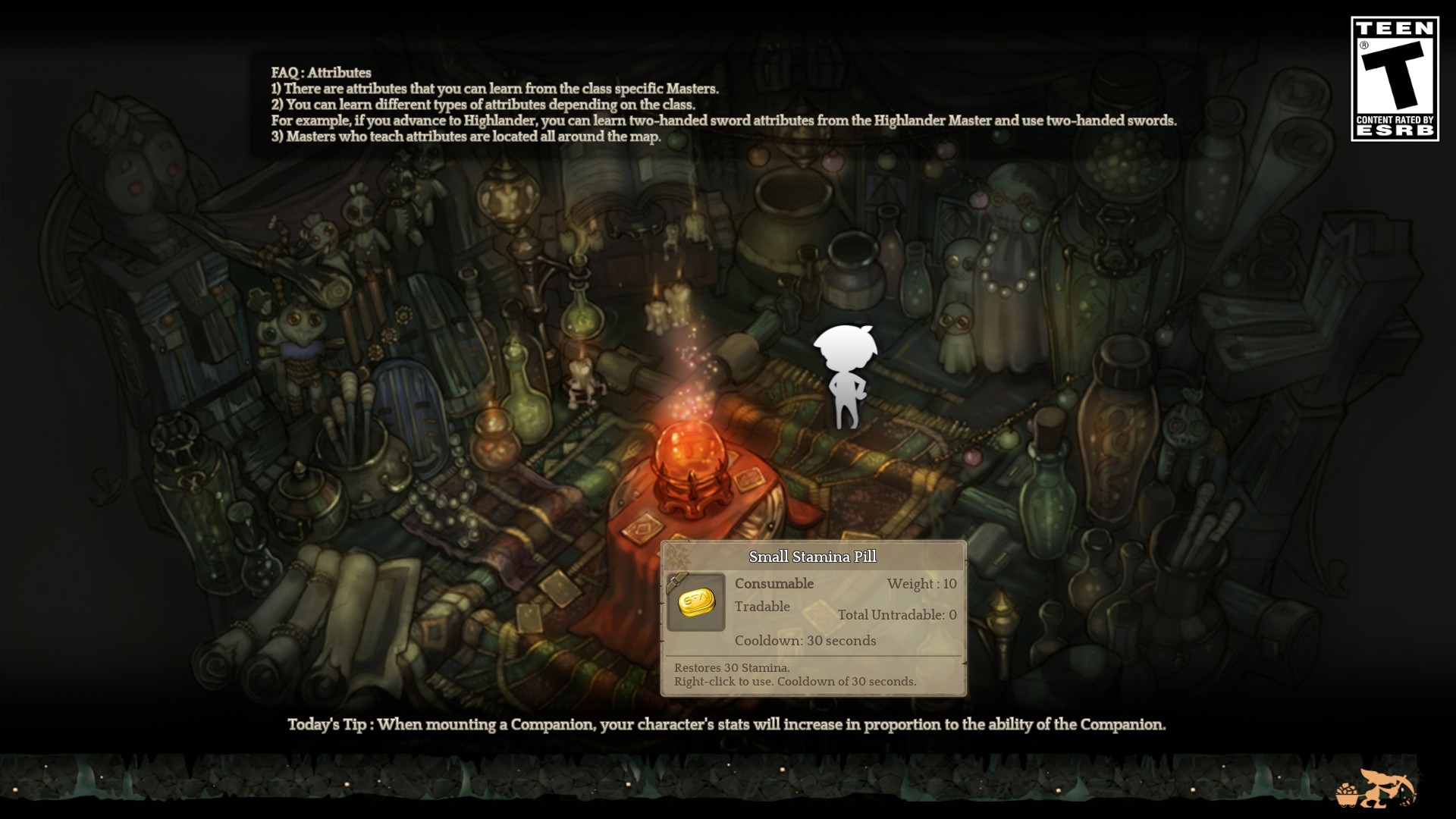
Bug Description: This has been happening sporadically (once or twice a week) since beta started. The game’s loadscreen display won’t go away after the game has finished loading. You’ll be able to play normally (other players can see you, if you attack/use skills you can hear them happening), but will be completely blind since the loadscreen is stuck over everything. For some reason though, if you manage to mouse over items/skills in your keybinds or inventory/skill window, their descriptions will show up above the loadscreen.
The only way I’ve figured to make it go away was to close down the game and restart it.
Steps to reproduce the issue :
- Change maps or log in, it has happened to me on both circumstances.
- Most of the times the game finishes loading as normal.
- If you’re unlucky, the loadscreen won’t go away after the game finishes loading the zone.
- Game keeps functioning normally, but you’re completely blinded.
Screenshots / Video:
You can see here that the game is running normally behind the loadscreen, as I managed to pass the cursor over an item. I can move and try to attack things, but it won’t be much use since I can’t see anything.
System:
- CPU: Intel i5
- RAM: 8 GB
- Graphics Card: GTS 250
- Mainboard: H55H-M
- Storage: 2TB
- OS: Windows 7 64-bit
- Internet Connection: 15MB download, 1MB upload