
Tree of Savior Forum

Inventory (F2) window should pop up over the Market window

Small convenience/quality-of-life feature, but it’d be handy if I could check my equips on inventory (F2) while browsing the market for equipment so I can compare the items for sale to my current equipment.

Currently, when I open the inventory while using the market, the inventory window is behind the market. Here’s a screenshot:
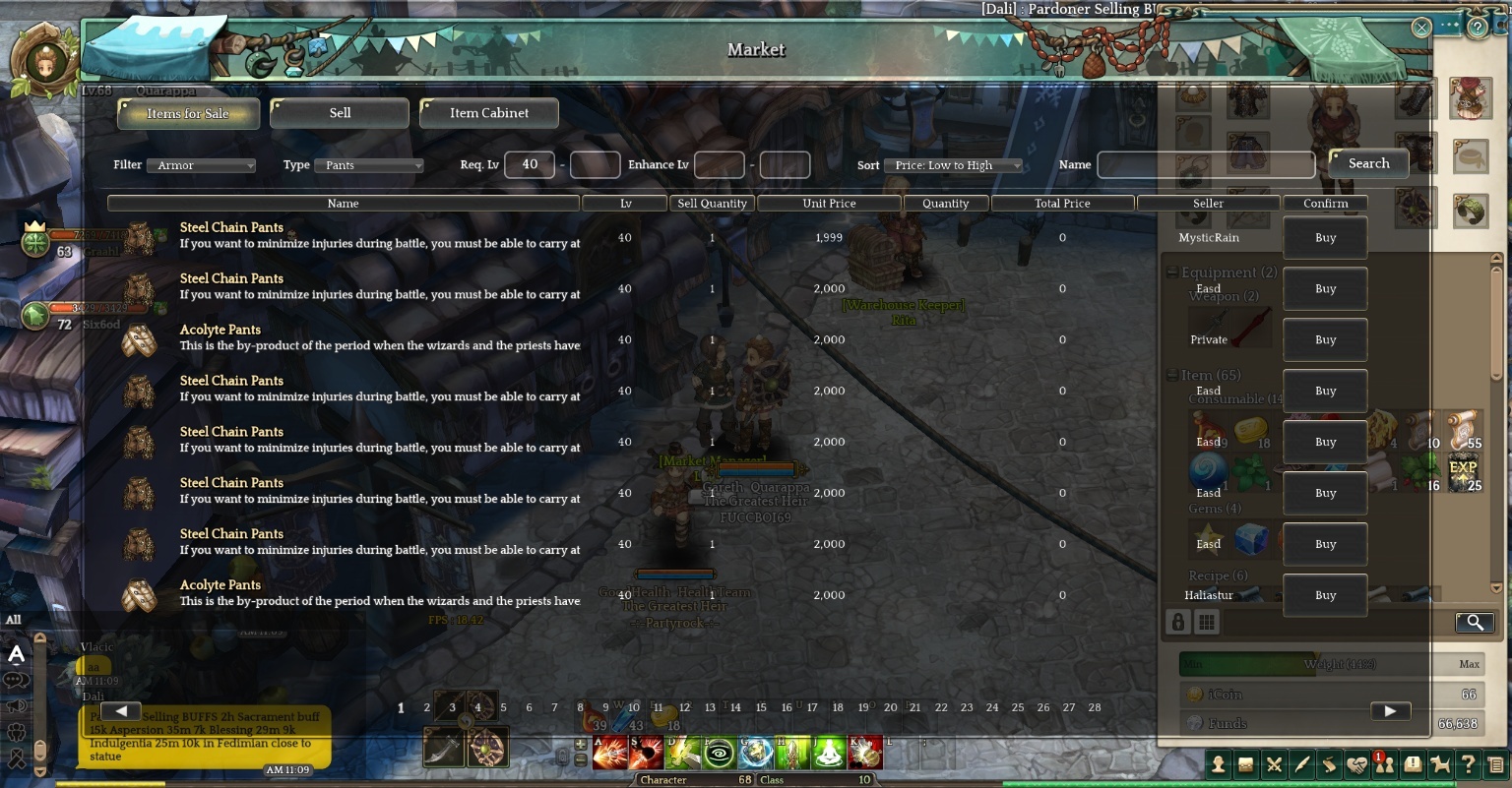
The only equips I can hover over to check stats are the ones at the rightmost part under the market overlay. So when I want to check the stats on my other equips, I have to close the market, check my inventory, then repeat my query on the market.

3 Likes

agreed. I dont like this at all. Sometimes I need to hover over an item to refer to the name so I can type it in search and I cant do that when the market window is overlaying the inventory.

They should include some sort of copy paste feature of the item name or a quick search link so its easy to find items you are looking for more of.

Also Equipment needs to be sorted in plate, cloth, leather and 1~5 star. Enhance level doesnt do it for me. I dont care for buying +5 gear.

I"m just going to the “Sell” tab to take a look on my inventory. When I go back to the item list, its exactly where I left it.

3 Likes

Yes please! Every time changing tabs to see a name of one iten or something like this

Yes, I go around this by going to the “Sell” tab aswell.

To me, a UI-slider to make the UI smaller would be ideal, or just make the MP window ALOT smaller. It’s crazy big now and there’s no need for it to be that big. But the inventory overlapping would be ok too.