The game runs on a video card:
Intel® HD Graphics 3000
???

The game runs on a video card:
Intel® HD Graphics 3000
???
No built-in GPU is really good to games, unless the game is really optimized for it, like G.R.I.D works good on a Intel 4000 if i am not mistaken.
If it is a desktop you are using i suggest you to buy a new GPU upgrade, a GT 620 with 1 GB or similar is enough for most games.
Nops, i have and don’t work.
RIP
xD
It wont run on the card. Maybe if you thinker with it. And by that i mean high grade messign around with overclocking… will burn your laptop. Literally.
Intel HD 3000 … i think my first pc had something like that … when i bought it 10 or so years ago.
1gig graphics ram is commonly needed to run games smothly. Of this kind.
Any more will help too.
After that connection speed+ closeness to server.
And if your laptop/pc isn’t bottlenecked by ram/etc.
… get yourself a titan if you want a ferrari unde rthe graphic cards xD.
I played on a Onboard ATI Radeon 3000 Graphics, i did not have much problens, other when there too many monsters or some effects on map, but there little of those.
Would be easier to check if he post his hardware setup.
If he have 8 GB of Ram he can setup the card to use 2GB of the Ram as video memory, but even so, depending on the rest, processor, HD, it can create a bottle neck and make the game unplayable.
I run my game on a laptop with NVIDIA Optimus setup (regret it, never ever buying this thing again) and my Intel card is the same as yours (but I play on the NVIDIA one).
I’ve already tested to see if it reduces my crash problems and the game does run on this card but is really laggy on an i5 processor. You can play a bit but don’t expect anything higher than 10 fps (and crashes?) during entire dungeon runs.
I am under a Nvidia optmus setup on my laptop i5 (speed is 2.6 GHz and i don’t use speed step because it cause too much problems) and the only time i had problem was on city ch 1 with that load up of people my fps drop to 5-10, my game recognize my Nvidia (GTX 660M 2 GB dedicated) normaly and any other game i do have here run smooth, one thing tho under 12 GB of RAM and 2x 120 GB SSD drives, if you are running on low memory (6GB or lower) and if your system is 32 bits and you have more than 2GB you are just wasting your Ram.
The thing is, some laptops that use Intel HD series have automatic memory management, which mean that it will increase or decrease the amount of memory required up to a specific limit (generally 2 GB but some goes up to 1 GB or 1,5 GB), so if you have 6 GB and depending on what you got running on your background (AV, GPU and sound Control Panel, etc…) you might find yourself crashing or stuttering badly.
Keeping your drivers update are also a good thing since there are small improvements here and there.
About optimus: Try NVIDIA Optimus on Linux. Good luck  if you don’t have rolling releases or an updated system, also good luck on solving problems or running custom kernels. Even on Windows when the system doesn’t detects your game and runs it on Intel card ;-;
The bad thing is that even with almost everything closed you might also experience low fps and crashes on intel cards.
Its one of the reasons i stopped using Linux, it do have a nice concept but for me it only accompany the hardware updates, but stability still a problem to achieve.
It happens on old codded games mostly, i don’t remember any new game that didn’t recognized the Nvidia on my laptop, and even if it didn’t i didn’t lose performance on it in the end, so for me it is a win-win situation for now.
That is a given, the card is not supposed to run games to begin with, with the exception of simple games like Candy Crush or something similar.
My Arch Linux is quite stable here :3 We can’t blame a system because of the other companies that doesn’t helps the community to develop something stable without reverse engineering, lol :x
Is ToS old codded?
You can’t call a system full stable just because it run and show the desktop, i don’t see the system as only the OS, the software i use is part of the system, if it doesn’t work is either the software or the system not handling it well or a faulty hardware (memory or hard drive)
And no ToS is not old codded and it does recognize my video card (Nvidia) without a problem.
My laptop is on the automatic switch, which i really hate, but there are some others that you can full switch to the off-board (if you can really call it that) GPU through the BIOS, there is other laptop, an old model from Lenovo here that allow that, i switched from the Intel to the Radeon on the bios and it uses it directly.
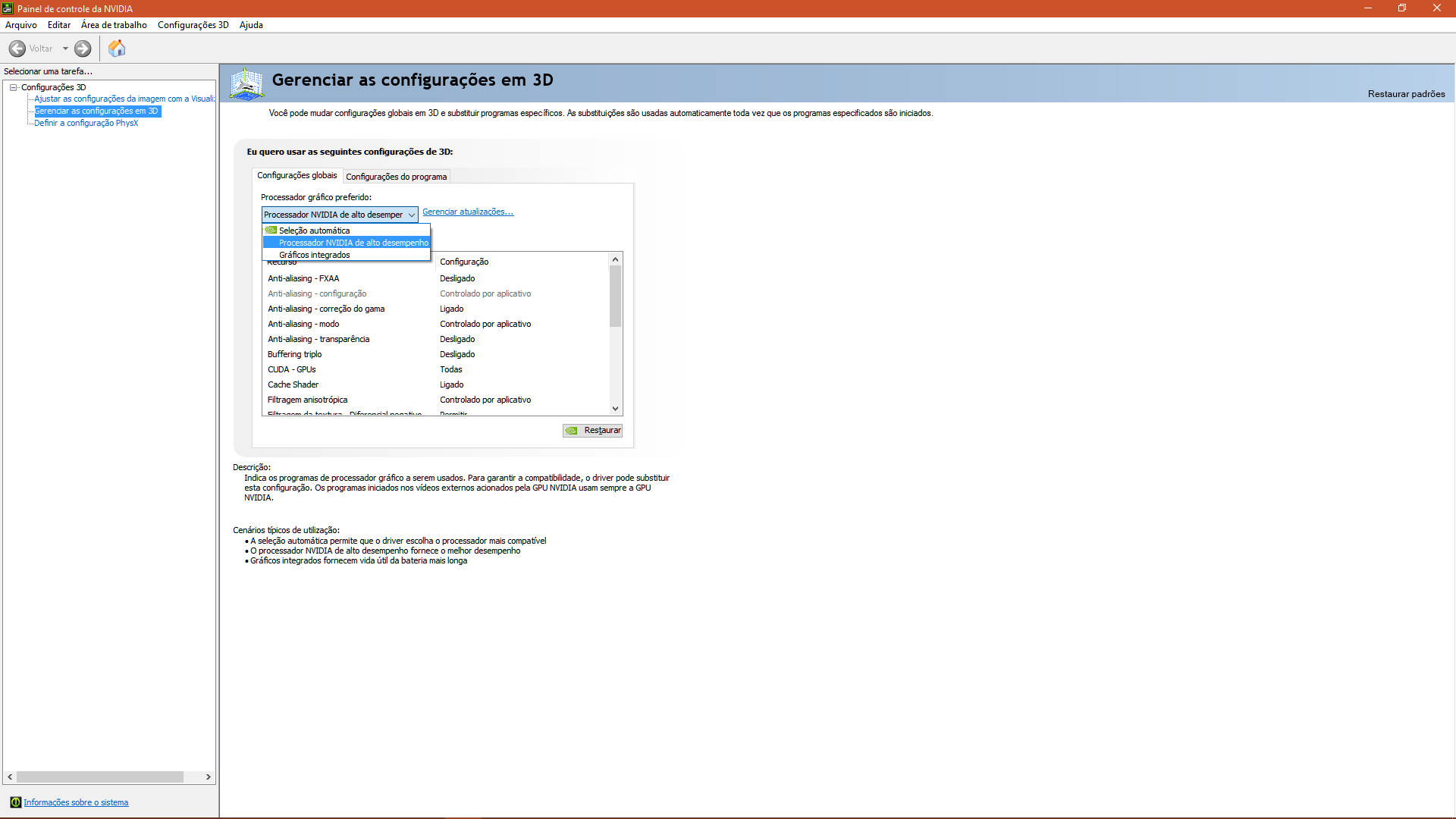
Other thing is, some people don’t even know that on Nvidia CP this:
Well, we can call a system stable when the only thing that does not work well are the closed source or reverse engineered ones, lol.
Yeah but then you might put more load on NVIDIA than you need ;-; (like Chrome, for an example). I wish my laptop could do that xD
Most of the time it recognizes the game but it might not detect it for example when you crash and login as fast as you can to not lose a dungeon run and then you notice it’s running on 3-5 fps. Murphy’s law.
If the system can’t manage it then yeah, on Win7 (not sure on Win8) i had that problem, the system can’t manage the memory correctly and ended up overloaded for nothing, reason why my chrome/firefox sometimes ate up to 2 GB of RAM, on Win10 i don’t have that problem, the software/game i have here that consume more memory is PoE since it load everything up from start, it take up to 1.3 GB sometimes it reach 1.5 GB, and i sometimes when playing i leave the game open while i am resting or out lol.
I honestly never had that problem, i did that quite lot on iCBT because of that IPS error thing.
how much fps do you get ?