Tree of Savior Forum

How to Stop Losing FPS/Crashing Due to Frost Pillar/Henge

Posting due to the sheer volume of questions/antipathy I’ve been getting about this topic.

I rank reset my chronolinker to be a cryochrono. Two days later, at maintenance, I began crashing and having serious FPS drops whenever frost pillar or henge were cast.

My solution to this was to verify steam cache. Fair warning: This process does take a bit of time, because if you do it correctly, the ToS patcher will completely redownload a bunch of its patches.

Make sure your game is closed before you do this. It will not impact the install of any addons you have, but will roll back all your loading screens to the original contest set.

1.) In Steam, go to your library. On the left side is your list of games. Right click Tree of Savior, and click on Properties at the very bottom.

2.) Go to the third tab, called Local Files.

3.) Click on “Verify Integrity of Games Files…”

Let it run its course. When you try to run the game next, the patcher should begin downloading old patches again and, depending on your internet speed, this could take a fairly long time.

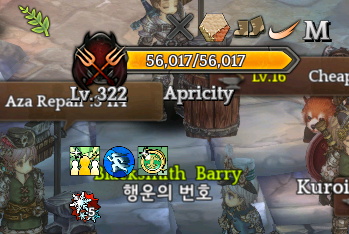
My FPS in TBL is pretty average, but here’s a random match from today where you can see that I don’t suffer massive freezing up upon casting frost pillar:

(As you can see, my loading screens rolled back to the old ones after verifying).
2 Likes

I don’t know if this is satire or not.

4 Likes

@Y100Grand
Are you implying that you have this problem but are refusing to verify steam cache?

No, it’s what worked for me, and I think a lot of people are complaining about it without trying this first.

No, I had this problem, and this was what fixed it for me.

@Csiko
Sorry I was trying to act like a disgruntled forum goer and call out Y100Grand for insinuating that your solution can’t possibly work.

Now excuse me while I reorganize my jimmies.


added @ tags for clerification.

1 Like

Because i reinstalled many times on many problems and it didn’t fix anything for me and my guildies too. Seems like a placebo to me because the game doesn’t modify these files after downloading.

1 Like

This is not the same thing as reinstalling.

Can’t guarantee it’s not a placebo, though–and it’s certainly not accusing anyone that they’re responsible for IMC’s fuckups. I’m just saying it’s what worked for me.

I think you didn’t get @Y100Grand point.
I jumped here expecting something… new.

Perhaps 99% of ToS players reinstall/verify files when something goes wrong.
But is a good advice at all.

PS: ToS launcher is know for corrupting files.

1 Like

This is exactly the problem, it seems that every time maintenance happens there’s a 1 in 5 chance something will get horribly corrupted, and you may not even happen across what it was until days/weeks later.

Testing it right now to confirm on TBL/Friendly Duel. Gonna update this post soon if it solves for me or not o:

Lemme know.

I’ll be sad if it doesn’t work. It’s kind of… an important part of my class. X_x

Oh, on a note, remember that the source of most lag/crash/dps drop is when you’re on the enemy team being pulled by Frost Pillar, that’s the main thing everyone complains about. If you’re the caster you most likely don’t suffer the same effects caused by the pull that’s faster than it should be while it also consumes all Prophecy charges. (88% patching atm)

I have not noticed that personally either though. I’ve been pulled in quite a bit, especially cause I actually played my other 2 rank 8s this week. X_x

I will say that it seems like some skills like frost pillar and especially magnetic force seem to pull from much farther away, but I think that might have more to do with the “optimization” changes, where some things render later than they used to (especially noticeable with people’s damn HP bars).

But were you pulled by two Frost Pillars (Sage’s Micro Dimension) or just a single one? One is okay-ish to deal aside from small lag/fps drop but when it goes two it starts to get worse, even more in a GvG if there’s like 4-5 Frost Pillars it can simply crash people after 20s+ stuck with game frozen.

@Csiko

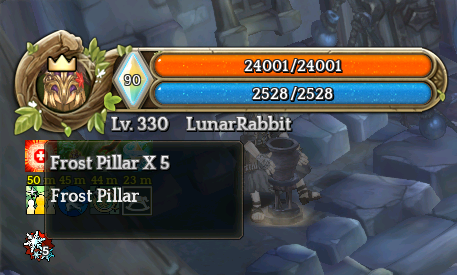
I also get this debuff stuck in my bar most of time I get lagged by Frost Pillar.

You have the bugged buff as well.

Maybe it’s these debuff stacks that are causing the lag issues?

I actually stopped playing my druid 3 due to the hengestone problems. Still getting random crashes here and there when I hengestone + werewolf form.

@Csiko I tried verifying file integrity but it doesn’t help alleviate the problem.

1 Like

I actually didn’t have the debuff on my screen at all…

Which makes this more strange.

In addon manager o:

Well… I did try both reinstall game or verify game client. Both doesn’t work for me. However when i use VPN to switch to other IP/ISP, it worked! No more crash, even friend list. If i use my old IP, it got crashed again. Not sure what IMC did with steam but it is really messed up now.

1 Like

Same here. Reverified more than twice already. Also, this didn’t use to happen until a patch or two ago.

Guess it’s worth a shot for those who didn’t know.

1 Like

Verify cache at this point is just another meme…IMC Support repeated that for every problem so many people just ignore it now. It does work for some, but mostly it’s bugs with the game itself.

Crash might be latency related? That’s weird but its IMC after all