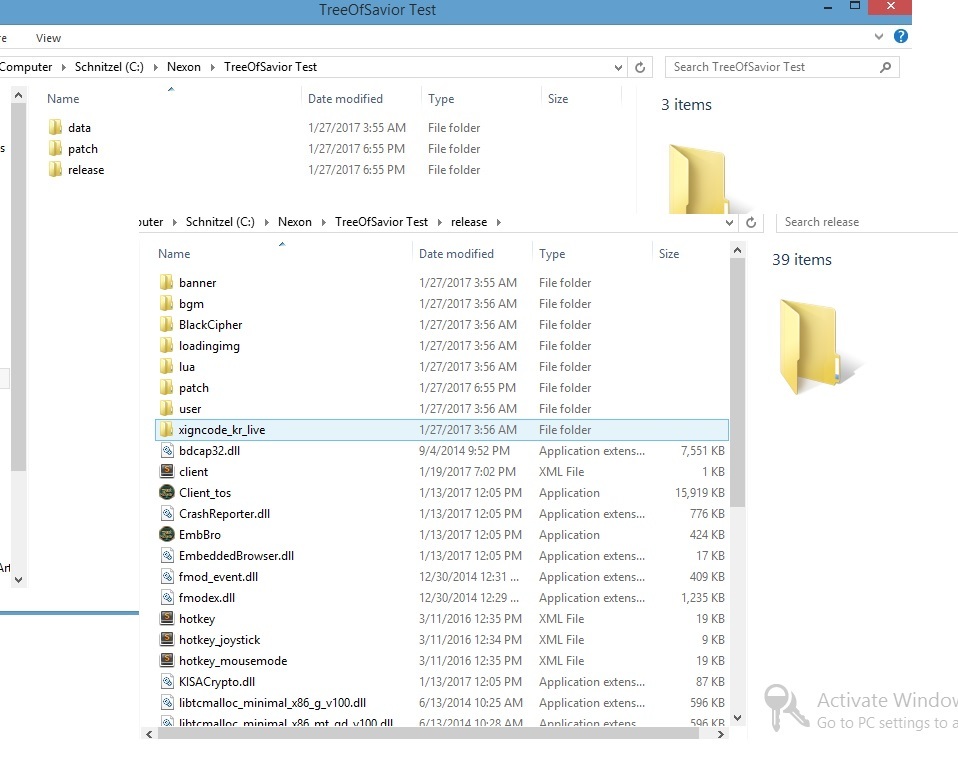
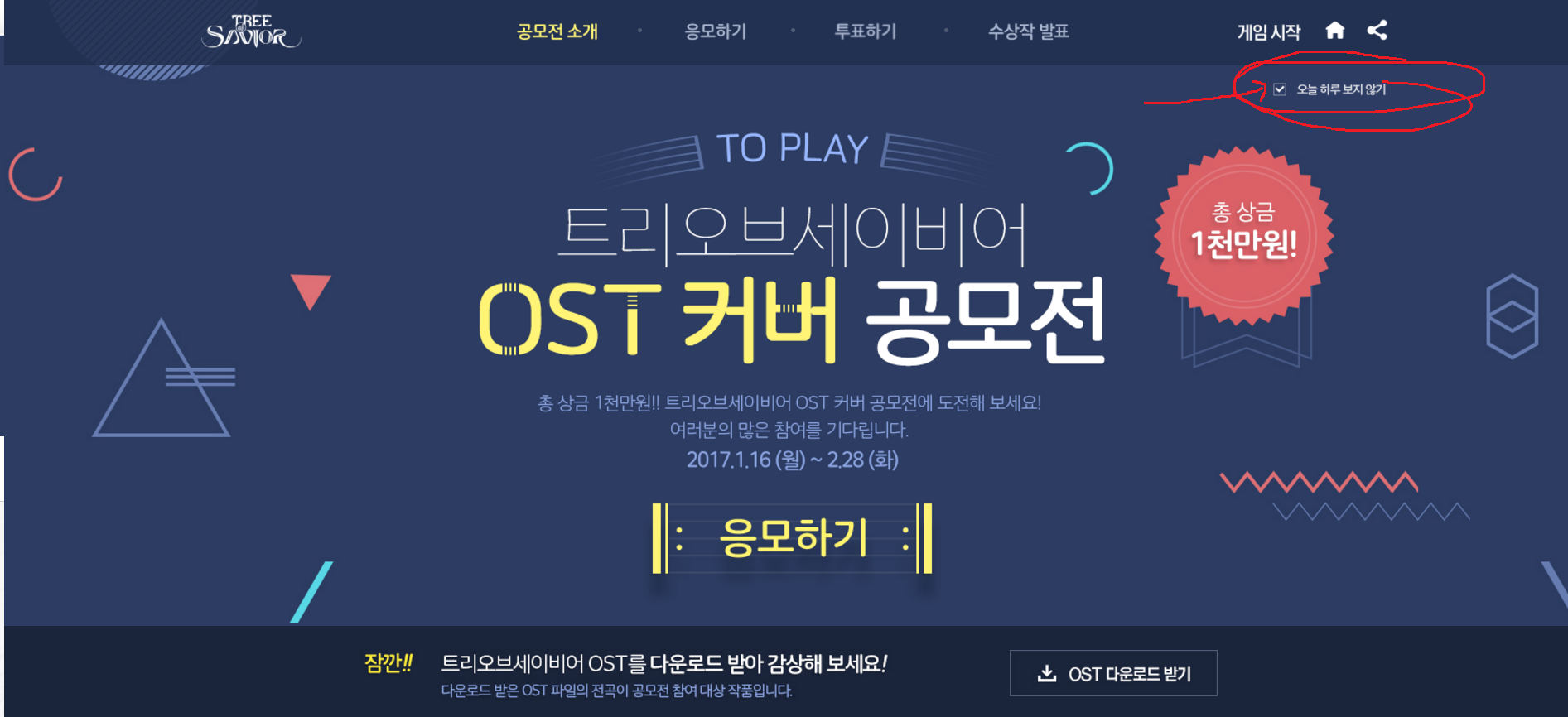
Hello, On the site you need to check the ’ i dont want to see this’ option - it’s an event and wont go away until it has passed for now or you have unchecked the box - i will attach an image to guide you. (Please pardon, i’ve used MS Paint for these)
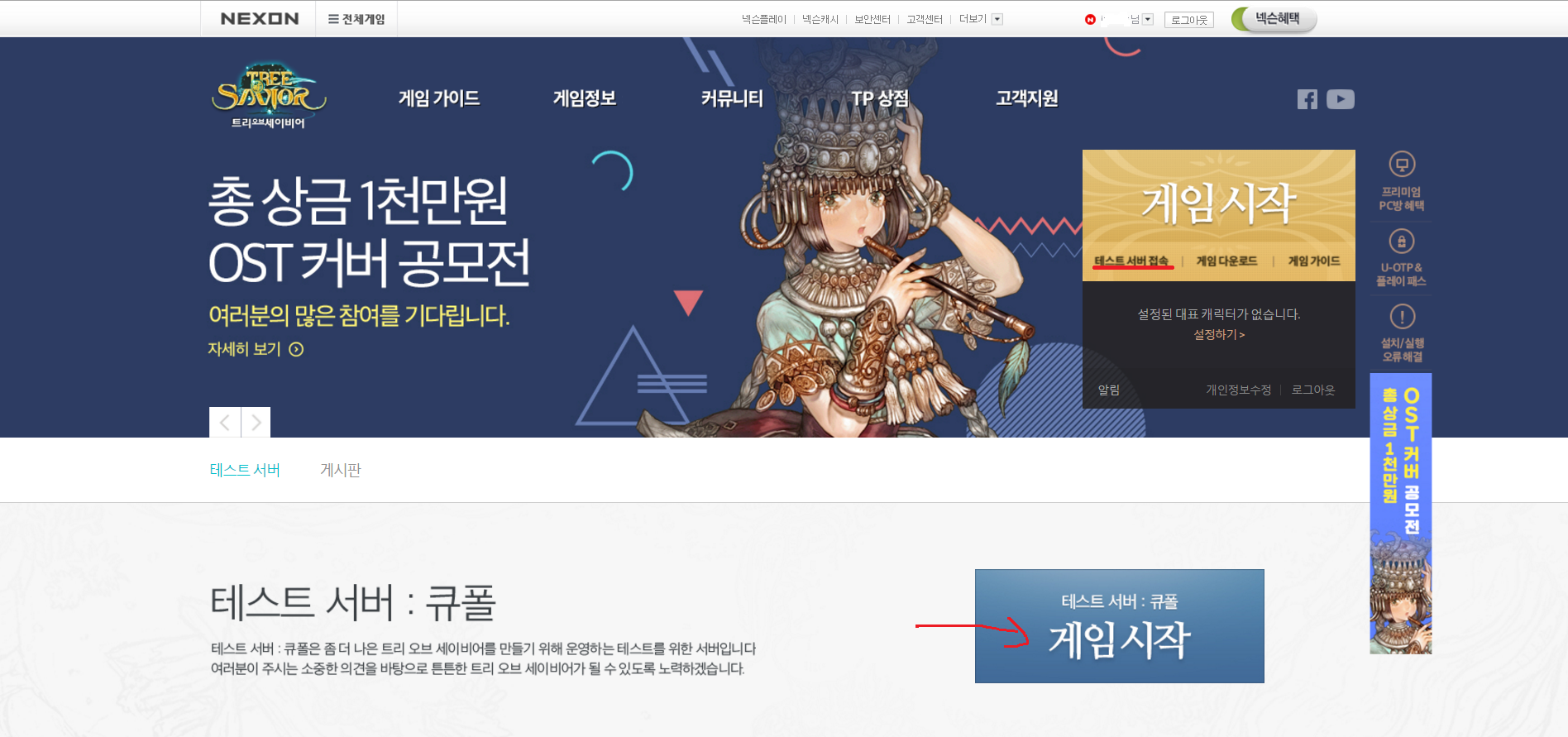
After the unchecking, clicking the TOS Test button that should have been installed to your desktop, it will now navigate you directly to the main site, you can then login using the navigation bar at the top or the golden button gamestart ‘게임 사작’ will prompt you to login, after login you need to go to here which is the kupole test server page index, you can also access it from under the gamestart button via an option to be taken to the page (테스트 서버 접속)
On the new page, you can scroll down a bit and there’s the server descriptors for the Kupole server differences and whatnot, also there is a big blue button - you click this one and it will launch the testing client for you. ( i will add another picture )
I hope my explanation is OK enough.
If you have some trouble launching, try to use one of these browsers;
Google Chrome/Firefox/Microsoft EDGE/Internet Explorer
Otherwise, you may receive a notification saying that your (other) browser is not compatible with the launcher at this time. I’m not sure if that is the entire list of covered launchers, but i know it didn’t work with Opera Browser at the very least.
If you get stuck on some stages or they aren’t clear enough, just tell me and i will try to guide you again. I hope this helps a little bit. 
& Good-luck on your Adventure !