
I have client problems and Steam problems… surprise surprise =w=
Need help, steam can’t recognize on it’s own that I already have TOS installed and it still wants to download it again =m=
Yep, it’s over. Just finished doing my merc dailies.
well fudge, I guess my client has a legit problem now cuz I read you can get this issue while the maintenance is happening and you decide to try and get on…?
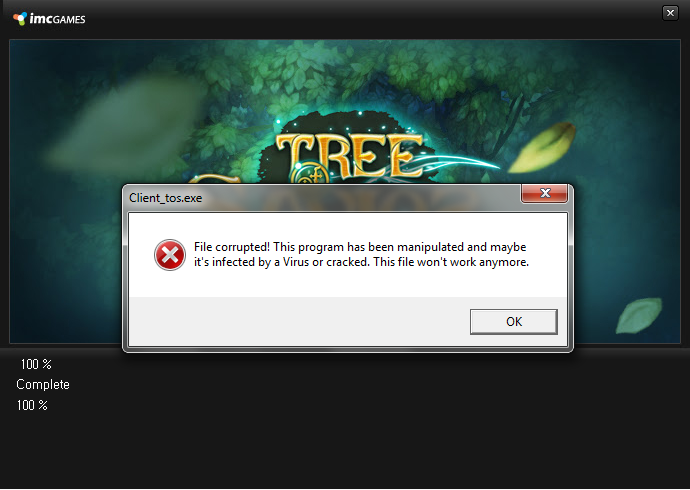
Huh, haven’t encountered that, even in the past when I did try to get on while maintenance was happening.
Tried an integrity check on your client?
do add your Steam folder in your AV’s exception list.
also, do a file integrity check by right clicking on the game in your steam library and click on Properties. look for the Local Files tab. you should be able to see a “Verify Integrity of Game Cache” option in there. click on that and wait for it to finish.
I actually think that the problem appeared because my AV suddenly scanned the file and then “poof” file corrupted…is there any way for me to download “just” the “Client_tos.exe” file online? Replacing that one file might be able to fix my problem…
Also, you see I kinda have that issue in steam where even though I already have the game it is “still” downloading for some reason…sooo verifying is a no go… D:
there we go. did you add your Steam folder on your AV’s exceptions list?
and well, integrity check replaces missing or broken files. i’m quite sure that method will allow Steam to go and get client_tos.exe again.
the “still downloading” thing is new to me though. never experienced that before.
Already added Steam after that event… =m=
Yes that would indeed be helpful right about now but as I said I can’t verify integrity. I don’t know if it’s Steam’s problem or if I should try and ask TOS for help about this problem and I don’t want to download it again because it took me five whole days and then Steam, for some stupid reason, wants me to download…again??? =m=
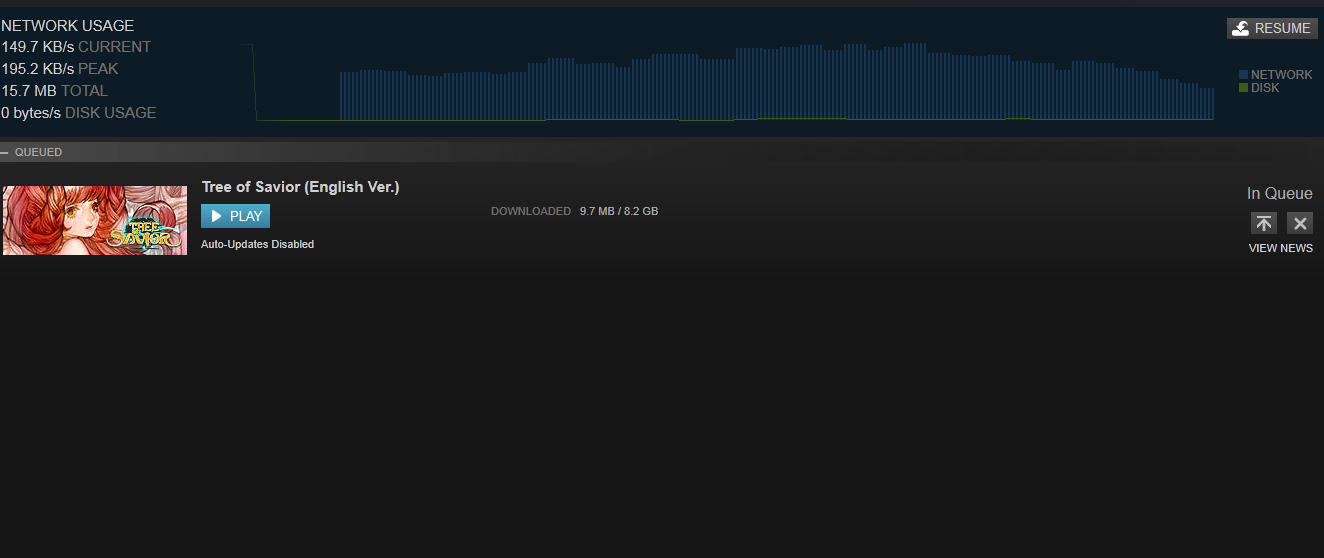
yeeesh. dunno what happened there, to be honest. ever tried restarting Steam too?
when you said restarting you mean… re-installing? omo
nope. exiting Steam and starting it up again.
Oh yeah, I even refreshed my download cache… or something omo
well then, this is a headscratcher. is the game still “downloading”?
File corrupted! This program has been manipulated and maybe it’s infected by a Virus or cracked. This file won’t work anymore.
^such stupid and unprofessional terms used in the line…anyone familiar IT will straight out noticed its malware. You’ve been infected by malware.