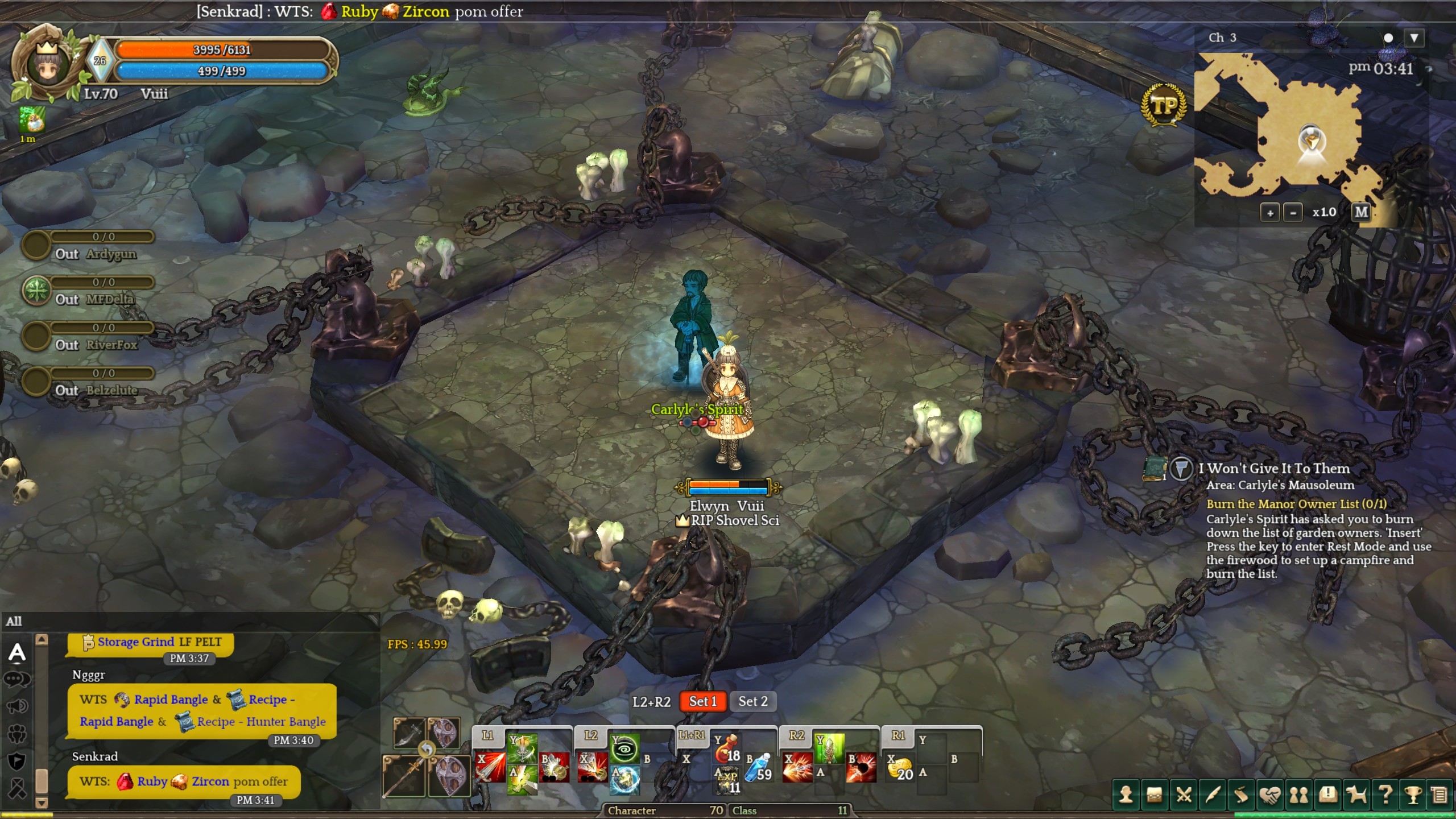
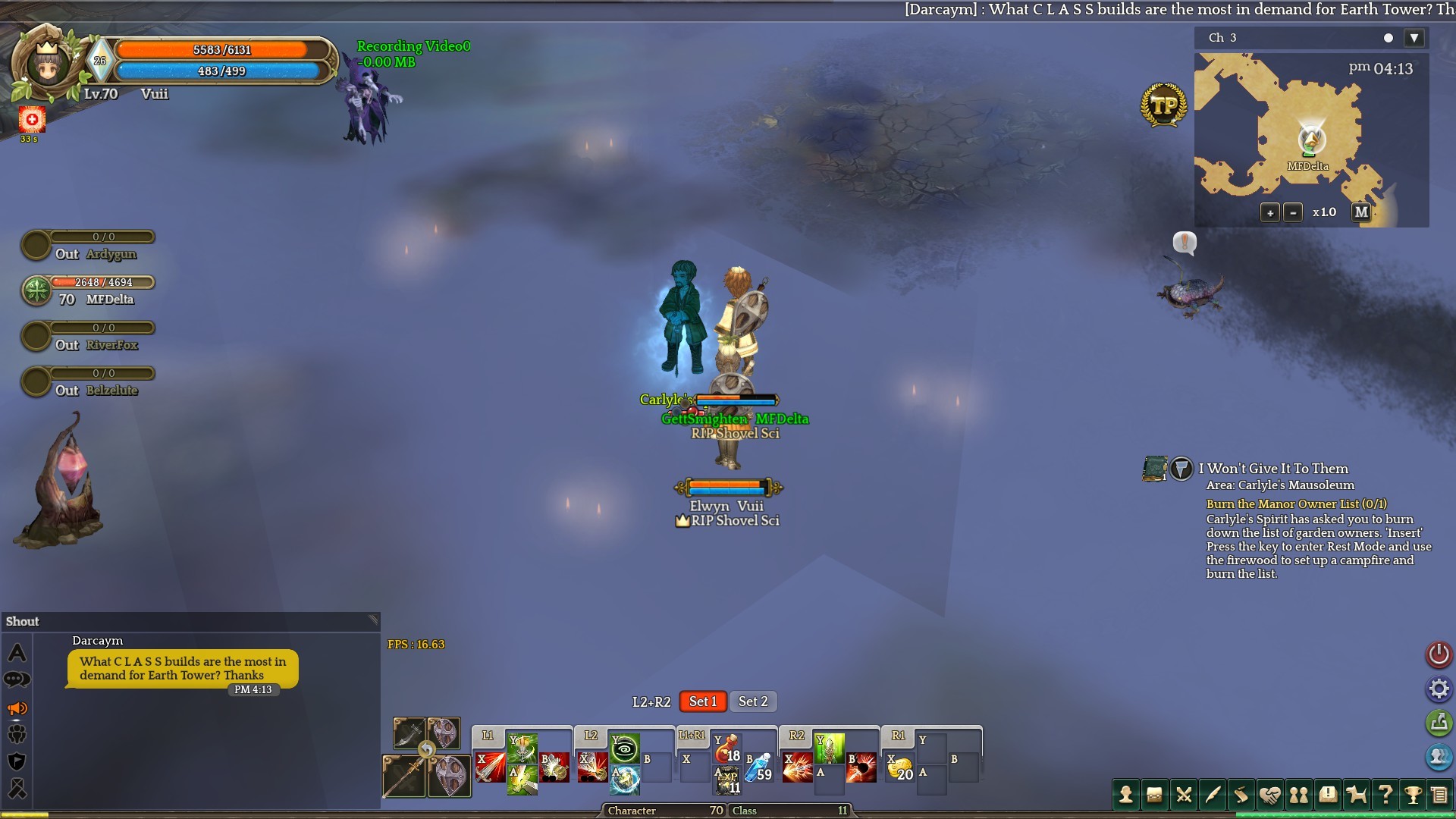
Reason for report : Graphics issue since recent update
Server : Orsha
Team Name : Vuii
Location : Everywhere (Character select included). Example shows Carlyle’s Mausoleum.
Approximate date / time (EDT) : Any time after recent update
Evidence:
System information:
OS Name Microsoft Windows 10 Home
Version 10.0.10586 Build 10586
Other OS Description Not Available
OS Manufacturer Microsoft Corporation
System Name DESKTOP-8LTV1DJ
System Manufacturer HP
System Model 550-153na
System Type x64-based PC
System SKU N8Y07EA#ABU
Processor Intel® Core™ i5-6400 CPU @ 2.70GHz, 2712 Mhz, 4 Core(s), 4 Logical Processor(s)
BIOS Version/Date AMI A0.11, 24/09/2015
SMBIOS Version 2.8
Embedded Controller Version 255.255
BIOS Mode UEFI
BaseBoard Manufacturer HP
BaseBoard Model Not Available
BaseBoard Name Base Board
Platform Role Desktop
Secure Boot State On
PCR7 Configuration Elevation Required to View
Windows Directory C:\WINDOWS
System Directory C:\WINDOWS\system32
Boot Device \Device\HarddiskVolume1
Locale United Kingdom
Hardware Abstraction Layer Version = “10.0.10586.0”
Username DESKTOP-8LTV1DJ\Diane
Time Zone GMT Summer Time
Installed Physical Memory (RAM) 8.00 GB
Total Physical Memory 7.90 GB
Available Physical Memory 4.27 GB
Total Virtual Memory 9.15 GB
Available Virtual Memory 5.17 GB
Page File Space 1.25 GB
Page File C:\pagefile.sys
Hyper-V - VM Monitor Mode Extensions Yes
Hyper-V - Second Level Address Translation Extensions Yes
Hyper-V - Virtualisation Enabled in Firmware No
Hyper-V - Data Execution Protection Yes
Graphics card
AMD Radeon 530
Intel Graphics HD 530
Please note
I have set up the HP AMD Catalyst Control Center to run Tree of Savior under “High Performance” settings. That said, I don’t know which graphics card is being used in Tree of Savior as it doesn’t indicate in the Settings. Any help is greatly appreciated.