
Type of Bug : Connection
Description :
Yesterday, I was playing ToS normally, until I got a connection error when I clicked “Character Selection”. Then, I had to close my game through the task manager.
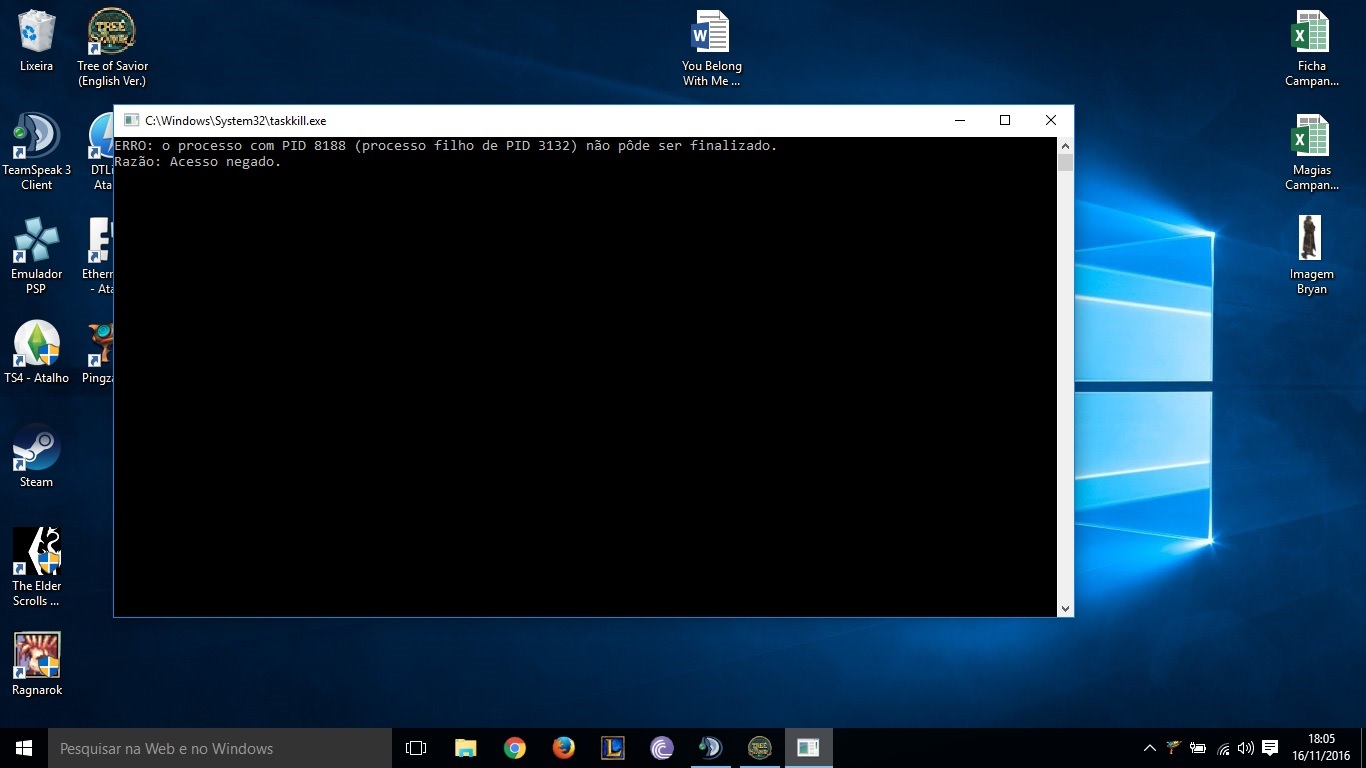
When I tried to reopen my game, my game patch got an issue (that still lasts). The patch itself opens, but stays in 0% and a window keeps opening and closing really fast, and it never stops.
I got a SS of the screen that opens in portuguese (I’m brasilian).
I already repaired the game through the Steam, deleted the game and downloaded it again, rebooted my pc, deleted all the XML files and repaired the game through the Steam again, but NOTHING seems to work.
I looked EVERYWHERE to find a fix for that, and found nothing. I’ve never seen an issue like that before.
Steps to reproduce the issue :
- Click the shortcut to open the game
Screenshots / Video :
System
-
CPU : Intel i5
-
RAM : 8 gb
-
Graphics Card : NVidia GeForce 710M
-
OS : Windows 10
-
Region : Brazil