
Tree of Savior Forum

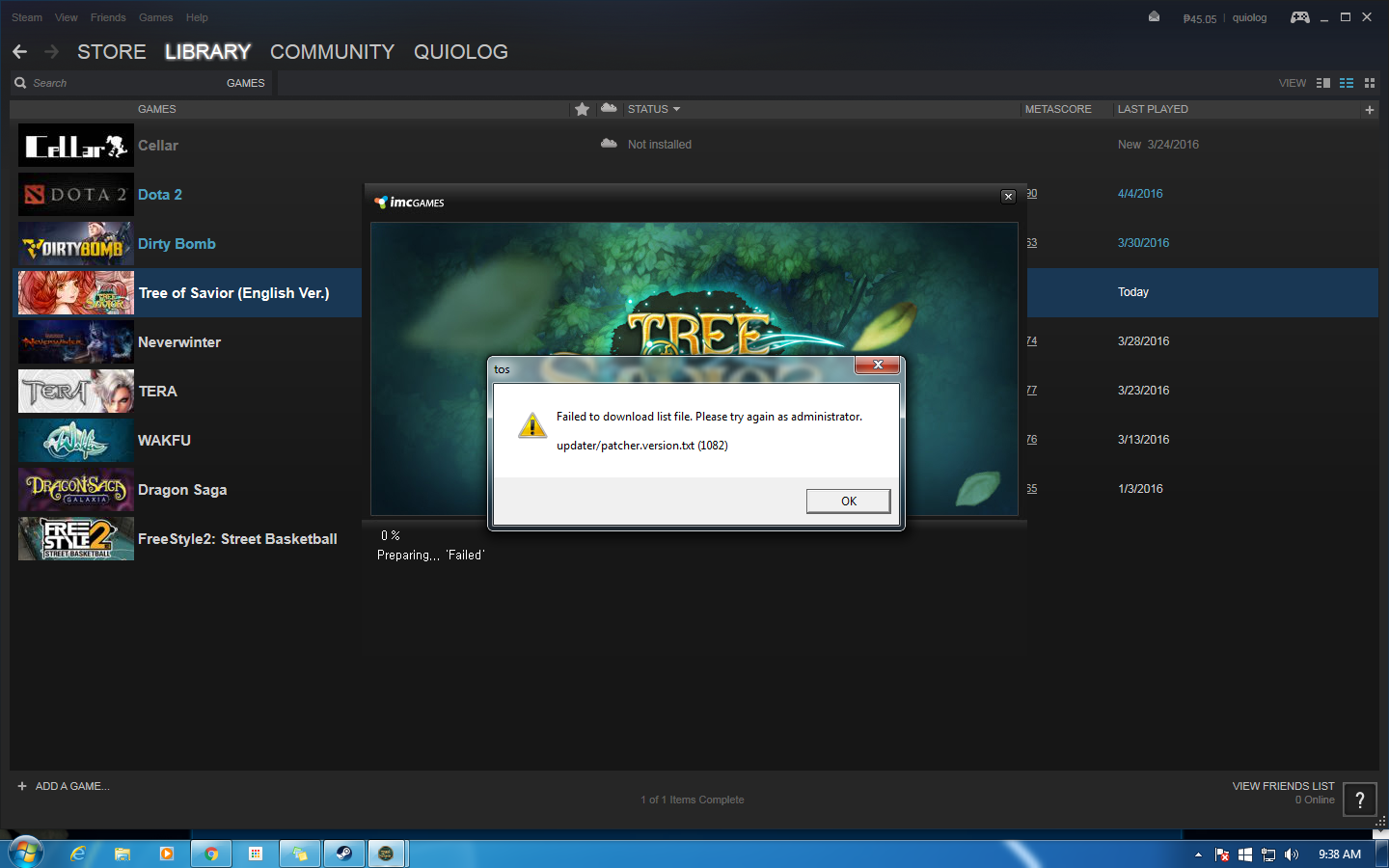
Failed to download list file problem. Again

I have been playing since last night and then when I tried to play now this showed up. SEA Telsiai server

I have had this problem several times before, I’ve tried verifying game cache multiple times already and also turning off the DLC which worked before.

I need help, I need a permanent solution for this. Thank you

Same problem. It was working fine last night. And I played until 4am (GMT+8). And when I woke up and try to play again this happened. I already submitted a ticket but with no unautomated reply -_- @Staff_Julie @STAFF_Ines @STAFF_Ethan @STAFF_John @STAFF_J

EDIT: VPN masking seems to work but with a big spike in latency/ping as a consequence.

I’m experiencing the same problem. What the heck is happening!!!

I am from the Philippines, where are you guys from? Just curious if they are IP blocking certain countries because when I use hotspot shield I am able to connect.

Same. What’s your ISP?

Sky broadband. You?

//20characters

I think that explains it. I’m guessing the other one is sky broadband as well. I need to check on my friends if they’ll have the same problem.

Either their server’s are blocking our ISP’s DNS route or our ISP sh!t itself.

Hmmmmm… Alright please do post if it is because of our ISP. I recently switched from Globe to Sky. Regrets

sky godaammittttttttttt

try this

Helped my friend fix this problem

Try this:

  1. Right click your Internet Access in lower right toolbar and Open Network and Sharing Center
  2. Click “Change Adapter Settings” in upper right corner
  3. Right click your main internet connection, mine is “Wireless Network Connection”, yours is probably “Local Area Connection”
  4. Find “Internet Protocol Version 4/ IPv4” and click Properties
  5. Tick “Use the following DNS servers:”
  6. Input: Preferred DNS server: 8 . 8 . 8 . 8 and Alternate DNS server: 8 . 8 . 4 . 4
  7. Ok everything.
  8. Try to patch again and see if it works.

Thank you chalkboy! it worked, this has always been my DNS setting, I dont know why when I checked it is on auto detect.

not sure about the ping ingame though. Using a public DNS tends to have higher pings than using the ISP’s own.

it Worked thank you very much you lovely beast :smiley:

thank you friend, it really work