This happend when i tried to log in this morning.
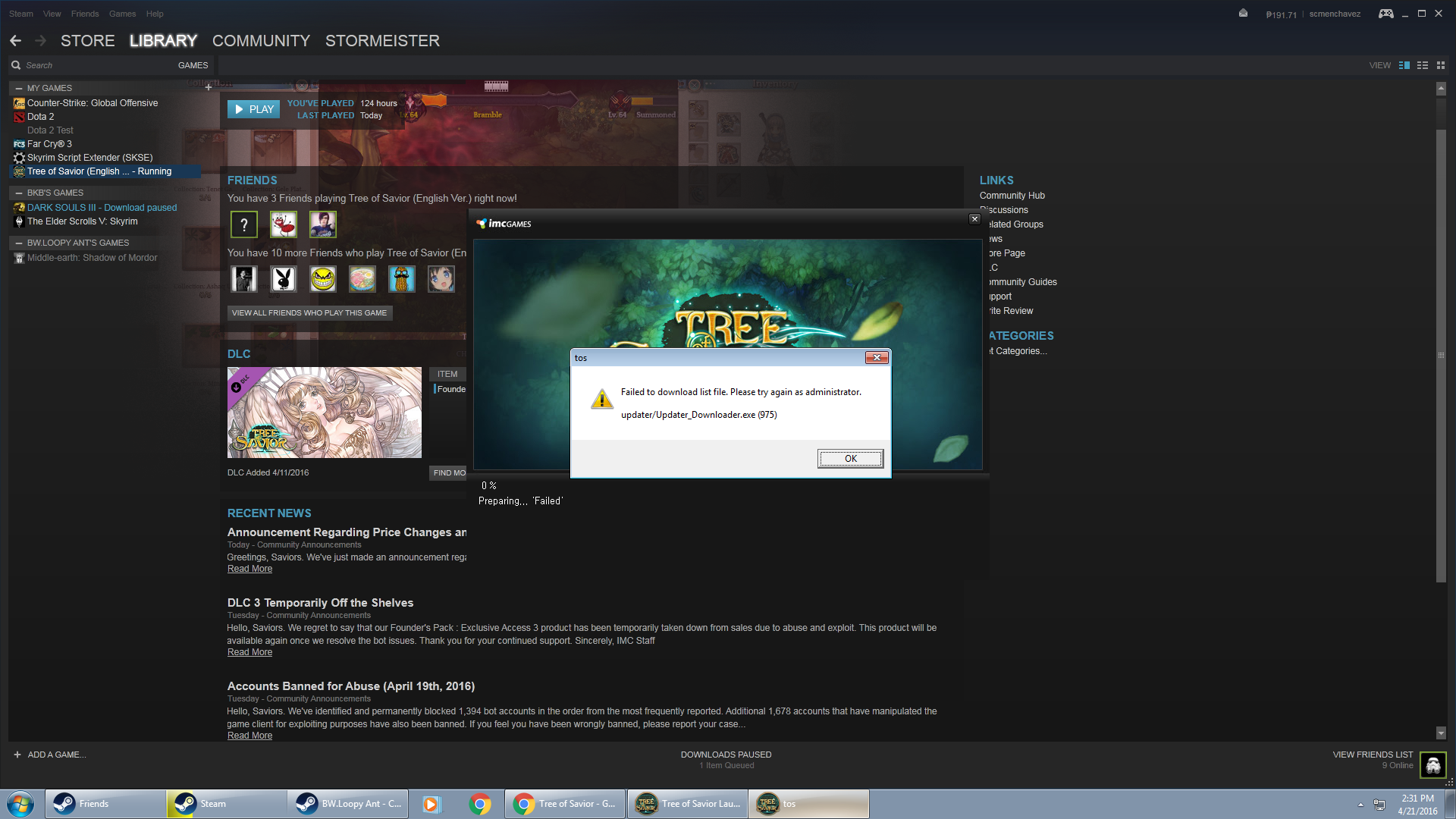
Please help. tried to do sollutions found in this forum but still none
worked.

This happend when i tried to log in this morning.
Please help. tried to do sollutions found in this forum but still none
worked.
I got this too… I was playing this morning and it was fine… Now I have this and the sollution IMC provided doesn’t work.
i had the same problem just now. it was working fine earlier then i got disconnected then my TOS patched then i could not go back in.
same problem. was working earlier then took a 1hr break, then after my break there is a 10.4kb patch so i updated it then this happend.
updater/Updater_downloader.exe (1013)
Same here. Still looking for possible solution. Sigh. I understand lag but not being able to log in really pissed me off. >.<
uncheck the dlc in the library
same problem after update
nope, still got the problem.
Uncheck all your DLCs, let steam download the update and voila PLAY GAME is available
Got this problem too, unchecking DLCs didn’t fix anything. I checked the DLC again so it would patch itself back. But then after that it says it failed to download the patch. Try this, and if it works it just means I have a connection problem
Same here. I didn’t have any problem pre-patch. I read somewhere it was due to 4G internet connection.
Any update on the situation ? DLC uncheck dont work. Integrety check dont work. Remove and re-install from steam backup dont work.
I just got it working. I bought the new DLC and then saw the little “Update” before the laucher asked me to relaunch the game.
EDIT: It was after that happened that I started having this issue. My fix below:
It turns out my Anti-Virus started blocking the launcher, and I was able to fix that by changing the permissions on my AV. Hope this helps!
Thank you!! This worked for me. Now I just need to figure out how to make Norton always ignore ToS so I don’t have to disable it lol…
I just “Viewed Rule” and selected allow, or whatever have you.
Source: I have Norton too bro.
Happy gaming!
unchecking the DLC worked for me
I’m still having this problem.
I think I’ve done every suggestions in this thread.
Helped my friend fix this problem
Try this:
Thanks, will try this shortly.
@menchavezsh if this still doesn’t solve your problem, try my temporary solution here: https://forum.treeofsavior.com/t/temporary-solution-to-xxxxx-xxxxxx-pak-failed-to-download-files-this-might-be-a-communication-problem-please-check-your-connection-and-restart-client/210014
 DLC unchecking didn’t work for me