
Tree of Savior Forum

Failed to Download Files

Please fill in as much as you can :

Date and Time : All day

Bug Description :
Installed the game through steam. Game installs properly, but when I press play the patch process always fails. The exact error message is given below.

Things I have tried:
(I reset Steam between every step)
-Reinstalled
-Disabled all firewalls/virus protection (didn’t use any to being with)
-Verified integrity of the game cache
-Deleted all of the patch files in the patch folder
-I even got a fresh set of patch files from a friend who was able to successfully install. Everytime an error like the one given popped up, I transferred that file into the patch folder and restarted steam. Once it got to the end, it simply went back to the start and gave me the exact same error

Steps to reproduce the issue :

  1. Install game
  2. Press play
  3. Exact same patcher error is shown all the time
  4. Even if that file is put into patch folder, another error with a different .pak file is given.

Screenshots / Video :
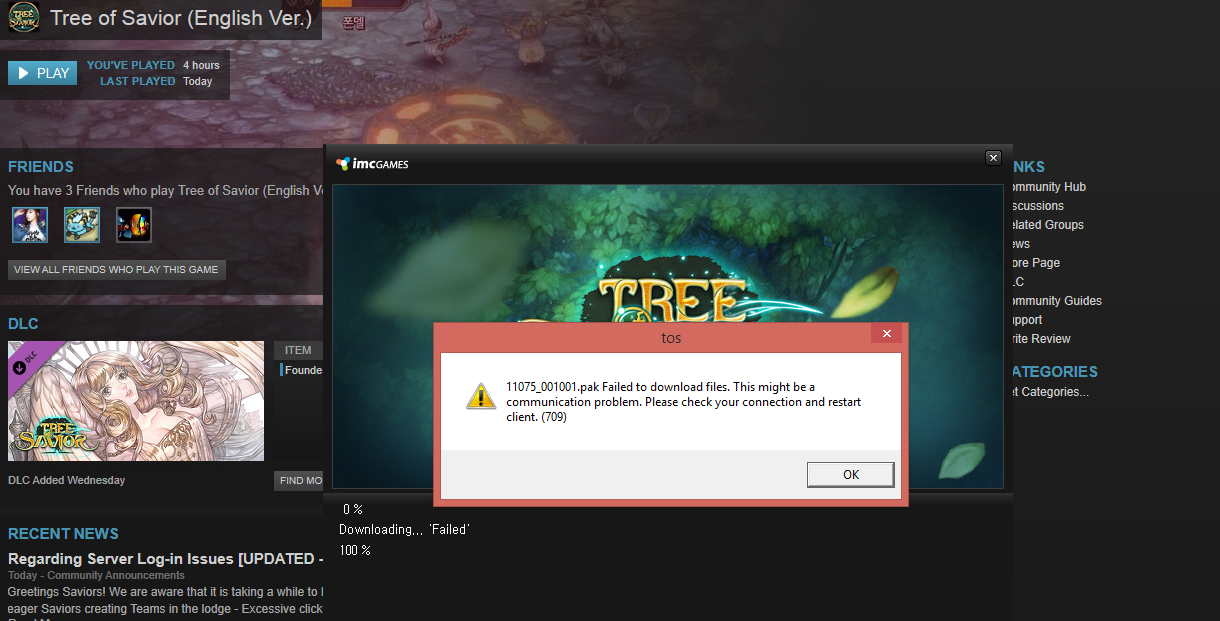
System

  • Not a system issue
  • RAM : 8gb
  • OS : Windows 8.1
  • Internet Connection : 200mpbs+
  • Country, Region : Canada

Yeah the more I read, the more I realize that no one has solved this problem. Will we be refunded? It doesn’t seem like any admins or mods are doing anything about this.

I have this problem too, I tried verifying the game cache multiple times like everyone is saying but the same .pak file fails downloading and is stuck at 100% every time I retry. I hope it can be fixed soon.

1 Like


Same problem here, did same as OP and nothing fixed it.

I was able to fix the problem.

i have a solution here…

Open your tree of savior folder, and find the release.revision.txt file which is located in the release folder

In the notepad file you will see a file number, which is the file number that was last patched successfully. So in your case Siete, you would change whatever number is in the notepad to 11185. This will then allow your game to patch that file. Save the file and then press patch.

Repeat this until you finish patching. Worked for me, think of me when you play :slight_smile:

1 Like

Bypassed that file now I’m missing it and the game won’t run?

Okay when you do a fresh install and look at your patch folder, all the files should be in your patch folder. Just re-install everything. Once you’ve re-installed try it. You can’t possibly be missing the files because once you install it, it will already be fully populated…

The only other way you will ever be able to work around this issue is if you use a VPN, or someone from TOS actually fixes the problem (it’s been over a year, they won’t). If this doesn’t fix it, it’s a problem on your end.

Had to repeat this for multiple files, but it worked for me. Thanks!!