
Please fill in as much as you can :
I love playing with the mouse in a MMORPG. It offers me an unmatched precision that I otherwise can’t get from using the keyboard or a controller. It is especially more important in games such as TOS which involve aiming, placing magic/attack circles on the ground correctly rather than just aimless auto targeting that many MMOs try to dumb down the controls . TOS has lots of those placing magic circles on the ground. It needs to be accurate and fast so you don’t miss the enemies movements.
What I find really frustrating is using mouse mode in TOS. Sometime it is unplayable and I’m forced to switch to keyboard, other time it is extremely difficult to play with and I end up spending a far longer time on figuring out how to do simple things than I should and even then they don’t work as they should.
I compiled my top four biggest most frustrating bug/problems with using mouse mode. I didn’t just complain though. I tried to put in some suggestions that I think might fix them. Please fix it to whatever extent you possibly can. I will be really grateful and I won’t have to rely on the keyboard or a controller for PvPs. I’m just not used to them.
Date and Time : 21:25(EDT), 2016/04/10
Game Control Mode (Keyboard/Joypad/Mouse) : Mouse mode
Where it happened (which map, which quest, which npc, etc) : 5F Royal Mausoleum entrance.
Bug Report 1 :
You can’t move with a move on 5F Royal Mausoleum Arch near the entrance. So you have to switch to keyboard move some distance past this arch and then switch back to mouse mode to play the game.
Screenshots / Video :
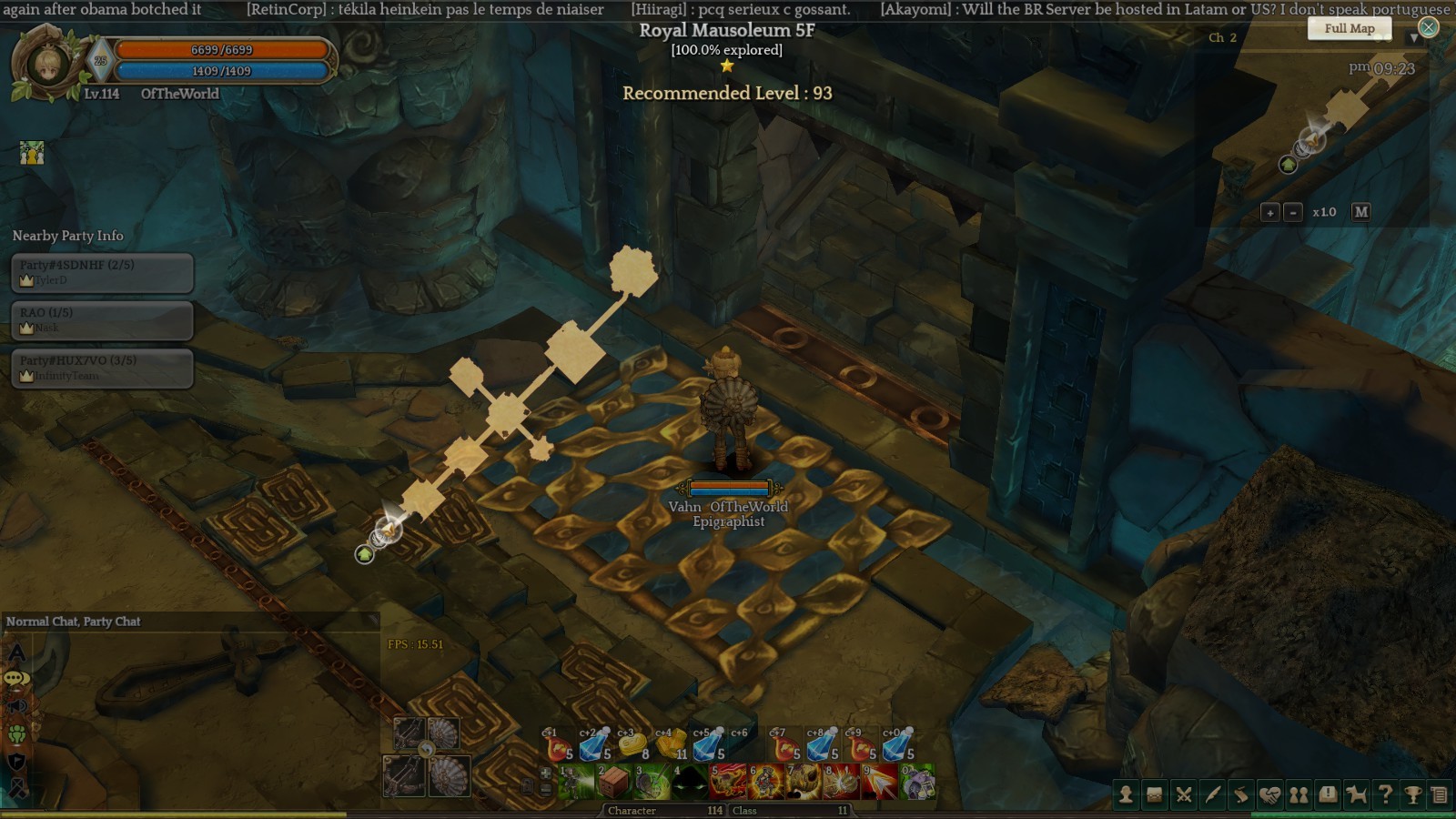
Bug Report #1.5
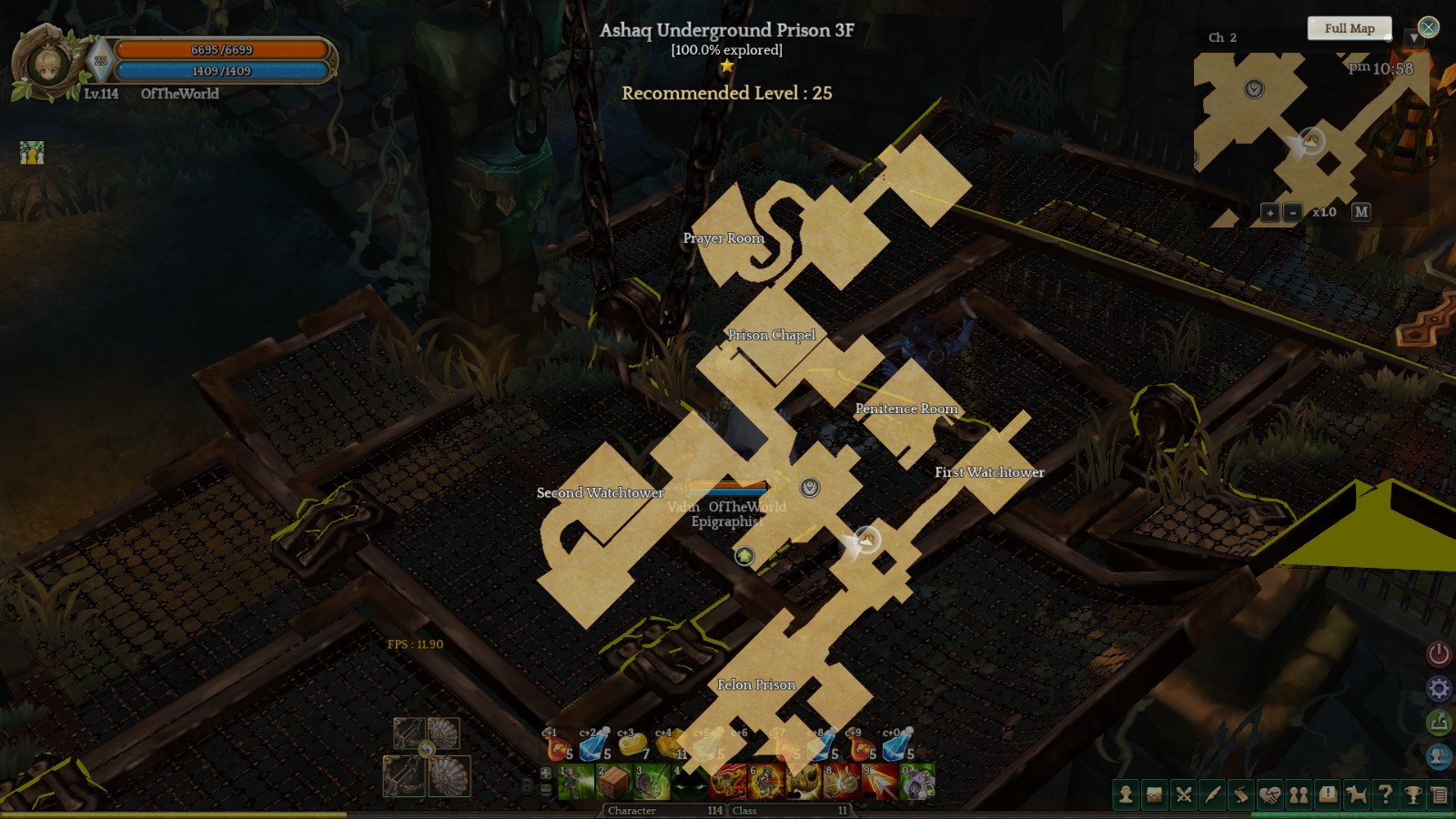
This can be grouped in the same category as report #1. Where mouse mode treats environmental non interactive objects as if they were interactable.
Ashaq Underground prison 3F. There are a lot of grates on the ground. A boss even spawns in this location. But it is very hard to move. If you click on the ground to move to it doesn’t listen. It thinks you don’t want to move but rather interact with the grate on the ground. It requires multiple clicks. There are a huge load of mobs in this area too. They all surround you and it is very hard to escape. Even worse is when you have to defeat an L or XL boss (Don’t remember which size) on this area. You have to stay in one spot to finish every thing off. There is no dodging any attacks.
Bug Report #2:
I didn’t take a screen shot of it at the time. But the mission: The immortal Neopenthes in Tenet Garden can’t be done with a mouse.
Description:
Watcher Erra said you need to wake up the sleeping Nepenthes before being able to extract it’s sap. Defeat the Mallardus and collect their fat, which can be used to burn Nepenthes.
So you basically have to defeat it by attacking it. Then interact with it and extract it’s sap. The problem is the attack button is the left mouse button. The movement is also the left mouse button. Interaction is also the left mouse button. You can now see where the problem is coming from. It’s impossible to interact with it after it is defeated since a sword icon appears when the mouse hovers over its body.
The same problem happens to another boss. I forget which one right now. But the mission was to attack it enough till it lost consciousness and would go into a fainted state. Then we could extract it’s poison and it would wake up again. We would then repeat this a certain number of times. It had the same problems as the Nepenthes that required both an attack and interaction.
Suggestion:
A quick fix is to allow interaction after its defeat. But a better long term fix would be to allow the player to be able to map mouse buttons too. Right now only keyboard buttons are map-able. I can’t map any button to the left or right mouse. It would be nice if attack button during combat mode was by default the left mouse click. Movement is made by the right mouse click and interaction is made with the middle mouse button. Also for those who have gaming mouses with additional buttons allow these players to map certain skills to them too.
Bug Report 2.5:
This can be fixed with the above suggestion. I put it under a bug report since It doesn’t do what you want and is unpredictable at time. Since the left mouse button is the all purpose button, may times it’s up to the A.I to decide what you want to do. So when you are near an enemy clicking anywhere will start firing arrows for an archer instead of just moving your character to that certain location. This is frustrating when you are running away from enemies and suddenly your clicks on the ground turn to unexpected attacks on enemies instead of moving your character to that location. The even when you repeatedly click away to move your character he/she backs away slowly while still firing arrows instead of running away at full speed. Especially dangerous when you know a boss is charging an attack and all you want to do is run away at full speed.
Possible suggestion:
Running away while still attacking can be once you are attacking an enemy your character locks on to it and if you use the left mouse button to click on the ground you character instead moves to that spot slowly while continuing his/her attack.
If you use the right mouse button to click on the ground instead then your character just full on flees to that spot and stops attacking.
Bug Report 3:
If you look at the screen shot I just attached, you can also see my skill bar. I have two rows basically. The top one which requires C+1,C+2…etc to be pressed to activate them and bottom one that requires just 1,2…etc to be pressed to activate it. The problem is none of the letter + number combinations work. I can only activate the lower row which requires pure numbers to be pressed to activate them (i.e 1,2,3…). But pressing ‘C+1’ activates the skill on the ‘press 1’ slot instead. It’s the same thing with higher level rows that require other letter + number combinations to be pressed. I tried all sorts of timings for these combinations: pressing one before the other, at the same time, one after the other. Nothing worked. I have to manually move the mouse to those slots to activate them. In a boss battle that is very difficult some time.
Bug report #4:
Worst part is when you are moving the mouse over your hot bars (unlocked by default) lots of times you drag whatever is in there out by accident. I’ve had skills and potions and scrolls all disappear from my hot bar during boss battles. Then I have to some how escape open F2 inventory, search or scroll to where it is placed in there and re-add it to my hot bar while the boss keeps attacking me. It’s very frustrating to deal with. The hot bar doesn’t remember your last setting and each time I teleport it get’s unlocked by default and by clicking on it with a mouse I keep dragging things out from the hot bar by accident. I have to keep remembering: "Oh I just warped so my hot bar is now unlocked and I have to re-lock it again. It would be so much better if it was locked by default or it has some sort of memory in place.
Thank you for taking the time to read my long post. Please fix at least most of these bugs soon. I can then really enjoy the great game TOS is in mouse mode.
System
- CPU : i5-2540M 2.6 GHz (laptop)
- RAM : 8 GB
- Graphics Card : Intel HD graphics 3000
- Mainboard : N/A
- Storage : N/A
- OS : Windows 7 (64- bit)
- Internet Connection : N/A
- Server: Orsha
- Location: Canada