
Tree of Savior Forum

Client does not start

Please fill in as much as you can :

Date and Time(Please, specify the timezone) :

Server Name: Varena

Team Name: dimmul3orgir

Character Name:

Bug Description :
(letting us know what you were doing before, during, and after the bug happened will help us a lot)

Steps to reproduce the issue :
1)
2)
3)
4)

Screenshots / Video :
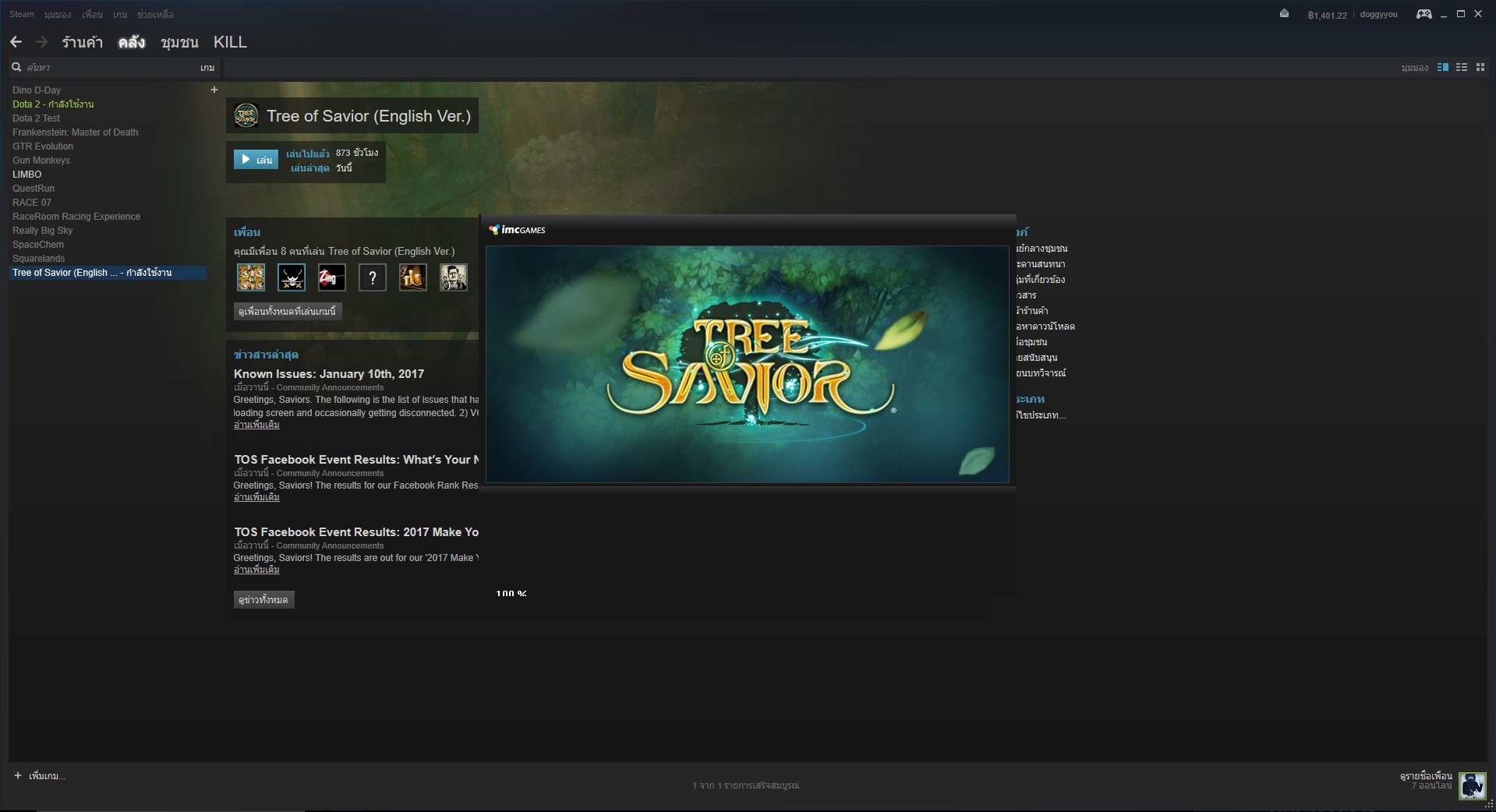
When this disappear, Nothing happened.
I already re-install.

Game Control Mode (Keyboard/Joypad/Mouse) : Joypad

System

  • CPU : AMD FX-8320E
  • RAM : 8
  • Graphics Card : GTX 670 OC
  • Mainboard : Gigabyte 970A-D3P
  • Storage :
  • OS : Windows 10
  • Internet Connection :
  • Country, Region : Thailand

I’m having this same issue, ever since the recent patch last night. My game will get to 100% and will not open. I even verified game cache.

Using a GTX 950

Same issue here as well. 100%, disappears, and then nothing.

yeah , same here … :confused:

Happened to me too but I “Deleted all local content” in steam then I also deleted the ToS folder manually. Then I downloaded it again and now for me it works again.

Have no idea what caused it tho… I didn’t install back my addons yet but I doubt a bit that it has anything to do with it…dunno

yea same mine too…

i try that before but won’t work for me zzzz

1 Like

I got my ToS to work, basically doing what Ayalon said. However, I couldn’t manually delete the tempfiles folder within the release folder, so I had to rename the entire TreeOfSavior folder to something different and performed a fresh reinstall. The reinstall created a new TreeOfSavior folder that got patched properly and allowed me to log in.

Well unfortunately I don’t know much about these things and why did it work for me and not for you… :confused: But anyway did you delete the folder too?

Otherwise I rly have no idea…just tried to share what helped me… I hope someone will be able to help…or… it gets fixed… … …

u mean delete the local content and delete the folder at steamapp/commom/TreeOfSavire too ???

Me too I have this problem when I uninstall and reinstall first time… blank launcher. Have tried to reinstall after delete commons folder and local file thing in steam but still same problem. Get rid of xml file and verify , also same problem. Uninstall steam entirely and reinstall again , still same problem. Resized the launcher to see percentage, stuck on 0 forever . Wtf

Yes. I did that. After I used “Delete Local content” I looked for the folder and deleted that too from the steam folder. Make sure if something is in the folder you want to save…save it to somewhere…
But I can’t say it will work for you… It looks like it didn’t work for Upier… :confused:

Definitely send in a ticket if you didn’t yet.

1 Like

Thank Ayalon is work again :grinning: “Delete Local content” and deleted the steam/steamapp/common/TreeOfSavior folder. then Re download again . I hope can help other ppl also .:+1:

1 Like

Well, the issue is that there is apparently a stackoverflow. Unfortunately, that’s also all the info the dump files produce–the dmp file is completely empty, too.
One reason the client_tos.exe can silently crash is when reading an ipf file causes an error.

I didn’t occupy myself much further with this but I could let something run in the background first. So before deleting everything I removed the /release/patch folder and all the files in the /release folder, then verified via steam and re-downloaded the patches (due to the delete revision.txt file).
That didn’t change anything.

I remembered the patcher would re-download everything a bit late, otherwise I would’ve removed the /patch folder as well to check whether there was a corrupted file which is still accessed but not re-downloaded by the patcher.
As implied, in the end I also ran a full re-installation.

Seriously, @staff, if you don’t sync all files with steam then teach your patcher checksum verification, that’s the most basic thing to do.

That said, you haven’t fixed the resize bug either, and that thing also relies on flash and active-x… :sob:

1 Like