Tree of Savior Forum

Character head keeps turning back to face the screen

Please fill in as much as you can :

Date and Time : 10:38 am pacific time 8/5/2015

Game Control Mode (Keyboard/Joypad/Mouse) : JOYPAD

Bug Description :
After creating your character and entering the game world and onwards.

Steps to reproduce the issue :

  1. Use joypad and move in a diagonal position. Example up + left, up + right, down + right, or down + left
  2. look at the head flicker back and forth real fast from moving direction to facing the monitor

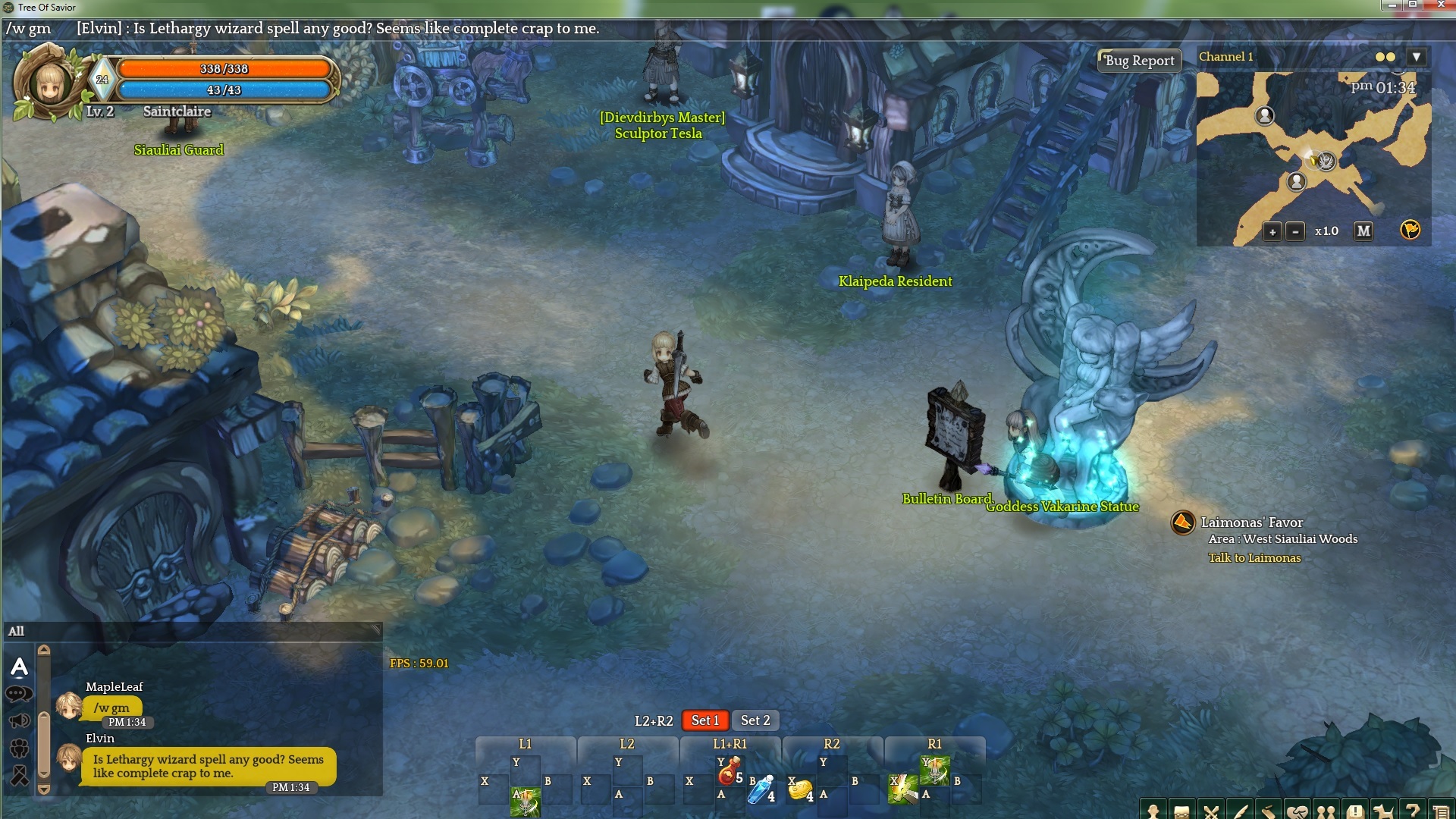
Screenshots / Video :
(be sure to attach screenshots for graphic bugs)

System

  • CPU : fx 8350
  • RAM : 16 gigabytes
  • Graphics Card : gtx 980 G1 gigabyte
  • Mainboard : 990 fx ud3
  • Storage : samsung ssd 840 evo 250 gig
  • OS : windows 7 home premium
  • Internet Connection : shaw cable 30mbps down
  • Country, Region : canada west coast
2 Likes

I’m sure they will patch it soon. This is definitely an immersion breaker for me though.

Thank you for letting us know. We are aware of this issue and are looking into it.

In addition to this, sometimes when you’re running diagnol, your character’s head will flicker around.

And also if you’re resting and face your character left/right a few times (using keyboard control A & D), your character’s head will be facing the opposite direction.

I’ve reported these bugs in-game, just making sure you’re aware of it.

Same things happen to me on my Nvidia desktop computer
However, on my VAIO laptop it doesn’t happen. Strange…

Happens to me when using my desktop. The issue seems to be most prevalent when using WSAD or arrow keys to navigate diagonally.

System Specs

  • CPU : AMD FX-8350
  • RAM : 16gb g-skill RIPJAWS
  • Graphics Card : Nvidia GeForce GTX 960
  • Mainboard : ASUS M5A99FX PRO R2.0
  • Storage : 1TB WD 7200RPM (OS is stored on a 60GB Corsair Force LS)
  • OS : Windows 10 64-bit English.
  • Internet Connection : 25Mbps down, 10Mbps up

But not my Laptop

System Specs:

  • CPU : Intel i5-3210M
  • RAM : 8GB
  • Graphics Card : Nvidia GeForce GT 630M
  • Graphics Card : Intel HD Graphics 4000
  • Mainboard : HP Pavilion DV6 motherboard.
  • Storage : 750GB 7200RPM WD HDD
  • OS : Windows 7 Home Premium 64-bit
  • Internet Connection : 25Mbps down, 10Mbps up

I’ve been doing some research on what is actually causing this bug as a lot of people I know are experiencing the same issue, but I only experience this on my home computer. For reference, I’ve tested this on a lot of machines and thus far come to the same conclusion;

I have a theory that the common factor in every case is that all of the people experiencing the issue that I have witnessed thus far are using AMD CPU’s.

This sounds odd, I know. But the other common factors involved are that people who are NOT experiencing the issue are primarily using intel i5 or i7 CPU’s.

Is anyone else here able to help confirm this?

You can find out by using win+r then opening “dxdiag”, it will tell you the CPU model there. I was hoping this might provide some insight to the dev team on where to start with regards to resolving this issue.

I had previously considered that this might be associated with 7-9 series NVIDIA cards, but I’ve tested those scenarios too. I run a GTX 760 with an AMD cpu here where the bug happens and a GTX980 with an i7 CPU where it doesn’t.

2 Likes

I also have an AMD CPU and experiencing the issue, but come on, just because we have AMDs, they’re going to say f. off, buy an Intel?(pretty much this…)

But if this helps: AMD FX 8350 Black Edition (seen somebody with this same CPU experiencing the issue)
and a Radeon 7870

Yeah im running:
OS:Windows 10 Home 64-bit
cpu: AMD Athlon X4 750k Quad core
ram: 12gb
gpu: Nvidia Geforce GTX 970

and i have this issue so stands up thus farr

I haven’t had any luck fixing this yet updating chipset drivers and messing with gpu/cpu settings either. interesting that the X4 750k does it too though, since it’s not limited to FX chips (though the architecture is similar)

Oh, that’s really interesting. I experience this bug (aaand hate it) and I use an AMD graphics card+cpu.

So probably some CPU issue. I’m using both Cpu and Gpu AMD and presenting same exorcist head.

Exactly that! On my friend’s computer (which has an i5) the bug doesn’t happen. However on my AMD CPU it does.
Now, any ideas on how to solve this without needing to retire AMD and getting an Intel CPU?

Something only developer can do to fix it. I hope they do fix it soon.

I have the same issue, this is really annoying…

Same here, have just got the game and was thinking if this was normal… neck hurts.

I’m having the same issue :frowning:

Specs:
AMD FX-8350 @4.4 ghz
16gb DDR3 @ 1866mhz 9-9-9-25
xfx r9 280x ddu black 1050 mhz 3GB GDDR5

looks like ghost as u see the neck turn 180* :stuck_out_tongue:

I play since the beta, and I still have this bug.
Here’s the first video I made when I saw for the first time (when I believed that it would be fixed)


Some of my friends has the same problem, walking with WASD or arrows near numlock

Processor: AMD FX 8320
12GB DDR3
Windows 8.1 64bits
NVIDIA GeForce GTX 750 Ti

Sorry for my bad english.

this is ridiculous this bug since the launch for anyone who uses AMD processors, more than two years and nothing yet.