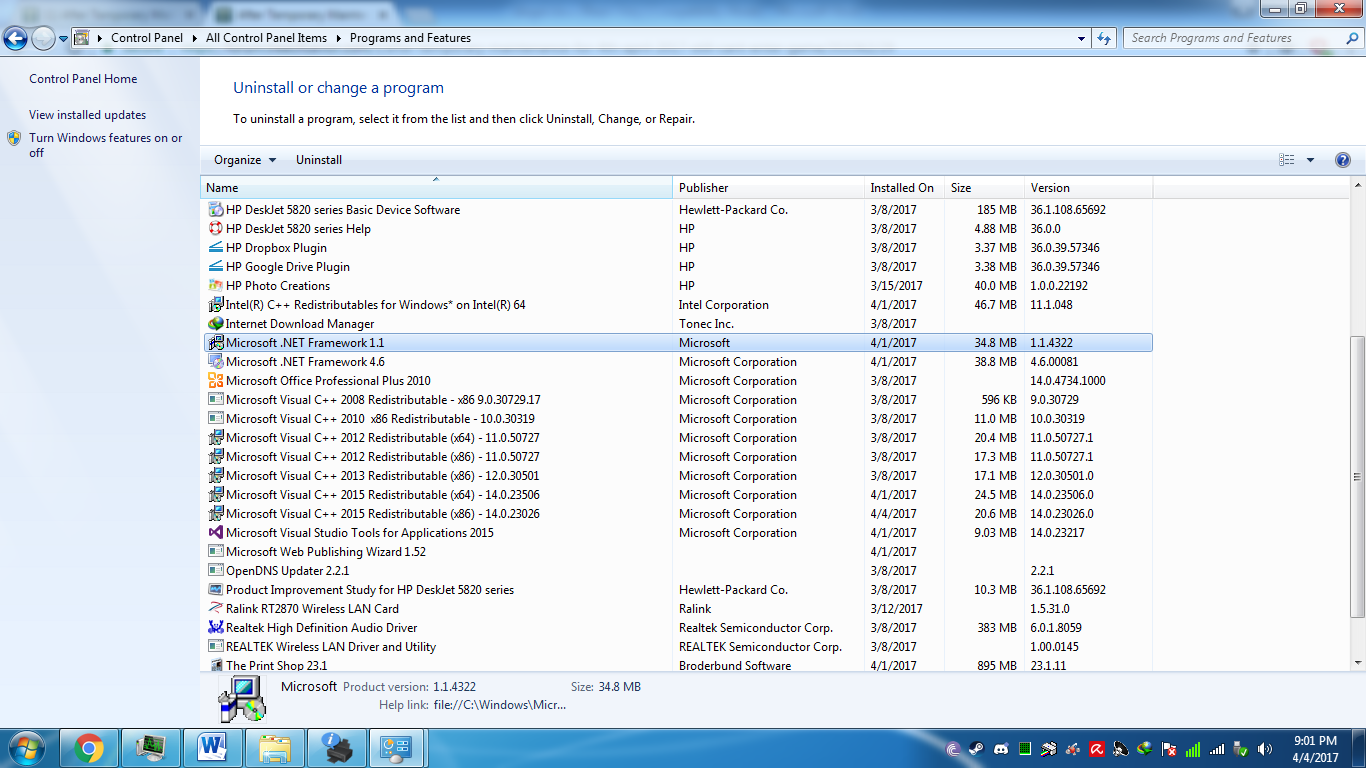
Check in your control panel if VC++ 2015 is installed in your computer
if not refer to this link: https://www.microsoft.com/en-us/download/details.aspx?id=48145
if still wont run verify integrity the files…
this was the fix I did when it wont run…

Check in your control panel if VC++ 2015 is installed in your computer
if not refer to this link: https://www.microsoft.com/en-us/download/details.aspx?id=48145
if still wont run verify integrity the files…
this was the fix I did when it wont run…
i got it… so whats the problem now -_-?
Take off the “Chat Extend” Add on.
Well before I update I always remove addons due it may cause errors…
then when I finish update I try to run first the game w/o addons
I encounter that I cant run the game so I check cp if I have VC++ 2015.
I got the x64 one probably need the x86 one so I install that one also…
then try to run and tada no problems
try to install addons and run, no problems occur get back to playing…
i fix the problem , check window update and update it .
make sure you install the right version of 2015 visual c++ 23026 !!!
uninstall that one and install the one link provided
its the same version of mine vc++ 2015
This topic was automatically closed after 60 days. New replies are no longer allowed.
