Tree of Savior Forum

Cannot start game - antivirus reports trojan/Steam unable to update

Please fill in as much as you can :

Date and Time :June 16 2016

Game Control Mode (Keyboard/Joypad/Mouse) :Joypad

Bug Description :
Played the game after todays maint. and everything was working fine. Left for a few hours and when I tried to start the game, I got a warning message from my antivirus (AVG) about a Trojan horse in the tree of savior folder.

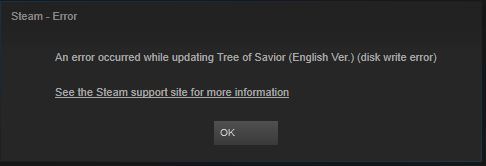
Thinking it was a false positive, I tried to run the game but nothing happened. Steam verification showed that 2 files had failed the check up and tried to re-download them, only to show me a disk read error message.

Steps to reproduce the issue :

  1. Cannot start the game and simply trying gets me the message shown below:

Screenshots / Video :
http://imgur.com/mLf70BU

I live in Mexico and play in the Orsha server.

Using windows 8.1 64 bits
2 Likes

hmmmmmm too much …

Ok, got around it by making an exception in AVG for the SteamApps folder.

Still not sure why it suddenly happened, though.

I have the same issue. Got it on whitelist but it feels wrong…
Using AVG too.
Uploaded the exe file to check with multi antiviruses online. 2/52 said it is infected.

Same here, I can confirm that AVG says it is infected

Happening here too, Brazil playing in Silute. I think it might be just AVG for some reason. I use 2013 version.

I was going to whitelist but first I wanted to report the problem. I’ve sent them a ticket earlier and now I’ve checked if it was answered, but nope.

same trojan problem here. had to install and whitelist it, and now i get this?

kaspersky masterrace here

Same issue here, only gotten this problem this morning with AVG. I’m not exactly sure if the problem is AVG side since it has always been fine till today.

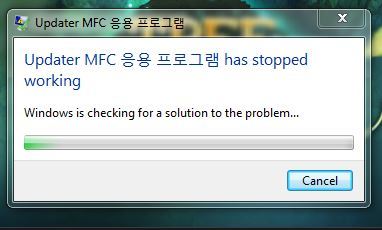
now this… tried reinstalling 3x… gg imc

This has been happening to me since yesterday. I didn’t add ToS to exceptions yesterday to see what happened today and it was the same, AVG deleted my ToS.exe
I fixed it both times by going to Steam app library, right click ToS > Properties > Local Files tab > Verify Integrity of Game Cache. Then start ToS and it’ll reinstall the missing files. I think it takes less than reinstalling whole game.

1 Like