
Please fill in as much as you can :
Date and Time(Please, specify the timezone) : 12.30-12.50 AM EDT
Server Name: Telsiai
Team Name: OnigiriV2
Character Name: 5K6M
Bug Description : I can’t press auto matching.
Steps to reproduce the issue :
- Out the current party
- Press again and again
- Re-start game
- Re-start computer
- Verify integrity of game files in steam game library
- Uninstall and re-install
Screenshots / Video :
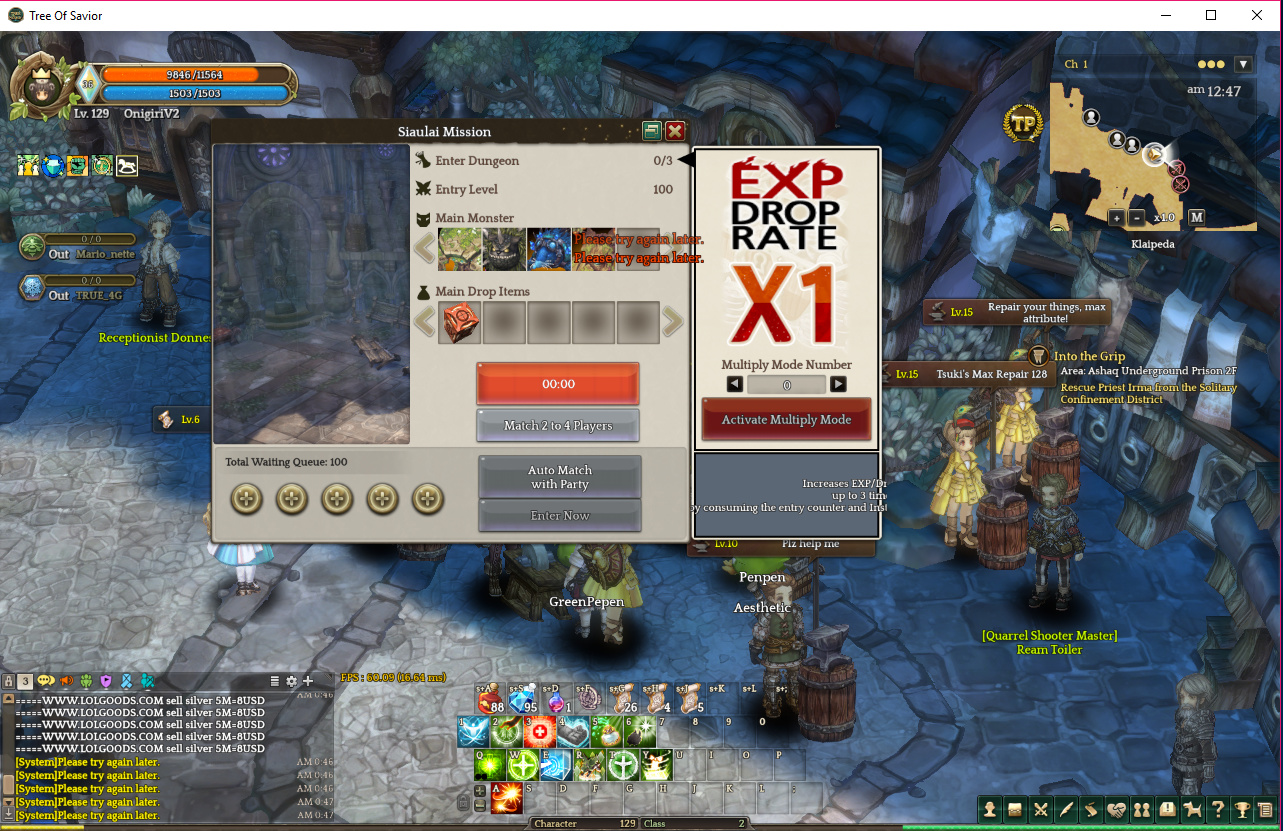
Game Control Mode (Keyboard/Joypad/Mouse) : Keyboard
System
- CPU : Intel Core i3-4150 3.50GHz
- RAM : 16 GB
- Graphics Card : GeForce GTX 970 (4GB)
- Mainboard : H97 GAMING 3 (MS-7918)
- Storage : HDD 1 TB, SSD 128 GB
- OS : Windows 10 Pro 64bit
- Country, Region : Thai