
Tree of Savior Forum

A possible cause behind VGA Error

Note: The game was working fine for me (even after the optimization patch yesterday) until today when there was a update for TOS on steam which is about 9MB that turns out to be Client_tos.exe Since then, the VGA Error started.

From some experiments, it turn out to be some problems with the patches, or should i say the client. The client either does not download the patches which makes it unable to start, or autodelete what it downloaded- which from my experience is the cause of VGA errors in the game.

Steps:

  1. Check release.revision.txt (should be 148958)
  2. Start the game, which launch the client
  3. In the Steam/SteamApps/common/TreeOfSavior/release you will probably see 149085_001001.pak and later on 149104_001001.pak
  4. However after the client finish patching, the new patches wouldn’t appear in the patch files
  5. release.revision.txt should now be 149104
  6. the game would launch but it will have the VGA error

Based on analysis: The new Client_tos.exe automatically deletes the new patch files after it downloads them which causes the VGA errors. Suggestively, with the supposed 149085_001001.ipf and 149104_001001.ipf files i may be able to play the game without any problems. If anyone could provide me with those patch files,maybe i could experiment about whether it is the cause behind the VGAerror.
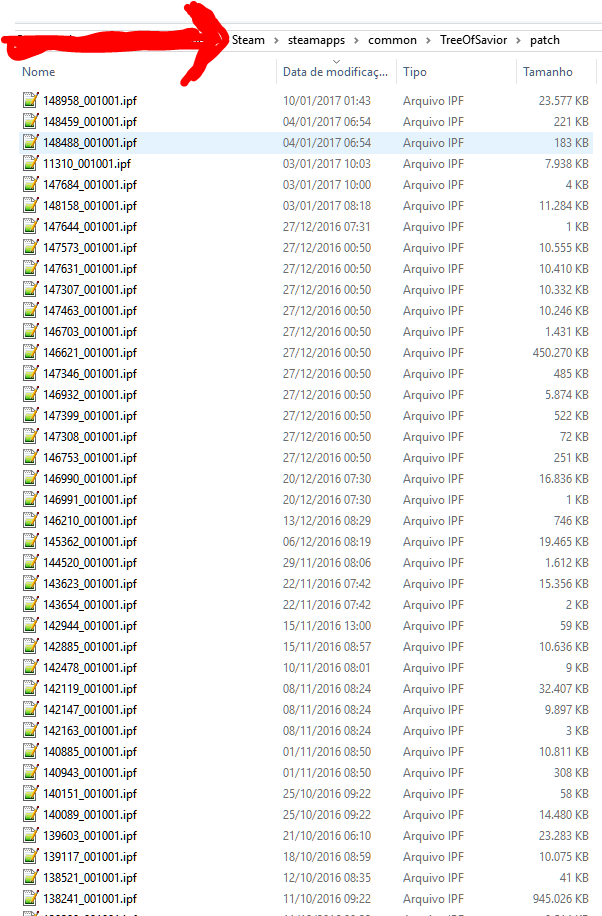
2 Likes

I don’t have the file on mine and even so i don’t get the error, so i doubt that is the real issue, unless it is corrupted files, repairing the game through steam won’t fix that tho, not the files on the folder in the picture, since these files are downloaded by the patcher and the repository in Steam is the old one from March or April.

I suggest you to try use Driver Booster 3, it’s on Steam too, it will find some drivers in the system that are outdated, it may or not fix the issues, if i am not mistaken i was having that issue before i first used it and after using DB3 the game worked fine, was still having some crashes but a lot less than it was, like 2 or 3 per day, till a new driver from Nvidia came out and the issue was solved for good.

Well I wouldn’t say that it’s definite, but base on past experience, missing patches would in fact caused the VGA error, which in some cases is in fact caused by the client itself deleting them. So it might be possible that the same thing occurs again. Gonna try what you suggest anyway.

I don’t know if they fixed that patching error from before, but if they did, other thing to try is, open the release txt file, change the version to a previous one with less numbers. delete the files in the TreeofSavior\Patch folder, open the game and let it download all the files again to see if it was corruption.

I wonder the patcher have a CRC checking in it.

This topic was automatically closed after 60 days. New replies are no longer allowed.