
this is true, after every update/maintenance it seems like new problems/errors arrives with logging in
anyway please investigate
[edit] i somehow solved mine (see below) but the patch files are sure strange…
i know mining the files isnt right but i checked the patch files and some are ‘suspicious’ (i might be totally wrong tho)
11072 ipf patches v11037 into v11072 but
11037 ipf patches v11034 > into v11035
11036 ipf also patches 11034 into 11035, both contains exact same file
128144 & 128143 ipf both exact same file, patches 128143 > 128143
some files also patches into version different from filename
[details=list].ipf = version to be patched > version of that .ipf
128145 = 12900 > 12900
128144 & 128143 = 128143 > 128143
11753 = 11726 > 11756
11702 = 11669 > 11703
11457 = 11373 > 11462
11346 = 11314 > 11347
11208 = 11139 > 11139
11307 & 11306 = 11034 > 11035[/details]
1 Like
after a clean install, the launcher finally pop out an error. which is 128009_xxxx failed to download files. This case i solved it before which is u go to the release.revision to edit the text file. But the format of the text file seems to changed already. my release.revision appear like this.
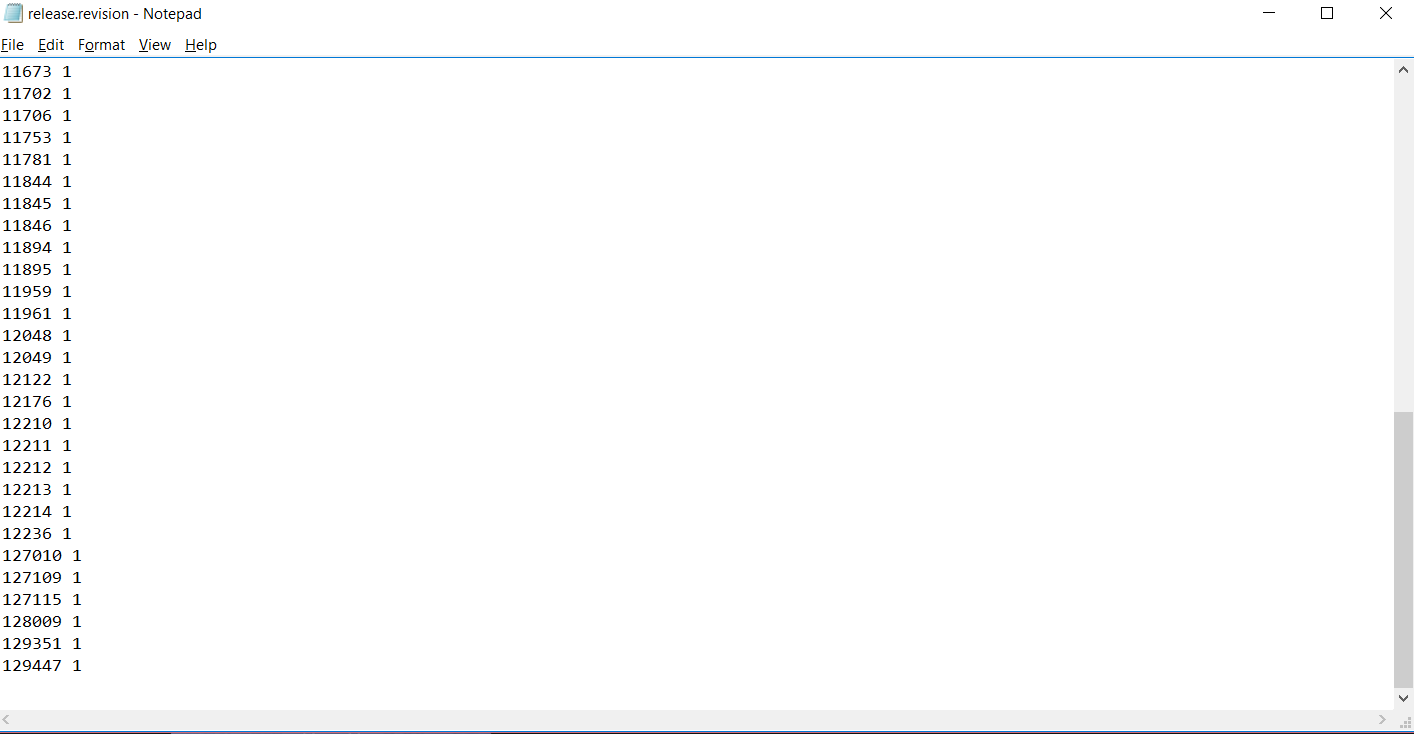
and i do check my patch file and i found that 128009 ipf file is at there, but the latest is 129351.
I updated the game on my other pc and copy folders : commonredist , patch , release (replacing the old folders ) and it worked well .
I think the error is in any subfolder of the game better download and install on another PC and copy the patch / commonredist / release folders in C : \ Program Files ( x86) \ Steam \ steamapps \ common \ TreeOfSavior worked for me
[EDIT]
i try replacing my now-working-files with my backup and the game still work… so in the end i don’t know what solved my problem haha but maybe u can still try what I last did that make mine work:
so i deleted (backup) some files from /data and let updater redownload them. i trial and error the smallest 25 files and somehow the game can run after that.
Thanks u guys helping…I try my self dele whole steam and game…download and install again…the problem is fix after install and download again…
.I’m playing…no more problem…u guys can try this…if ur line slow abit take long time to download again
I have the same kine of problem too It’s something about release.revision.txt last night I try to enter the patch name that casing problem and it’s work well. And now I try to reset number in that file to 0 and the patch stuck again. It seem like launcher try to download TreeOfSavior\release\patch\release.revision.txt over and over again…
I finaly solved this by validating cache and patching the game while using a vpn (pingzapper in this case). I can play normally now without the vpn, it was just for downloading the game data, thanks guys hope this helps.
afaik if u reset release.revision.txt, it will redownload patches inside /patch from version 0.
verify integrity shd do better job because it corrupt-check whole tos folder and redownload them. theoretically all files needed for the game to run shd be there on perfect condition…
i just remembered i did this too on my last not-working-effort. plus a shutdown & cold boot, plus cleaning all temp files on pc. then i delete/redownload some files inside /data and it somehow it works.
@mystletainn
Hello there could you help me too? I already tried verify integrity till it says that there are no more files left or something then I try and start the game via steam or by using the one’s at TOS’ folder itself but still nothing happens and afterwards when I try to verify again it says that there are 37 files “again”. I am saddened by this problem a lot 
haha thing is i also dont know why mine can work now. all i can say is keep trying literally everything.
this is the content of my /patch and /data, maybe can use as reference for file size to check corruption manually… (anyone with working game mebbe can post if different)

edit: image
Having this problem as well! I was able to play this morning, but after the game hanged and had to reset my pc, launcher doesn’t work right after 100% patch, it just turns off. I already did the verify game cache in stam 2 times already and still doesn’t work, I’ll trying doing other sugestions by other users here.
@mystletainn
Ahahaha the thing is also, I’m not much of a tech guy and that image can’t be viewed and I’ll try re-installing it if it works… 
I did what that guy said, i deleted my temp files then went to my tos patch folder and deleted everything inside of it, it patched then the game launched.
power interruption then when power was back… and open my desktop goes to windows open to launch the TOS…
I then can’t enter the game anymore… it stops at 100% then pooop the launcher is gone. it doesn’t push through… I tried about 20 times…
now I’m about to validate the files… and I need to wait 50mins for validation to end…
@STAFF_Max @STAFF_Ethan @STAFF_John nothing just that this problem is annoying, but before it happens actually every time a patch was release it increase the “wait time” to enter the game… it’s like after the launch goes to 100% we need to wait around 2-3 mins before the server select to come out.
I’ll update this if it was successful after 50 mins.
update: It doesn’t work… Fck this.
Dammmmn it this game, even i tried reinstall, disabled AV soft, window defender, it still launch 100% and… nothing happen. It just disappeared like i never click Play. If you want me to quit TOS, just say, pls don’t do like this.
btw, this is log file
TryGetCurrentDirectory : D
Saving CurrentDirectory : D:\Steam\steamapps\common\TreeOfSavior\release
Stack Dump Directory : D
Error Type : C0000005============================================
DATE : 08/04/16
TIME : 22:14:31
BUILD DATE : Jul 25 2016
BUILD TIME : 17:01:37
Process : 910
Thread : 1568
Exception Type : 0xc0000005
eax: 0x00000000 ebx: 0x00143b00
ecx: 0x01149930 edx: 0x0000742e
esi: 0x67fdfe10 edi: 0x13592460
ebp: 0x00143bbc esp: 0x0013dcc4
StackWalk() Complete
0x00d639a2SymGetSymFromAddr = (null)0x00d639a2 - [Unknown Symbol:Error 487]
ImageName:D:\Steam\steamapps\common\TreeOfSavior\release\Client_tos.exe
LoadedImageName:D:\Steam\steamapps\common\TreeOfSavior\release\Client_tos.exe
SymGetSymFromAddr = (null)0x0058494c - [Unknown Symbol:Error 487]
ImageName:D:\Steam\steamapps\common\TreeOfSavior\release\Client_tos.exe
LoadedImageName:D:\Steam\steamapps\common\TreeOfSavior\release\Client_tos.exe
SymGetSymFromAddr = (null)0x0045f762 - [Unknown Symbol:Error 487]
ImageName:D:\Steam\steamapps\common\TreeOfSavior\release\Client_tos.exe
LoadedImageName:D:\Steam\steamapps\common\TreeOfSavior\release\Client_tos.exe
SymGetSymFromAddr = (null)0x004c72b8 - [Unknown Symbol:Error 487]
ImageName:D:\Steam\steamapps\common\TreeOfSavior\release\Client_tos.exe
LoadedImageName:D:\Steam\steamapps\common\TreeOfSavior\release\Client_tos.exe
0x76f195f4 - BaseThreadInitThunk() + 24h
ImageName:C:\WINDOWS\system32\KERNEL32.DLL
LoadedImageName:C:\WINDOWS\system32\KERNEL32.DLL
0x7712241a - RtlCheckPortableOperatingSystem() + 16ah
ImageName:C:\WINDOWS\SYSTEM32\ntdll.dll
LoadedImageName:C:\WINDOWS\SYSTEM32\ntdll.dll
0x771223e9 - RtlCheckPortableOperatingSystem() + 139h
ImageName:C:\WINDOWS\SYSTEM32\ntdll.dll
LoadedImageName:C:\WINDOWS\SYSTEM32\ntdll.dll
i think it’s ur computer mate, i don’t have this kind of problem before …
hi @GM_Sebastian , sorry to call you here but some of the players are having problems with their games. After the patch on August 2 it’s been 3 days and these guys cannot play the game. Please come help out if you have some suggestion regards this matter. Thank you.