
re-validate your steam cache
I meant run the validation to recheck the game with your anti-virus temporarily disabled.
Fixed 
try writing a bad steam review, that tends to work
1 Like
If all else fails you could probably try having a friend send you the file over skype or something. The file’s potential will go down by 1 and make it untradeable but that shouldn’t matter much. Most anti-virus have a way to restore anything it removes though. I’ve had mine detect and remove something from a game before and I just took it out of quarantine back to where it was.
Also, you should probably add your Steam folder to Anti-Virus exceptions.
1 Like
He said he tried to run the validation check and it failed to DL. Those words would imply that it well… failed to DL but he didn’t specifically say the reason it gave him. I’ve seen Steam validation fail to DL due to a virus scanner blocking it before. It’s not a stupid suggestion and it’s worth a try.
If he already has the game on his computer and in his steam library I don’t see why he wouldn’t be able to run the validation.
 I hate having toe explain things xD
the “read” was for TC cause there are already 4 or 5 threads about this 
Oh sorry lol. Well those threads are full of trolls to be fair 
This post was flagged by the community and is temporarily hidden.
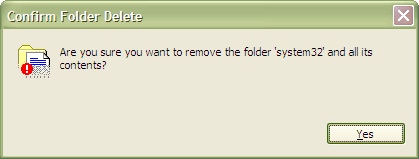
I’d hate to think that people just delete things when prompted, without even reading what it was. I hope you don’t end up deleting system32 in the same manner next time.
1 Like
he must be new to this forum 
we should know by now that people don’t actually read
if they did we wouldn’t have people asking for the same things that were responded minutes before on other threads or announcement…
or 100 threads of the same thing
That’s why I stopped trying to write long replies to people to prove they are stupid. Because, if they are stupid, they won’t read what I said anyways and just insult me like the monkeys that they are.
Happened to me yesterday. One can never be too careful, but it’s most likely a false positive. If you want to keep playing the game, open up your anti-virus and restore the executable from the virus vault.
If you can’t do that, doing what Flan suggested should be your next step.
If that doesn’t work and you want to download the game from scratch, uninstall it through Steam and make sure to delete the game’s folder before installing it again. The suspect file will still be there after you uninstall, only hidden and marked to be inaccessible, and it will interfere with the new installation unless you delete it somehow first. Deleting the folder takes care of that.
Keep in mind that after installing the game, or after successfully reacquiring the file by verifying game cache, the executable will be marked as a potential threat once again and you’ll need to add an exception for it through your anti-virus software.

its 2016 learn to troubleshoot
you sure like that gif huh lol
1 Like
It’s funny cuz every time this guy makes a reply on the forums he sounds like a grumpy old man and it makes me laugh lol.
stupidity make me cry a river lol
IF you’re using AVG, try to put Exception on your Steam Folder.
Try to recover your tosClient.exe on your Virus Vault so you don’t need to reDL it or validate. NP.