Tree of Savior Forum

Addon Collection Showcase! [Update 13-01-18]

HAHAHA :confounded: thanks for doing this! I always wanted to do this but was too lazy to do the media. I recently decided to start on it during maint, but looks like I don’t have to :nerd: Good thing you dropped this before I started working on it, I would’ve wasted so much time


[details=FORGET THIS]Anyway I just wanted to add:

To those who have the Rader addon (which @Wolfy may or may not cover since it’s not in the addon managers) :

I often see people use Rader in a weird position with the zoom at the default value. The command /rader zoom n lets you change the zoom of Rader.

Doing /rader zoom 0 will let it fit perfectly with the x1.0 minimap.
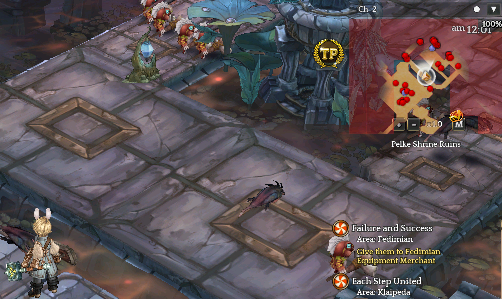
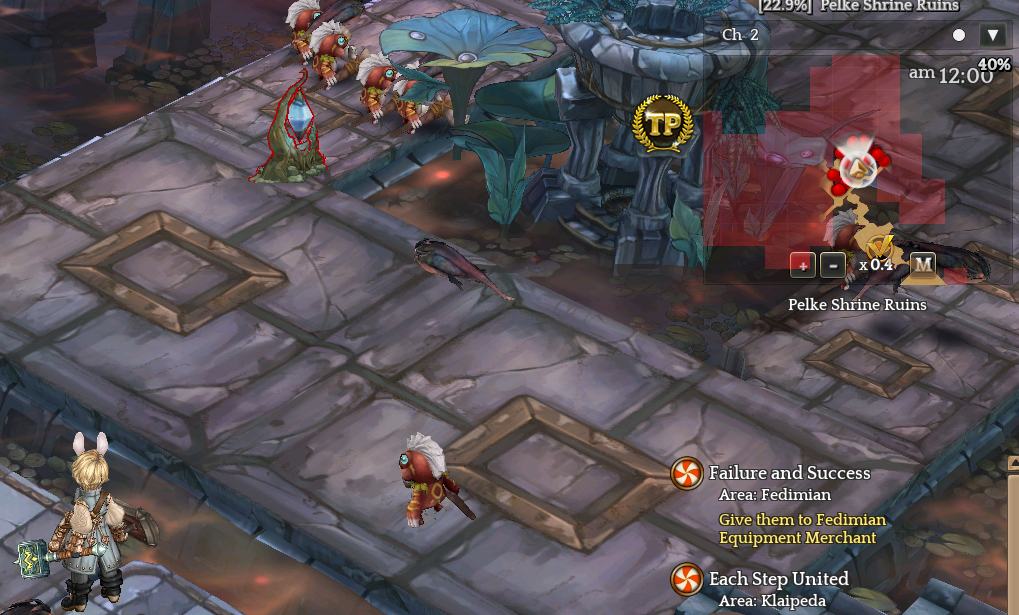
If you want an even further zoom, you can even go into the negatives. Here’s /rader zoom -60 which is x0.4 on the minimap
[/details]

Do this instead:

/rader minimap
6 Likes

Oh i just got the idea to make “small” tutorials that newbes could use this morning. So decided to ask around and the common answer seems to be ‘Addons’. Of course that wasnt a short topic to cover so i tried to make it as compact as possible (lol).

Im planning to cover jtos then ‘unlisted’ addons. On the unlisted addons out of the top of my head i will cover Clover Finder, Boss Spotter and Rader.

I wanted to add some emoji legend like your Class Changelog guides but i was too tired for now. Wish we could co-create posts.

1 Like

Wolfy so quick. Fantastic showcase.

@tampon makes 3 of us… :joy:


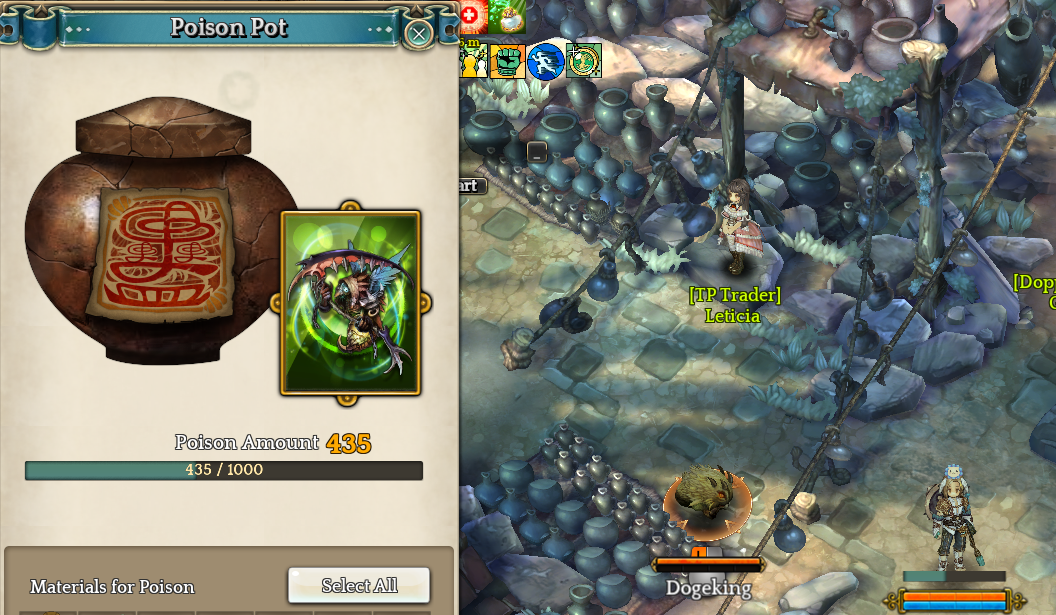
This is Resource Manager (show resource bars).
You must have [show character name - settings] activated or it won’t work.

The bar on top of HP and SP bar, this is wugushi poison pot reserve. It matches the real wugu pot reserve shown on the left.

image <<Click here

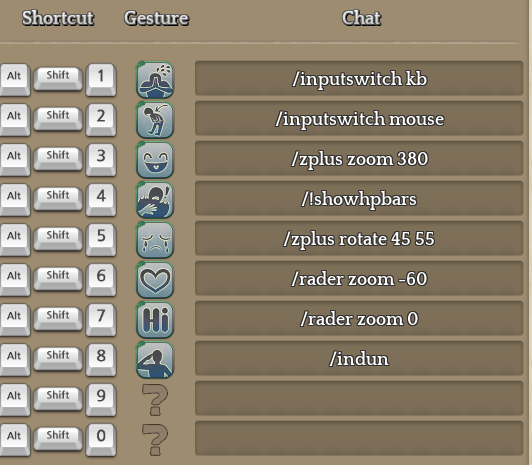
Use shortcuts to activate addon commands.

pic <<Click here

Might show my extendedUI set-up later

2 Likes

dayumm
great work , gents

You can use the collapse (hide details) markup here for a cleaner, shorter post that’s easy to navigate. Make the addon name as the “details” value.

Thanks for making this. Saves time trying to explain to others which addons they should or would want to use.

2 Likes

I can provide some SS / description / info on some Japanese stuff, should you need them.

1 Like

Fantastic! really appreciate being linked to the JToS addon manager, going to install that later, and i’m looking foward to seing more people learning about addons, spotting broken addons, making addons.

Some of this stuff I couldn’t imagine playing without and my addon list is huge so far.

I’m probably gonna work on the JToS section this weekend, depending on my free time. But any information is welcome as i haven’t tried every addon yet.

I dont think Zoomy works anymore

You mean after this week patch? I havent launch the game yet, so i will try to check it later.

It stopped working for me after Hunting Ground Patch for me. Hopefully its just me.

Well i recorded that Zoomy video this sunday, so you can see its working perfectly fine there =P

There’s been a few zoom addons, zoomy by itself installed correctly definately still works for me. Give everything a little clear out and give it a go by itself.

Infact inspired by this thread i’m going to back it all up and start clean.

SFX Toogle is broken after rank 8 patch.

JToS Addon devs are in the process of fixing quite a few Addons that broke after 3/29 patch for them. Be sure to check for updates these few days.

1 Like

Looking forward to your reviews on the jTOS addons man! Appreciate the effort that went into this.

For new players I would recommend
-better quest
-better chat filter
-channel surfer
-map fog viewer
-market show level
-monster frames
-monster tracker
-tooltip helper
-treasure map


Swapit works however you must open your inventory and drag the weapon from inventory to the swap interface.

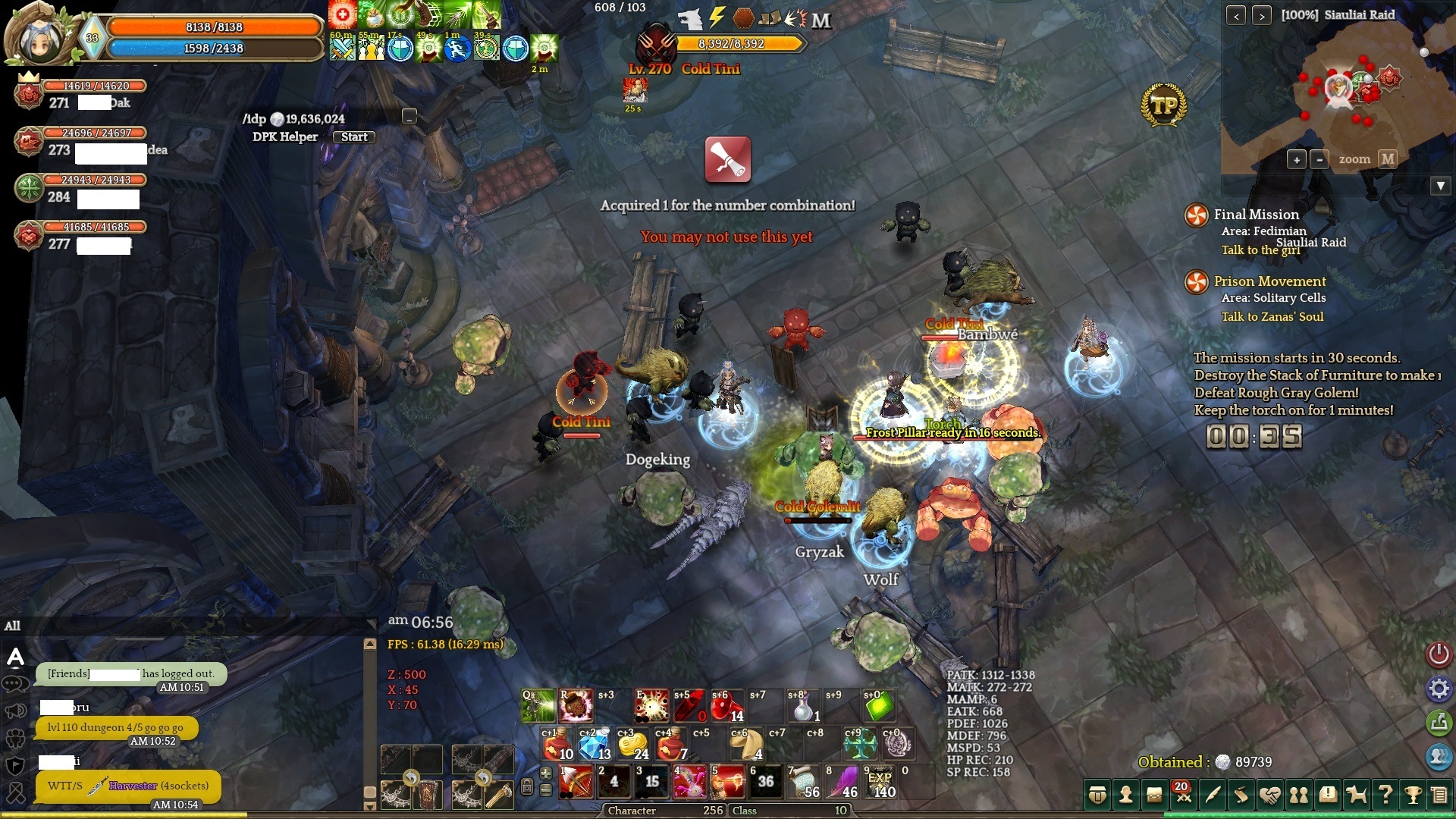
my extendedUI on new cannon <<Click here

Cannot play mouse mode targeting without the zplus rotation to make the game flat (Y: 70).

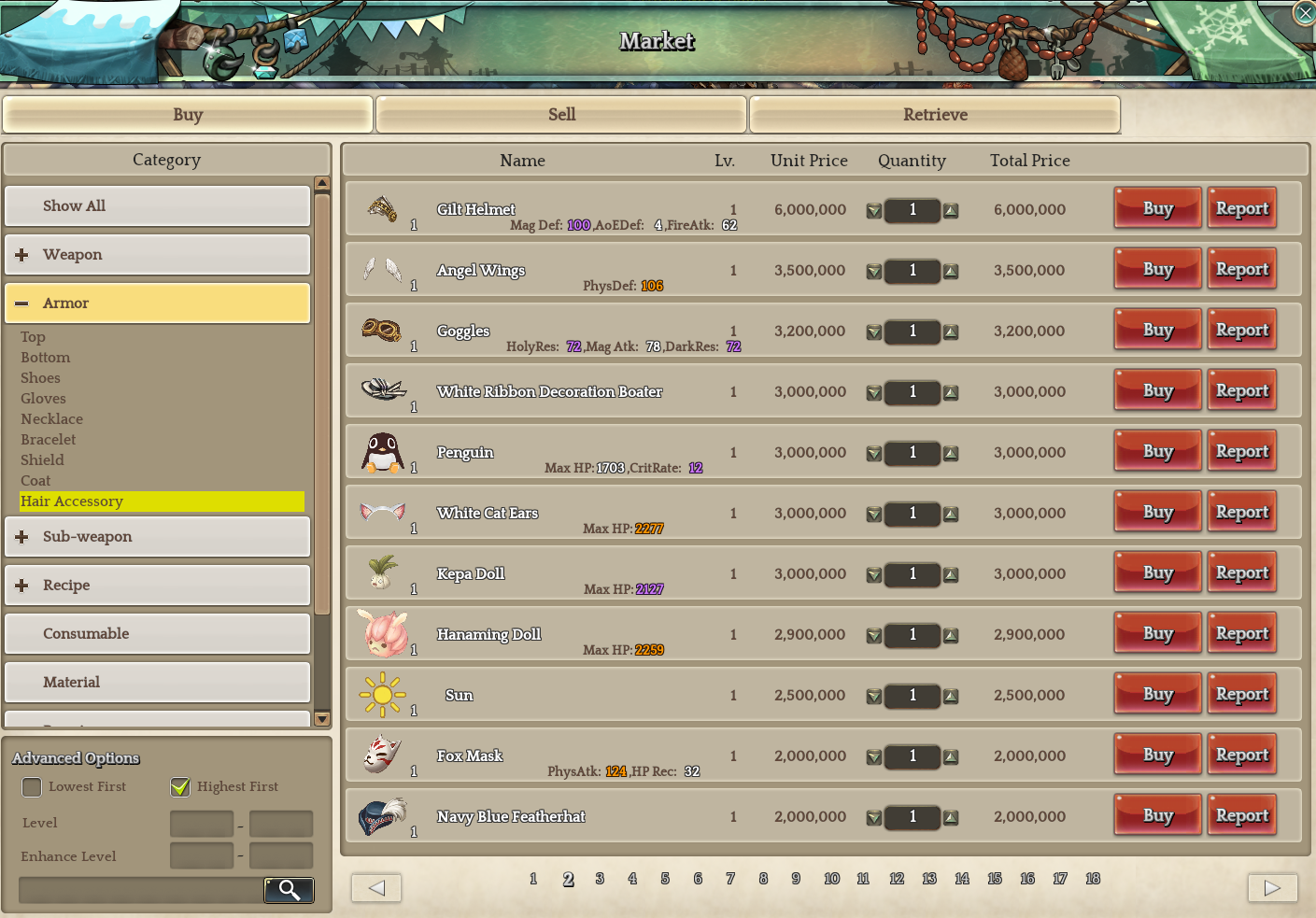
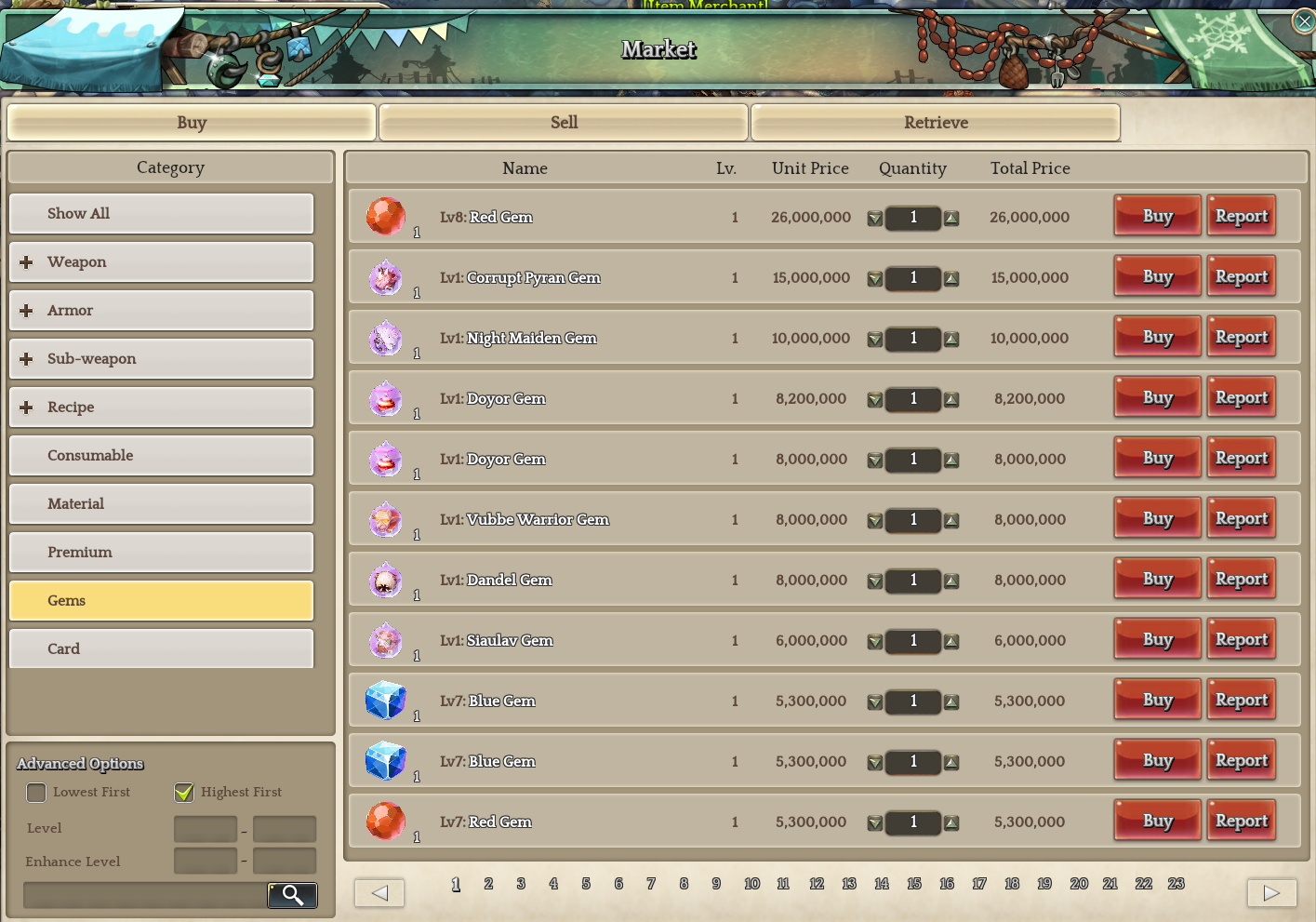
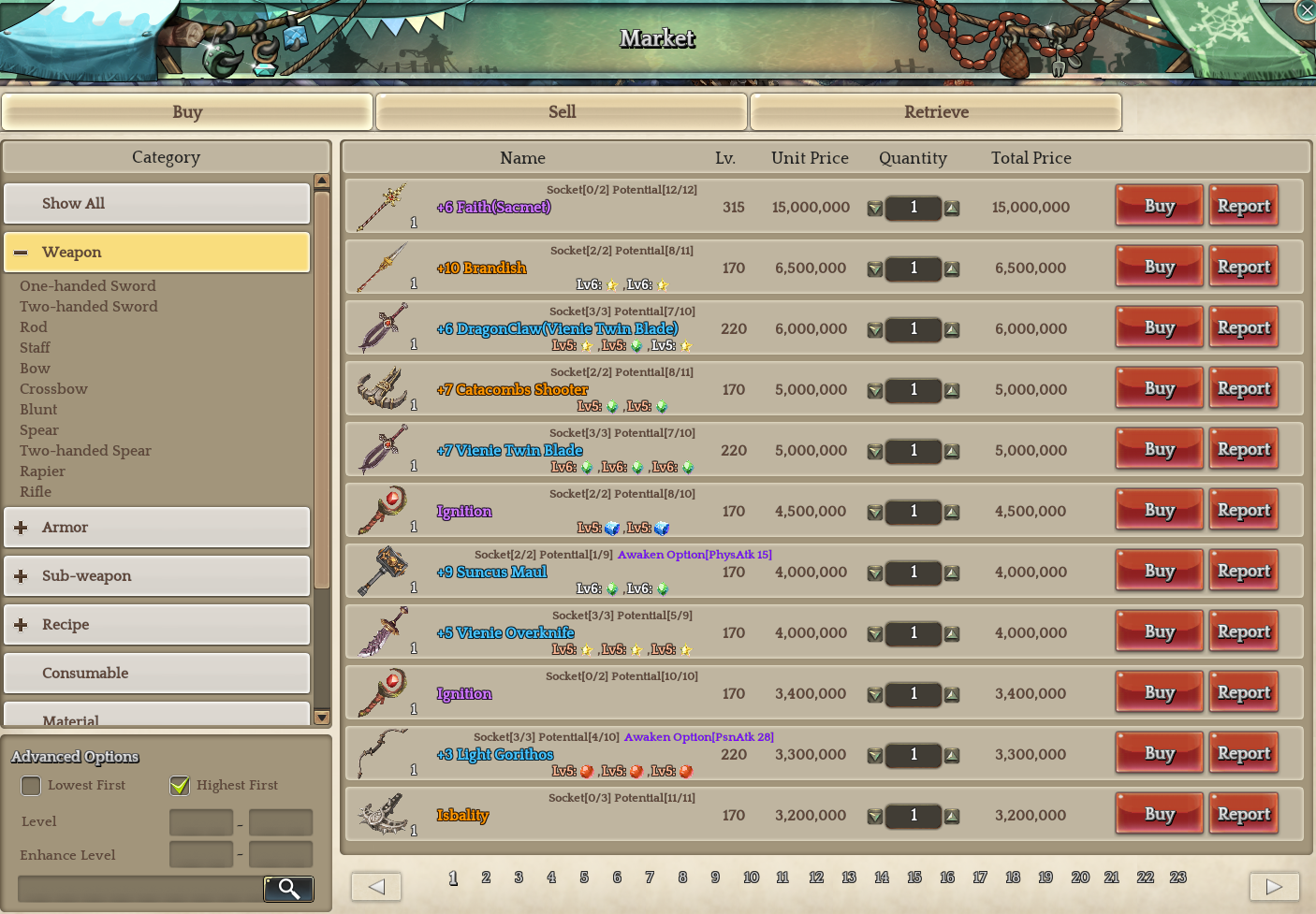
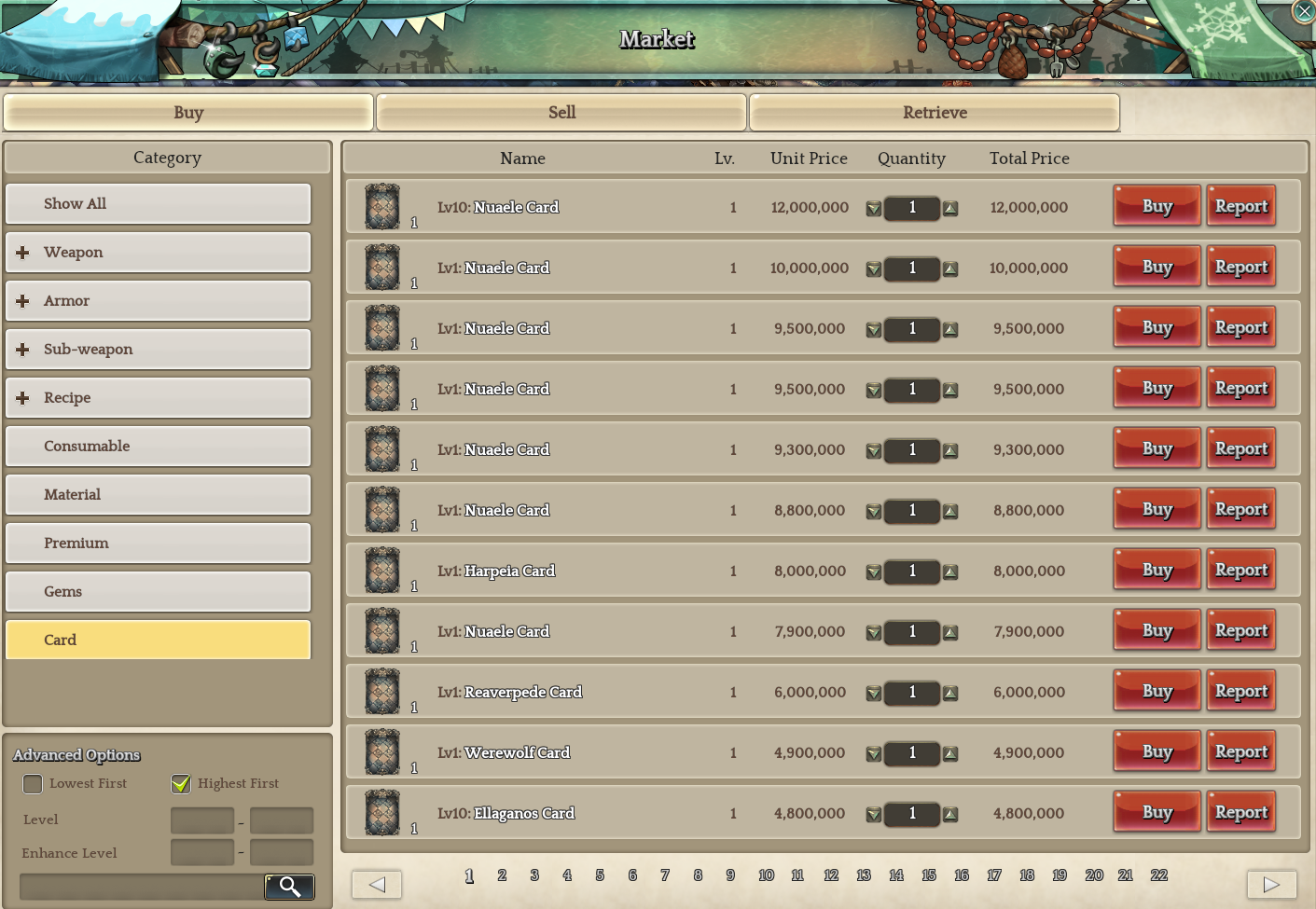
Market stuff show level so nice <<Click here

Headgear stats

Card stats

Gem stats

Equipment stats

2 Likes

I have problems with jTOS manager. I can not run the game with this laucher after following Wolfy’s guide. Does this happen to anyone else? How can i fix it?

You do not have to use ‘launch the game’ through the manager. Just start your ToS with steam – normally.

1 Like

is treasure map safe to use?